EasyManua.ls Logo

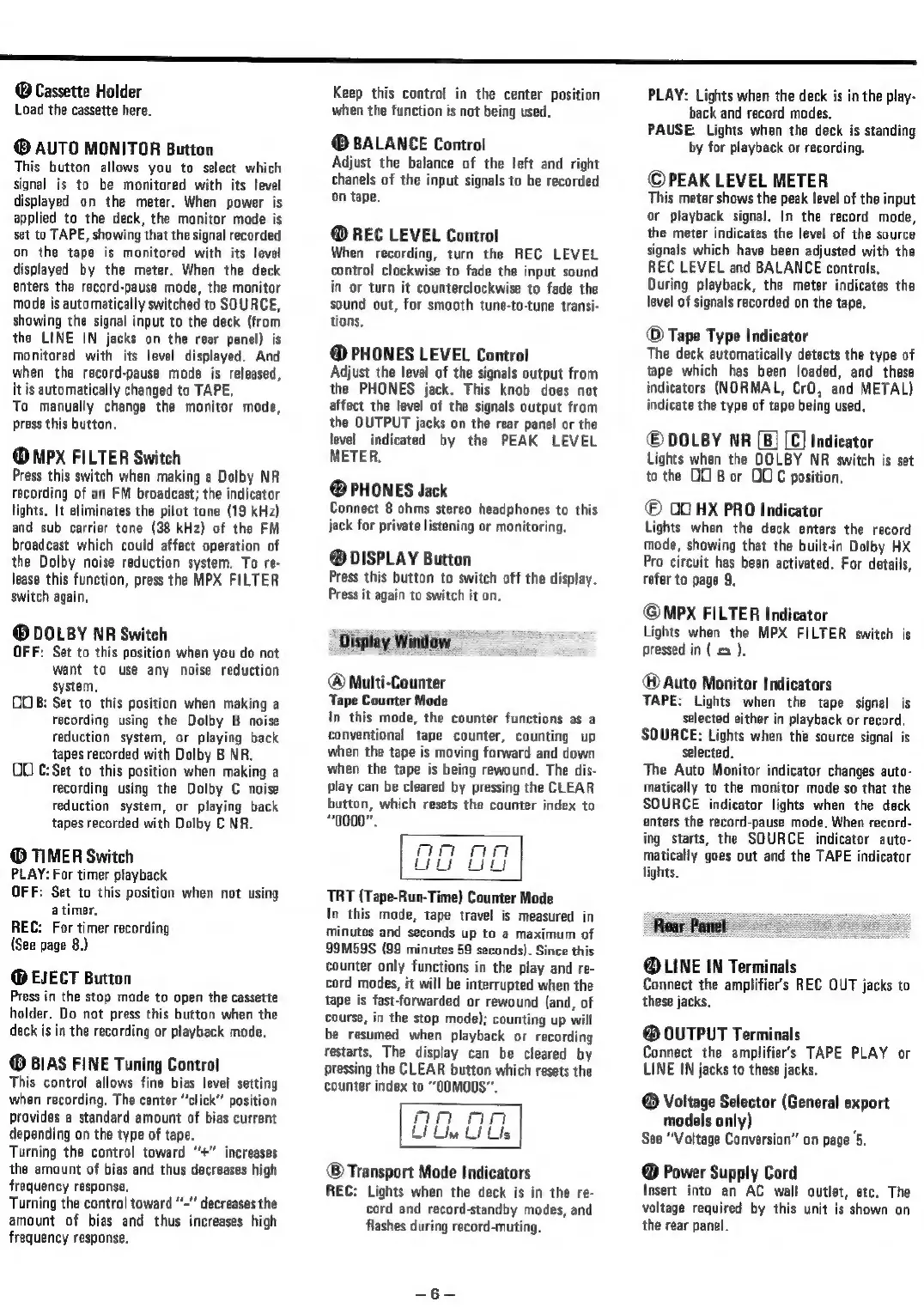
Teac V-3000 - Device Controls and Rear Terminals; Front Panel Controls and Indicators Explained

Teac V-3000
10 pages
Print Icon
To Next Page IconTo Next Page
To Previous Page IconTo Previous Page
Loading...
SS
®
Cassette
Holder
Load
the
cassette
here.
AUTO
MONITOR
Button
This
button
allows
you
to
select
which
signal
is
to
be
monitored
with
its
level
displayed
on
the
meter.
When
power
is
applied
to
the
deck,
the
monitor
mode
is
set
to
TAPE,
showing
that
the
signal
recorded
on
the
tape
is
monitored
with
its
level
displayed
by
the
meter.
When
the
deck
enters
the
record-pause
mode,
the
monitor
mode
is
automatically
switched
to
SOURCE,
showing
the
signal
input
to
the
deck
(from
the
LINE
IN
jacks
on
the
rear
panel)
is
monitored
with
its
level
displayed.
And
when
the
record-pause
mode
is
released,
it
is
automatically
changed
to
TAPE.
To
manually
change
the
monitor
mode,
press
this
button.
@
MPx
FILTER
Switch
Press
this
switch
when
making
a
Dolby
NR
recording
of
an
FM
broadcast;
the
indicator
lights.
It
eliminates
the
pilot
tone
(19
kHz)
and sub
carrier
tone
(38
kHz)
of
the
FM
broadcast
which
could
affect
operation
of
the
Dolby
noise
reduction
system.
To
re-
lease
this
function,
press
the
MPX
FILTER
switch
again,
®
DOLBY
NR
Switch
OFF:
Set
to
this
position
when
you
do
not
want
to
use
any
noise
reduction
system,
OOB:
Set
to
this
position
when
making
a
recording
using
the
Dolby
B
noise
reduction
system,
or
playing
back
tapes
recorded
with
Dolby
B
NR.
OO
C:Set
to
this
position
when
making
a
recording
using
the
Dolby
C
noise
reduction
system,
or
playing
back
tapes
recorded
with
Dolby
C
NR.
©
TIMER
Switch
PLAY:
For
timer
playback
OFF:
Set
to
this
position
when
not
using
a
timer,
REC:
For
timer
recording
{See
page
8.)
@
EJECT
Button
Press
in
the
stop
mode
to
open
the
cassette
holder,
Do
not
press
this
button
when
the
deck
is
in
the
recording
or
playback
mode.
®
BIAS
FINE
Tuning
Control
This
control
allows
fine bias
level
setting
when
recording.
The
center
“click”
position
provides
a
standard
amount
of
bias
current
depending
on
the
type
of
tape.
Turning
the
control
toward
“+”
increases
the
amount
of
bias
and
thus
decreases
high
frequency
response,
Turning
the
control
toward
“’~"'
decreases
the
amount
of
bias
and
thus
increases
high
frequency
response.
Keep
this
control
in
the
center
position
when
the
function
is
not
being
used.
BALANCE
Control
Adjust
the
balance
of
the
left
and
right
chanels
of
the
input
signals
to
be
recorded
on
tape.
@
REC
LEVEL
Control
When
recording,
turn
the
REC
LEVEL
control
clockwise
to
fade
the
input
sound
in
or
turn
it
counterclockwise
to
fade
the
sound
out,
for
smooth
tune-to-tune
transi-
tions,
@
PHONES
LEVEL
Control
Adjust
the
level
of
the
signals
output
from
the
PHONES
jack.
This
knob
does
not
affect
the
level
of
the
signals
output
from
the
OUTPUT
jacks
on
the
rear
panel
or
the
level
indicated
by
the
PEAK
LEVEL
METER.
@
PHONES
Jack
Connect
8
ohms
stereo
headphones
to
this
jack
for
private
listening
or
monitoring,
@
DISPLAY
Button
Press
this
button
to
switch
off
the
display.
Press
it
again
to
switch
it
on.
Display
Window
Multi-Counter
Tape
Counter
Mode
In
this
mode,
the
counter
functions
as
a
conventional
tape
counter,
counting
up
when
the
tape
is
moving
forward
and
down
when
the
tape
is
being
rewound.
The
dis-
play
can
be
cleared
by
pressing
the
CLEAR
button,
which
resets
the
counter
index
to
“0000”.
TRT
(Tape-Run-Time)
Counter
Mode
In
this
mode,
tape
travel
is
measured
in
Minutes
and
seconds
up
to
a
maximum
of
99M59S
(99
minutes
59
seconds).
Since
this
counter
only
functions
in
the
play
and
re-
cord
modes,
it
will
be
interrupted
when
the
tape
is
fast-forwarded
or
rewound
(and,
of
course,
in
the
stop
mode);
counting
up
will
be
resumed
when
playback
or
recording
restarts.
The
display
can
be
cleared
by
pressing
the
CLEAR
button
which
resets
the
counter
index
to
“OOMO0S"
®
Transport
Mode
Indicators
REC:
Lights
when
the
deck
is
in
the
re-
cord
and
record-standby
modes,
and
flashes
during
record-muting.
PLAY:
Lights
when
the
deck
is
in
the
play-
back
and
record
modes,
PAUSE:
Lights
when
the
deck
is
standing
by
for
playback
or
recording.
©PEAK
LEVEL
METER
This
meter
shows
the
peak
level
of
the
input
or
playback
signal,
In
the
record
mode,
the
meter
indicates
the
level
of
the
source
signals
which
have
been
adjusted
with
the
REC
LEVEL
and
BALANCE
controls,
During
playback,
the
meter
indicates
the
level
of
signals
recorded
on
the
tape,
©
Tape
Type
Indicator
The
deck
automatically
detects
the
type
of
tape
which
has
been
loaded,
and
these
indicators
(NORMAL,
CrO,
and
METAL)
indicate
the
type
of
tape
being
used.
©
DOLBY
NR
[B]
[C]
Indicator
Lights
when
the
DOLBY
NR
switch
is
set
to
the
OO
B
or
OUC
position.
©
OO
HX
PRO
Indicator
Lights
when
the
deck
enters
the
record
mode,
showing
that
the
built-in
Dolby
HX
Pro
circuit
has
been
activated.
For
details,
refer
to
page
9.
@MPX
FILTER
Indicator
Lights
when
the
MPX
FILTER
switch
is
pressed
in
(
=
).
[>]
@
Auto
Monitor
Indicators
TAPE:
Lights
when
the
tape
signal
is
selected
either
in
playback
or
record.
SOURCE:
Lights
when
the
source
signal
is
selected.
The
Auto
Monitor
indicator
changes
auto-
matically
to
the
monitor
mode
so
that
the
SOURCE
indicator
lights
when
the
deck
enters
the
record-pause
mode,
When
record-
ing
starts,
the
SOURCE
indicator
auto-
matically
goes
out
and
the
TAPE
indicator
lights.
@
LINE
IN
Terminals
Connect
the
amplifiers
REC
OUT
jacks
to
these
jacks,
®
OUTPUT
Terminals
Connect
the
amplifier's
TAPE
PLAY
or
LINE
IN
jacks
to
these
jacks,
®
Voltage
Selector
(General
export
models
only)
;
See
“Voltage
Conversion”
on
page
5,
@
Power
Supply
Cord
Insert
into
an
AC
wall
outlet,
etc.
The
voltage
required
by
this unit
is
shown
on
the
rear
panel.

Related product manuals