16 Quick Guide NanoQuant Plate
TM
No.30035094 Rev No. 1.4 2013-06
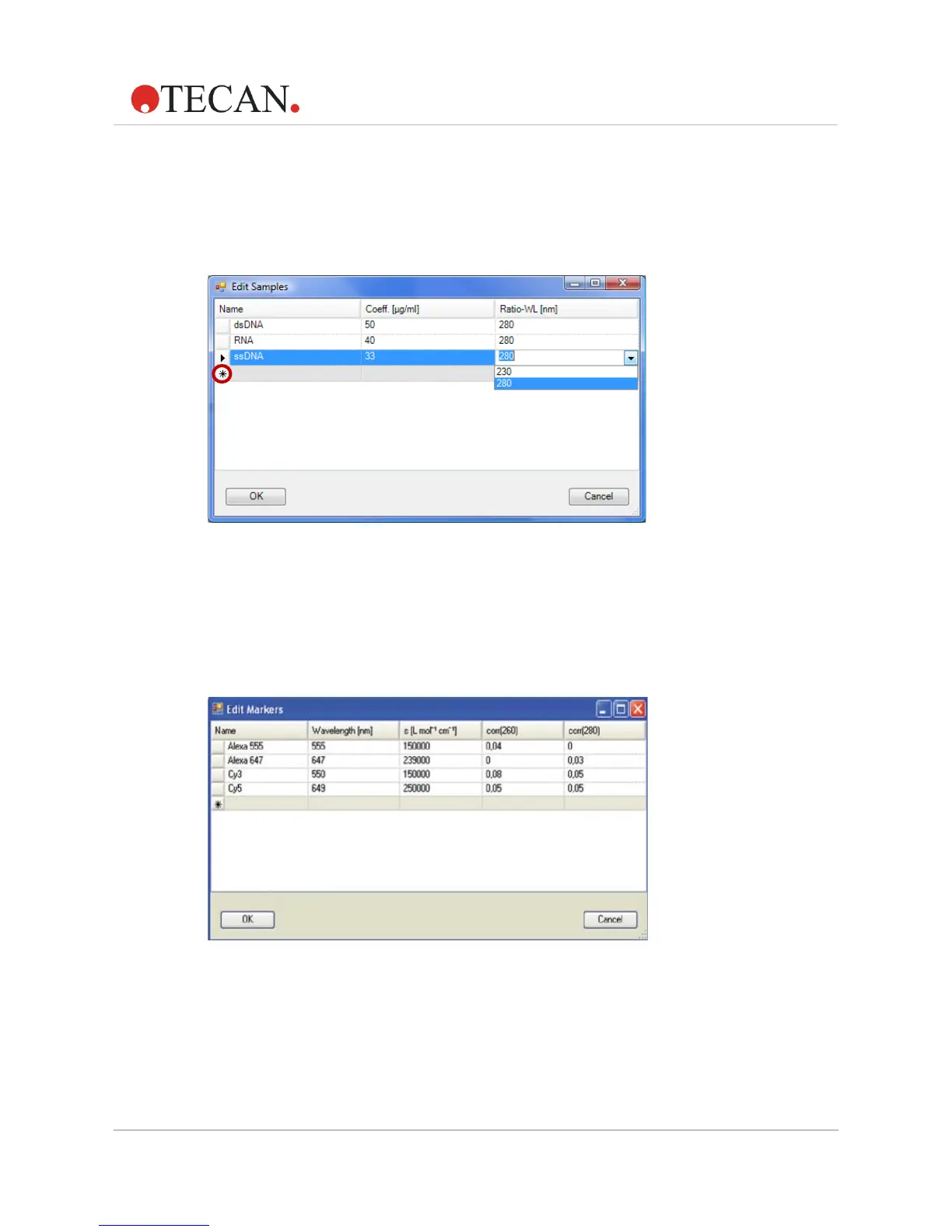
Upon selecting Others, the Edit Samples window opens. The star marks a
free line where additional sample types can be entered with the
corresponding standard coefficient [µg/ml] for 1 cm path length at 260 nm.
A ratio wavelength of 230 nm or 280 nm can also be selected from the
drop-down menu.
Figure 9: Selecting and adding new samples
Note
For the Infinite F200 PRO and Infinite F500, the correct filters must always
be used and defined correctly in the filter slide. If a wavelength is selected
that is not available (because the filter is not in the slide) an error message
appears.
Figure 10: Editing or creating new markers
Note
The selected sample in Edit Sample must always have the ratio wavelength
set at 280 nm, otherwise no marker can be selected for Dye 1 or Dye 2 and
an error message appears.



 To Next Page