EasyManua.ls Logo

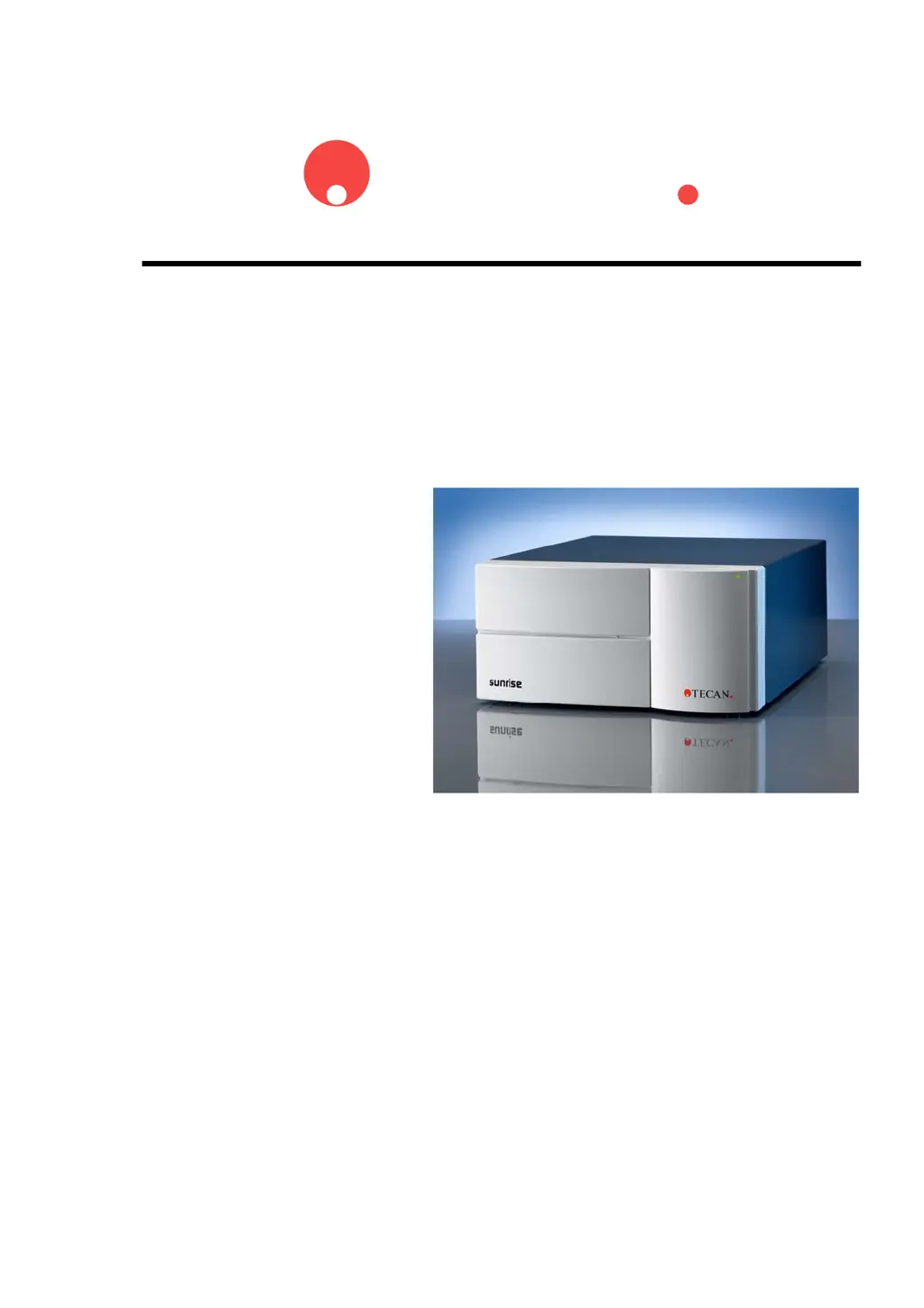
tecan sunrise RC - User Manual

Default Icon
155 pages
Print Icon
To Next Page IconTo Next Page
Loading...
TECAN
Technical Manual for
sunrise
RC, TW, TS, TC, BC, 6F
Document Part No. T 137 302
2004-10
Document Revision: 1.1
Firmware Revision Level: 3.xx

Table of Contents

Questions and Answers

  • K
    kristagreerSep 10, 2025
    What to do if erasing flash block failed on tecan sunrise RC?
    • J
      Joshua MooreSep 10, 2025
      If erasing a flash block failed on your Tecan Laboratory Equipment, it indicates a problem with the main board. You can see chapter 8.5 Replacing the Main Board.
  • B
    Brian AndersonAug 25, 2025
    Why is the lamp high in my Tecan Laboratory Equipment?
    • B
      Brittany RodriguezAug 25, 2025
      If the lamp is too high on your Tecan Laboratory Equipment, it means there's too much light, which can prevent reliable measurements. You can see chapter 4.4.5 Mirror and lamp adjustment.
  • T
    Timothy RuizAug 25, 2025
    Why is the lamp low in my Tecan Laboratory Equipment?
    • L
      Lisa EspinozaAug 26, 2025
      If the lamp is too low on your Tecan Laboratory Equipment, it means there's too little light, which can prevent reliable measurements. You can see chapter 4.4.5 Mirror and lamp adjustment.
  • J
    Jason WaltonSep 23, 2025
    Why is no data available on my Tecan Laboratory Equipment?
    • A
      alexanderchristopherSep 23, 2025
      This error is displayed when kinetic measurements got aborted and the instrument is set to Spectra Mode.
  • E
    Eric CampbellSep 12, 2025
    What does 'already inserted' mean when using tecan sunrise RC Laboratory Equipment?
    • P
      Patricia LoweSep 12, 2025
      The filterslide is already inserted.
  • J
    Jessica SmithSep 15, 2025
    What to do if filter carriage not defined on tecan sunrise RC Laboratory Equipment?
    • K
      Kevin Myers MDSep 15, 2025
      If the filter carriage is not defined on your Tecan Laboratory Equipment, check the filterslide coding slits.
  • B
    Brent BallardSep 4, 2025
    What to do if transport lost steps during calibration of tecan sunrise RC Laboratory Equipment?
    • S
      sbaileySep 4, 2025
      If the transport system on your Tecan Laboratory Equipment lost steps during calibration, it indicates a problem with the rear sensor of the transport box. You can see chapter 7.5 Replacing the Transport Box.
  • B
    Beth RichardsonSep 5, 2025
    What does 'Not expected transport IRQ' during calibration mean for tecan sunrise RC Laboratory Equipment?
    • J
      Joseph SellersSep 5, 2025
      If you receive an 'Not expected transport IRQ' message during calibration of your Tecan Laboratory Equipment, it indicates a problem with the transport system, specifically the transport box. You can see chapter 7.5 Replacing the Transport Box.
  • R
    Robert OlsonSep 23, 2025
    Why is no data available for measurement cycle on tecan sunrise RC?
    • C
      charlesballardSep 23, 2025
      This error is displayed when kinetic measurements got aborted and the instrument is set to Spectra Mode.
  • S
    sarah90Aug 30, 2025
    How to fix error message on printout cover page of tecan sunrise RC Laboratory Equipment?
    • B
      Benjamin PittsAug 30, 2025
      If an error message appears on the printout cover page of your Tecan Laboratory Equipment, you can check the filter settings to ensure they correspond with the hardware setting of the filter slide, or try replacing the filter.

Summary

Safety

Instrument Safety

Basic safety precautions for instrument use, including warnings and essential guidelines.

General Instrument Overview

Instrument Specifications

Technical details for general specs, variations, options, and accessories.

Installation Procedure

Power Requirements

Information on connecting the instrument to power and safety warnings.

Firmware and Software Description

Rdr Download Software

How to install and use the software for firmware updates.

SunSet Software

Utility software for instrument adjustment and calibration.

Optical System

Optical System Description

Detailed explanation of how the optical system functions.

Interfaces

Computer Interface

Specs, pinout, RS232 lines for computer communication.

Sunrise Service Tool Kits

Service Tool Kit 1 Introduction

Contents and introduction to the service tool kit.

Installation Procedure

How to install the software included in the service tool kit.

Sunrise SUNSET Software

Introduction to the SUNSET software for calibration.

QC Pac 2 Service Software

Information on using QC Pac 2 Service for instrument testing.

Barcode Upgrade Kit Installation

General components and installation steps for the barcode upgrade.

Maintenance & Cleaning

Lamp and Filter Replacement

Procedures for replacing the lamp and various filter carriages.

Performance Testing and Quality Control

Introduction

How to achieve best performance and check instrument accuracy.

Performance Optimization

Tips on instrument location and operating procedures for best results.

Quality Control Tests

Procedures for checking instrument precision, accuracy, and linearity.

Trouble Shooting

Introduction

Table of error codes, texts, possible defective parts, and solutions.

tecan sunrise RC Specifications

General IconGeneral
Brandtecan
Modelsunrise RC
CategoryLaboratory Equipment
LanguageEnglish

Related product manuals