4. Firmware and Software Description
4-2 Technical Manual for sunrise RC, TW, TS, TC, BC, 6F No. T 137 302 Rev No. 1.1 2004-10
4.1.1 Starting the Firmware Download
If an instrument is already connected to one of Tecan’s programs, close the
program or disconnect the instrument from the program.
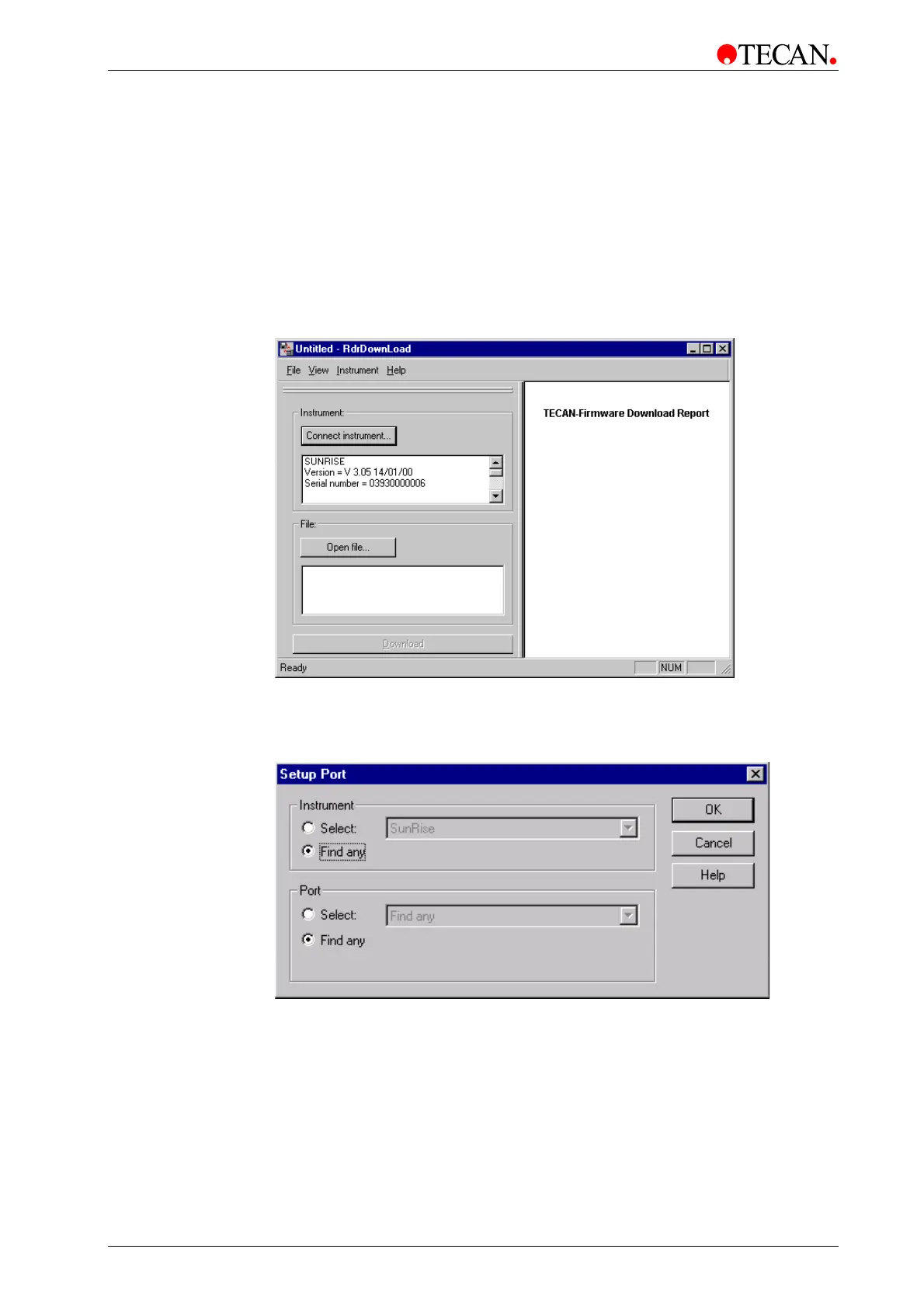
To start the Firmware Download Software click the RdrDownload icon on the
desktop or click the Start button on the lower taskbar and select Programs –
TECAN and select Rdr Download. .
The following dialog box is displayed:
Click Connect Instrument… to establish a link from the instrument to the
computer.
The Setup Port dialog box appears:
Select <Find any> and click OK.



 To Next Page