4. Firmware and Software Description
2004-10 Technical Manual for sunrise RC, TW, TS, TC, BC, 6F No. T 137 302 Rev No. 1.1 4-9
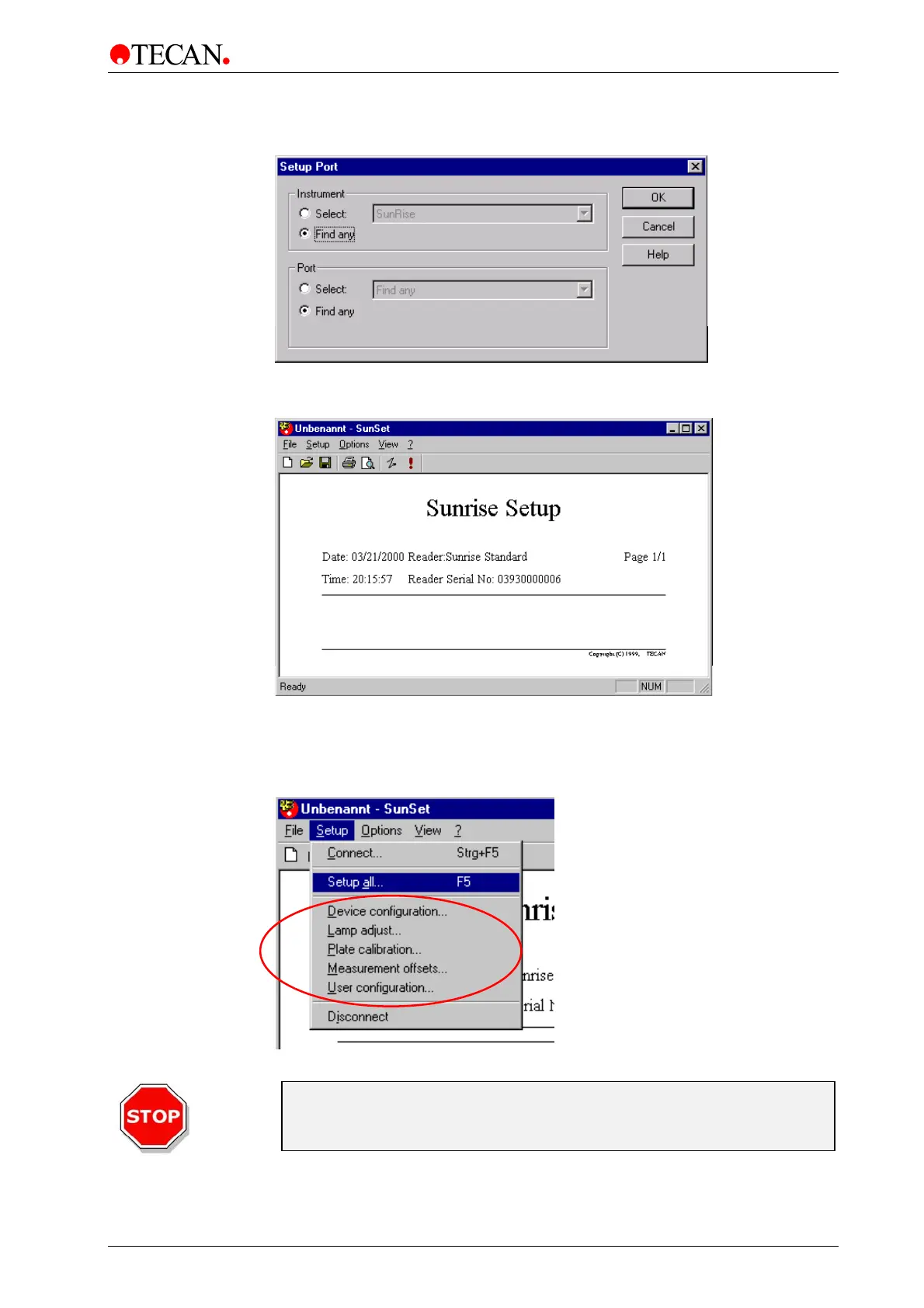
The Setup Port dialog box appears. Select <Find any> and click OK
The SunSet Software shows the connection to the reader. The reader type, Serial
No., date and time are displayed:
4.4.3 Setup All
Select Setup all from the <Setup> menu to adjust the instrument. All of the
adjustment procedures will be performed.
Caution
Only be perform Setup All... with In-House plate of the Service Tool Kit!
Otherwise the adjustment will not be performed properly.



 To Next Page