4. Firmware and Software Description
4-12 Technical Manual for sunrise RC, TW, TS, TC, BC, 6F No. T 137 302 Rev No. 1.1 2004-10
4.4.7 Measurement offset (Inhouse plate is necessary)
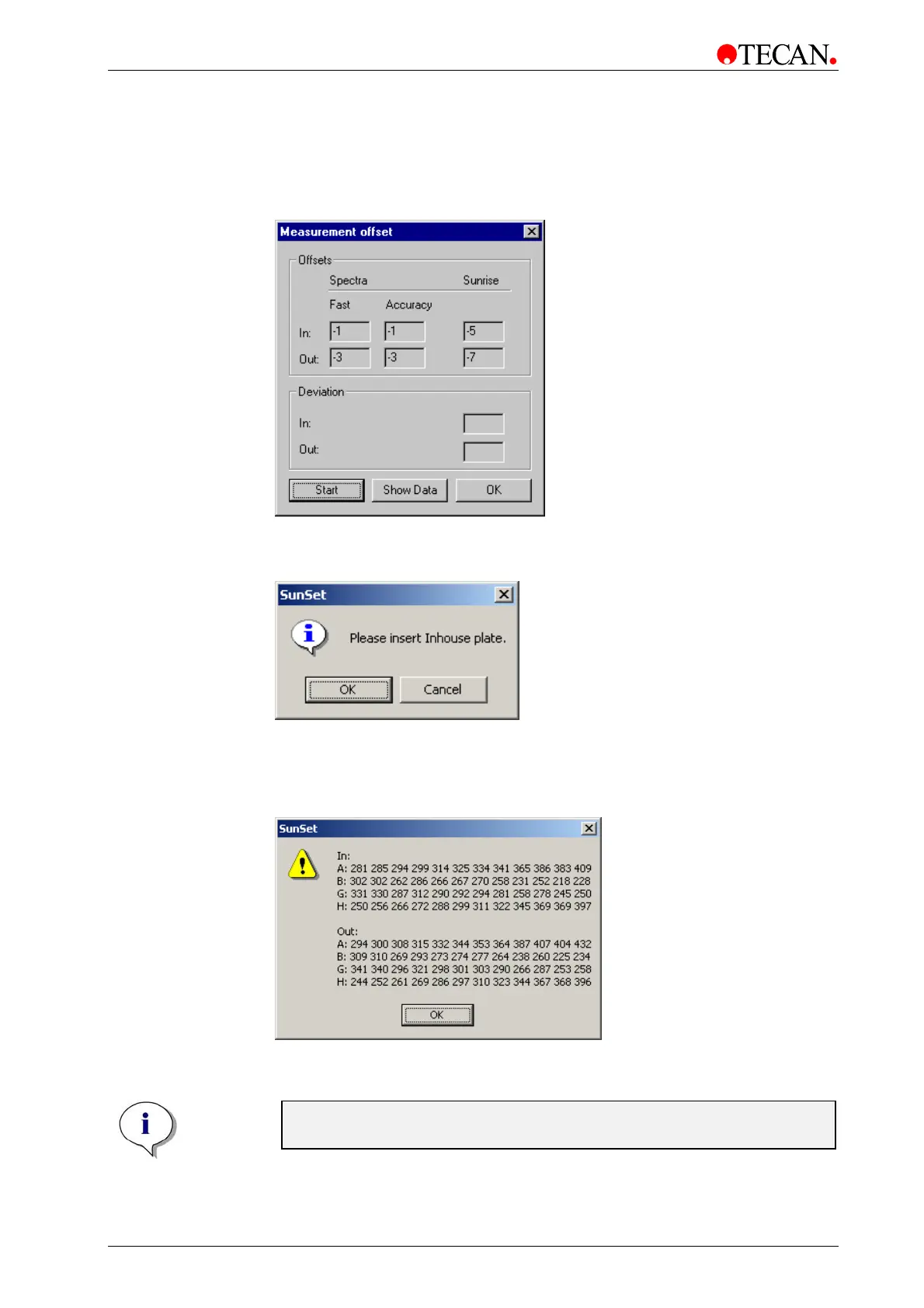
Select Measurement offsets from the <Setup> menu and the following dialog
box is displayed:
Click Start to start the adjustment. The plate carrier moves out and the following
dialog box is displayed:
Insert the Inhouse plate with the “A1” positioned top left and click OK. The
instrument starts the measurement and adjusts all the values.
Click Show Data and the following dialog box is displayed:
After the measurement the window shows the offset values. Click OK to return to
the Measurement Offset dialog box and click OK again to go to the next step.
Note:
The values for row B and G should be between 224 and 395.



 To Next Page