EasyManua.ls Logo

tecan sunrise RC - User Manual

Default Icon
155 pages
Print Icon
To Next Page IconTo Next Page
Loading...
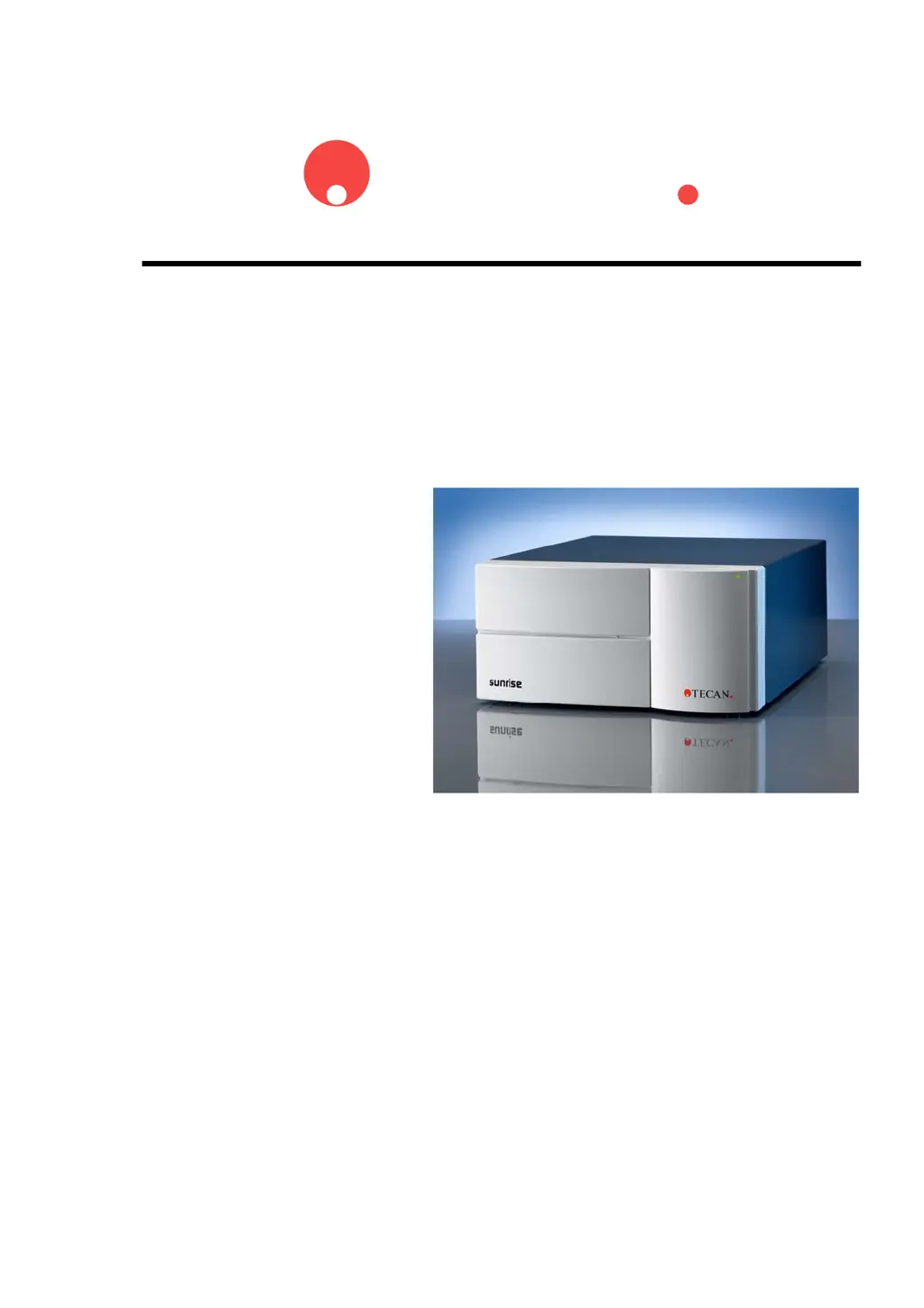
TECAN
Technical Manual for
sunrise
RC, TW, TS, TC, BC, 6F
Document Part No. T 137 302
2004-10
Document Revision: 1.1
Firmware Revision Level: 3.xx

Table of Contents

Questions and Answers

  • G
    Gwendolyn PattersonAug 29, 2025
    Why transport can't find REAR position in tecan sunrise RC?
    • J
      Joshua MyersAug 29, 2025
      If the transport on your Tecan Laboratory Equipment is unable to find the REAR position, it could be due to a broken optical switch inside the transport box, or the plate calibration values may be lost. You can see chapter 4.4.6 Plate calibration.
  • S
    sarah90Aug 30, 2025
    How to fix error message on printout cover page of tecan sunrise RC Laboratory Equipment?
    • B
      Benjamin PittsAug 30, 2025
      If an error message appears on the printout cover page of your Tecan Laboratory Equipment, you can check the filter settings to ensure they correspond with the hardware setting of the filter slide, or try replacing the filter.
  • B
    Brett ThomasAug 30, 2025
    What to do if no filter carriage detected on tecan sunrise RC Laboratory Equipment?
    • B
      Billy SmithAug 31, 2025
      If no filter carriage is detected by your Tecan Laboratory Equipment, check the filterslide coding slits.
  • A
    Andrew NelsonAug 25, 2025
    What to do if timeout waiting for lamp on in Tecan Laboratory Equipment?
    • B
      bmorganAug 25, 2025
      If you're experiencing a timeout while waiting for the lamp to turn on in your Tecan Laboratory Equipment, the cause may be related to the power board or the lamp itself. You can check power board and lamp.
  • D
    Dr. Christine BellSep 1, 2025
    What causes transport inserted steps error in tecan sunrise RC?
    • E
      Elizabeth BrooksSep 1, 2025
      If the transport system on your Tecan Laboratory Equipment has inserted steps, it may be because the optical switch within the transport box is broken, or the plate calibration values have been lost. You can see chapter 4.4.6 Plate calibration Duration Test page 4-16.
  • T
    thomas06Sep 1, 2025
    What does 'Not expected transport FixedOut IRQ' mean for Tecan Laboratory Equipment?
    • S
      Stephanie BarnettSep 2, 2025
      The 'Not expected transport FixedOut IRQ' error in your Tecan Laboratory Equipment indicates that the optical switch within the transport box may be broken, or the plate calibration values have been lost. You can see chapter 4.4.6 Plate calibration.
  • V
    Victoria MedinaSep 2, 2025
    What does 'Not expected transport Rear IRQ' mean for tecan sunrise RC?
    • C
      campbellkimberlySep 2, 2025
      The 'Not expected transport Rear IRQ' error on your Tecan Laboratory Equipment suggests that the optical switch within the transport box might be broken, or the plate calibration values have been lost. You can see chapter 4.4.6 Plate calibration.
  • J
    Joshua BlackburnSep 3, 2025
    Why is filter busy on my tecan sunrise RC Laboratory Equipment?
    • M
      Mr. Justin Walker PhDSep 3, 2025
      The filter is busy because the filterslide cannot be inserted during measurement.
  • R
    Rhonda RiveraSep 4, 2025
    What to do if transport couldn't find full dark edge during calibration of tecan sunrise RC Laboratory Equipment?
    • A
      April FigueroaSep 4, 2025
      If the transport system on your Tecan Laboratory Equipment couldn't find the full dark edge during calibration, there may be a problem with the transport box. You can see chapter 7.5 Replacing the Transport Box.
  • B
    Brent BallardSep 4, 2025
    What to do if transport lost steps during calibration of tecan sunrise RC Laboratory Equipment?
    • S
      sbaileySep 4, 2025
      If the transport system on your Tecan Laboratory Equipment lost steps during calibration, it indicates a problem with the rear sensor of the transport box. You can see chapter 7.5 Replacing the Transport Box.

Summary

Safety

Instrument Safety

Basic safety precautions for instrument use, including warnings and essential guidelines.

General Instrument Overview

Instrument Specifications

Technical details for general specs, variations, options, and accessories.

Installation Procedure

Power Requirements

Information on connecting the instrument to power and safety warnings.

Firmware and Software Description

Rdr Download Software

How to install and use the software for firmware updates.

SunSet Software

Utility software for instrument adjustment and calibration.

Optical System

Optical System Description

Detailed explanation of how the optical system functions.

Interfaces

Computer Interface

Specs, pinout, RS232 lines for computer communication.

Sunrise Service Tool Kits

Service Tool Kit 1 Introduction

Contents and introduction to the service tool kit.

Installation Procedure

How to install the software included in the service tool kit.

Sunrise SUNSET Software

Introduction to the SUNSET software for calibration.

QC Pac 2 Service Software

Information on using QC Pac 2 Service for instrument testing.

Barcode Upgrade Kit Installation

General components and installation steps for the barcode upgrade.

Maintenance & Cleaning

Lamp and Filter Replacement

Procedures for replacing the lamp and various filter carriages.

Performance Testing and Quality Control

Introduction

How to achieve best performance and check instrument accuracy.

Performance Optimization

Tips on instrument location and operating procedures for best results.

Quality Control Tests

Procedures for checking instrument precision, accuracy, and linearity.

Trouble Shooting

Introduction

Table of error codes, texts, possible defective parts, and solutions.

tecan sunrise RC Specifications

General IconGeneral
Brandtecan
Modelsunrise RC
CategoryLaboratory Equipment
LanguageEnglish

Related product manuals