27
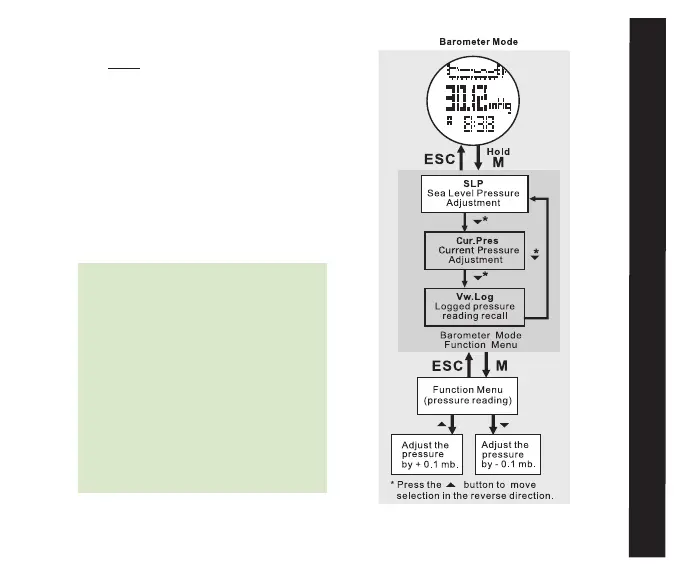
BaROmETER
* TIME MEnu function - press ESC
twice to access the Trail Menu and press
ST/STP(uP) or LAP/RST(DOwn)
to scroll to the BARO icon
• Display Features:
* Top Row: Trail stats (pressure history
graph, current temperature, weather
forecaster)
* Press ST/STP to scroll through the
three different trail stats
* Middle Row: Current Pressure
* Bottom Row: Current time
Note: The Traileader’s weather
forecasting system uses changes in
air pressure to predict future weather
conditions. Be mindful that changes in
altitude also effect air pressure and will
skew the weather forecasting system’s
accuracy. The weather forecasts will be
most accurate when a relatively stable
altitude is maintained for several hours.
For a more in depth explanation of the
altitude/pressure/weather relationship,
refer to section 10.0 Troubleshooting.
fig. 18



 To Next Page