31
Access the Compass Display (See section 9.1
for how to access the Compass display)
• Press LAP/RST to lock the current compass
bearing
• Press LAP/RST again to unlock the compass
bearing
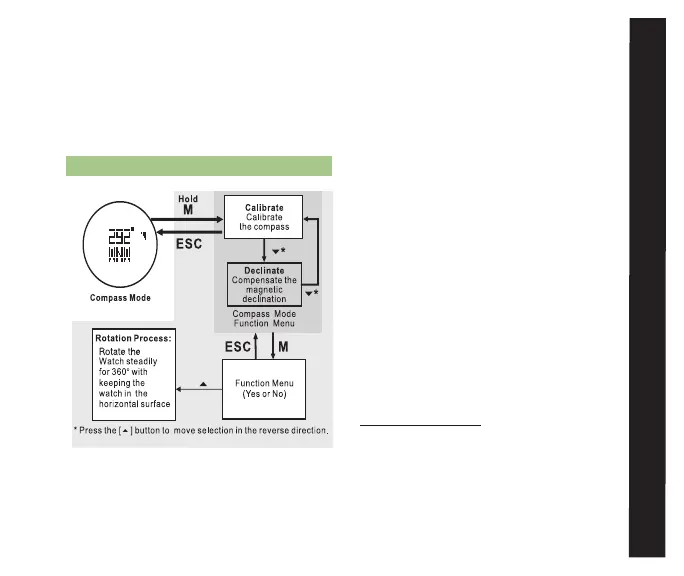
9.6 CALIBRATE THE COMPASS See fig.20.
The sensor in our digital compass is attracted
by the magnetism of Earth and therefore
always points to the constantly shifting
Magnetic North. There is another “North
Pole.” True North is static and located
geographically about 800 miles north of
the magnetic pole. Maps and directions
usually are based on True North. Magnetic
declination is the angle between True
North and Magnetic North. The amount of
declination at any given point depends on
the location of that point on the continent.
Where True and Magnetic North are in the
same direction, the declination is zero. At
any point west of that line, your compass
needle will point east of True North. This is
called “Easterly Declination.” At any point
east of that zero line, your compass needle
will point west of True North. This is called
“Westerly Declination.”
Access the Compass Display (See section 9.2
for how to access the Compass display)
• Hold M for 3 seconds to enter Compass set
menu
• Press M to select Calibrate
• Press ST/STP to confirm and begin
calibration ¬
COmPaSS
fig. 20



 To Next Page