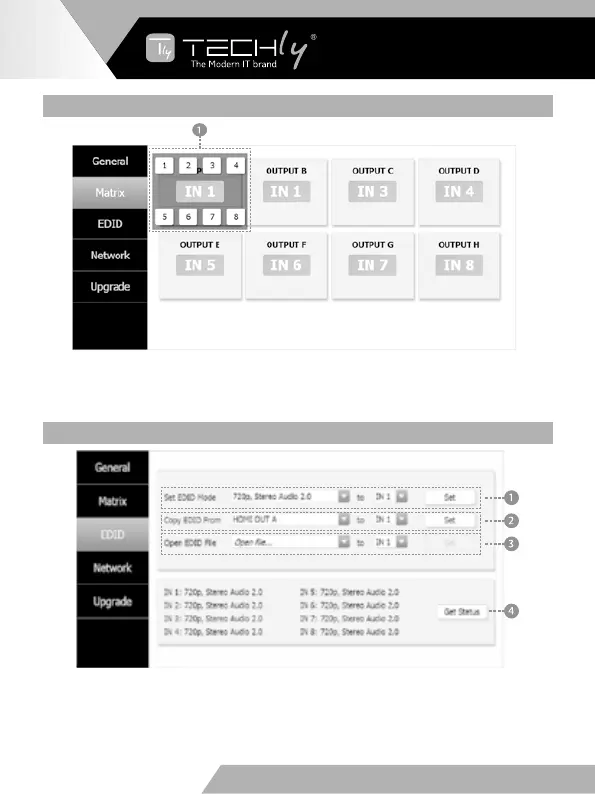
MATRIX PAGE
➀ You need click green area and then choose one input source to the OUTPUT A
port. (The others OUTPUT ports have similar to function about Tab ➀.)
EDID PAGE
➀ Select EDID mode to input source, then click “Set” button.
➁ Copy EDID from output display to input source, then click “Set” button.
➂ Open EDID file to input source.
➃ Display the input source EDID mode status.
EN - 12
WWW.TECHLY.COM WWW.TECHLY.COM
8X8 HDMI MATRIX
4K@60HZ YUV 4:4:4 18GBPS



 To Next Page