
 Need help?
Do you have a question about the Techness SE800 and is the answer not in the manual?
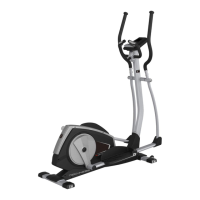
Attach front and rear stabilizers to the main frame using carriage bolts.
Connect pedal arms to the disc with washers and screws.
Attach caps to the pedal arms for both sides.
Mount pedals onto pedal arms using knobs, washers, sleeves, and bolts.
Pull out handlebar post cable and connect it to the main frame cable.
Mount handlebar post and cover to the main frame using screws and washers.
Insert axle into movable handlebars and handlebar post, securing with washers and screws.
Connect pedal arm to lower swing arm using screws, washers, and nuts.
Mount front covers onto the pedal arms using screws.
Attach the fixing handlebar to the handlebar post using metal caps, washers, and screws.
Secure the console unit onto the mounting plate using screws.
Install the console holder cover using screws.
Connect upper handlebars to the console post using bolts, nuts, and washers.
Describes functions of Encoder Up/Down for mode selection and value adjustment.
Explains buttons like ENTER, RESET, START/STOP, RECOVERY, TOTAL RESET.
Details RPM, SPEED, TIME, DISTANCE, CALORIES, PULSE, WATT, RECOVERY, TEMPERATURE, CALENDAR.
Explains how to use the BODY FAT measurement feature.
Describes the initial power-on sequence and setting calendar options.
Explains how to choose training modes like MANUAL, PROGRAM, etc. from sleep mode.
Details how to select load levels and set parameters in MANUAL mode.
Explains how to select and set up programs (P01-P12) for training.
Describes setting custom program profiles for USER mode.
Explains setting age and selecting heart rate percentages for training.
Details setting target wattage from 10 to 350 for training.
Information on using the MP3 player with a USB key and its controls.
 General
| Resistance Levels | 16 |
|---|---|
| Display Type | LCD |
| Warranty | 2 years |
| Type | Elliptical |
| Resistance Type | Magnetic |
| Heart Rate Monitoring | Hand pulse sensors |
| Programs | 12 |

 To Next Page