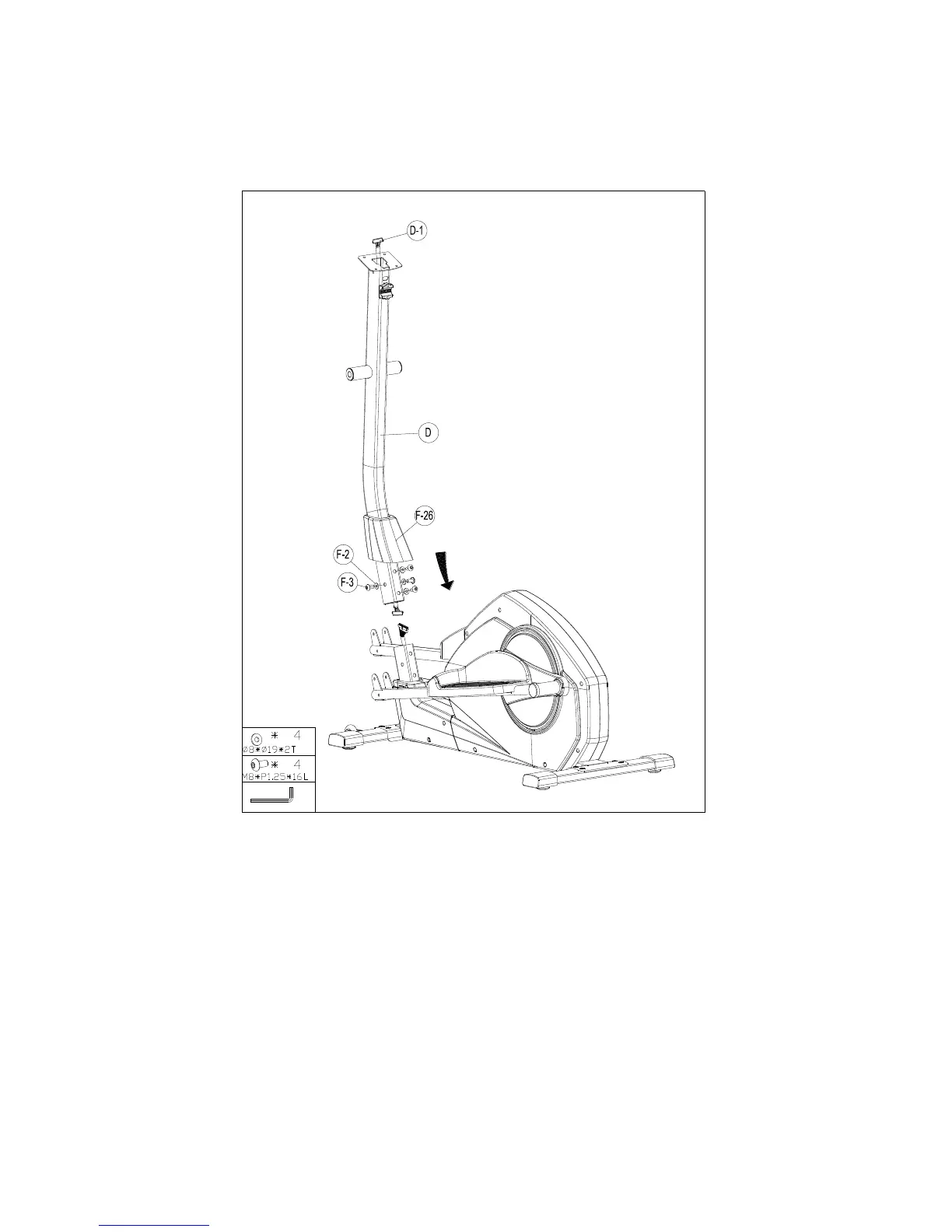
1. Pull the cable out of the handlebar post and before assembling Step 4.
2. First, loosen the pre-assembled screws.
3. Connect the cable upper by pushing the head into the notch of the cable lower coming from the
main frame (see drawing). Connect the cables completely
4. Put the cover (F-26) and handlebar post (D) into the main frame and fix it with 4 screws (F-3)
with flat washer (F-2).


 To Next Page