4. Training in MANUAL mode:
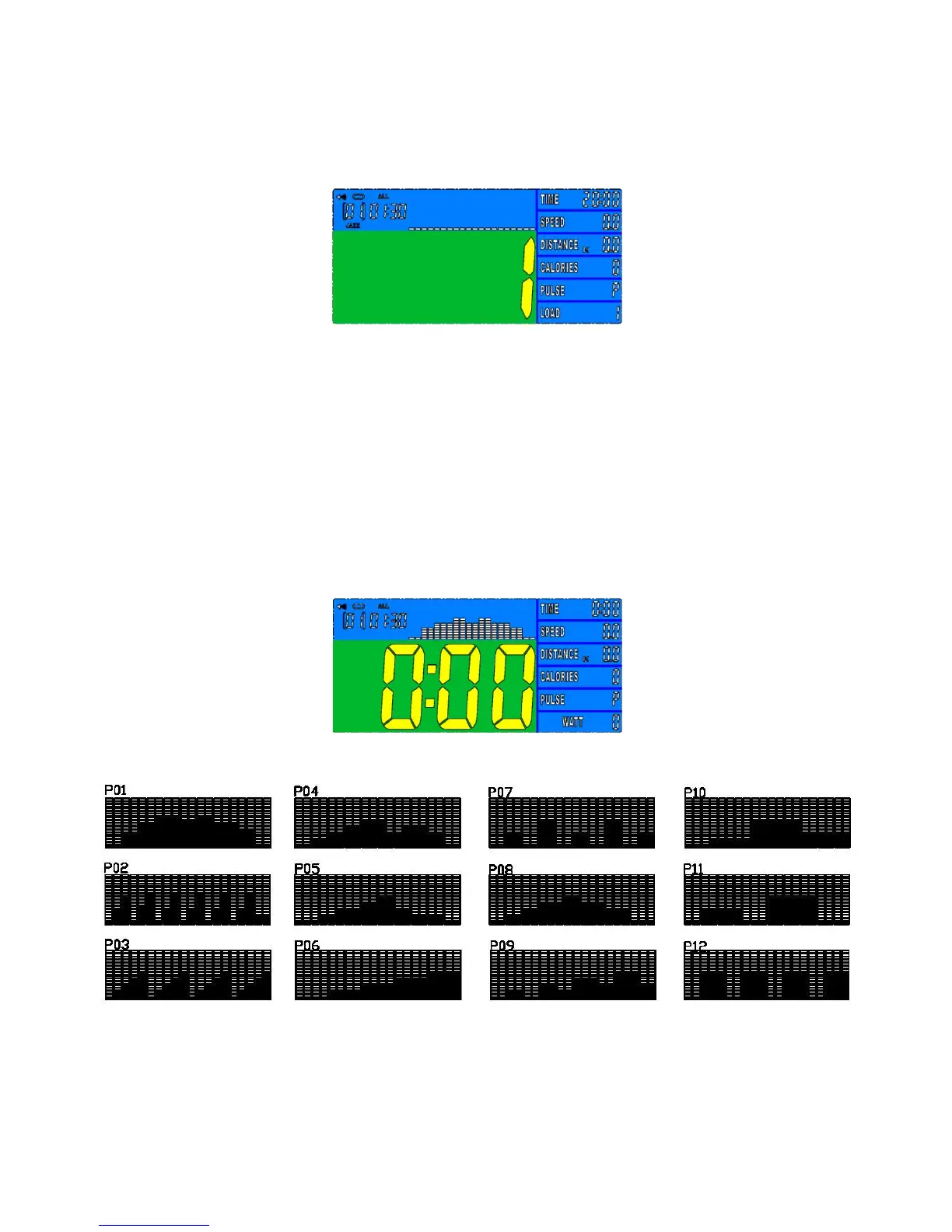
In the MANUAL mode, you may turn UP/DOWN button to select load level from 1 to 16, the
preset level is 1. (FIGURE 8)
FIGURE 8
After load level selected, you may preset function values for LOAD, TIME, DISTANCE, CALORIES,
and PULSE by turning UP/DOWN button and press ENTER confirmation.
Press the START button to start training.
To select other training mode, press RESET button.
5. Training in PROGRAM mode:
In the PROGRAM mode, you may turn UP/DOWN button to select program
P01, P02, P03…P12, the selected program will be show on screen for 2 seconds then display
program profile accordingly (FIGURE 9 ~10)
FIGURE 9
FIGURE 10
LOAD 1 (preset value) will glitter after training program selected, you may turn UP/DOWN button
to select level from 1 to 16 and ENTER button for confirmation.


 To Next Page