17 Technetix Group Limited Rev.1._0.1_0217
■ Next, carry out the following:
Note: steps 1 to 3 can be set on the bench if the amplifier is powered up before it is deployed.
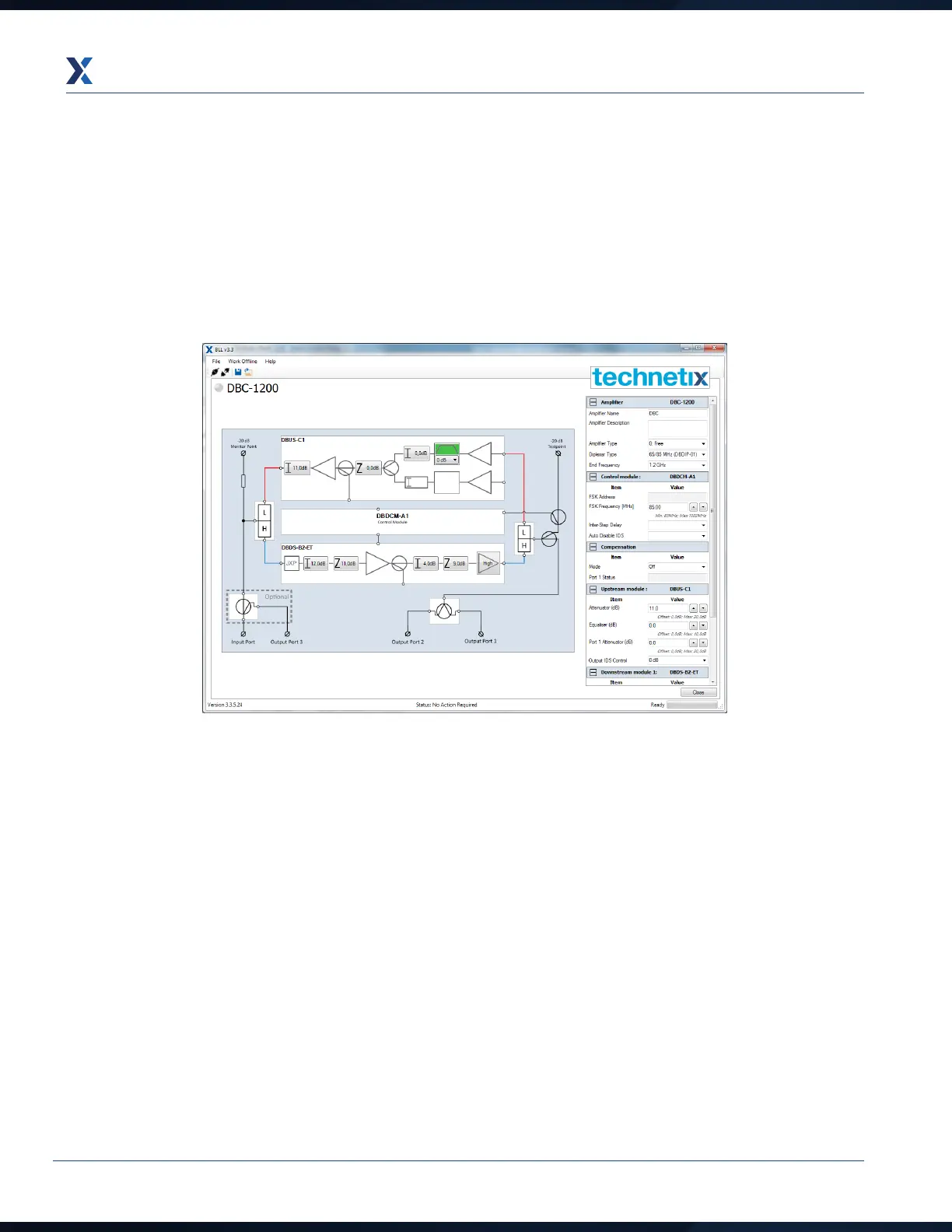
1. When the USB is connected the software will autodetect the connected amplifier. This enables the BLL
application to connect to the DBDCM module. Once the amplifier communication is established, the amplifier
type name will appear at the top left of the application (this process is carried out automatically with the latest
versions of BLL software - please specify version numbers).


 To Next Page