Need help?
Do you have a question about the technetix DBE-1200S and is the answer not in the manual?
Lists the necessary tools for installation.
Step-by-step guides for installing BLL (Windows) and BLA (Android) software.
Lists available upstream, downstream, and control modules with specifications.
Lists available optical modules.
Describes fiber management modules and plug-in diplex filters.
Details the DBE 90 W Power Supply unit.
Highlights the key advantages and features of the DBE-1200S.
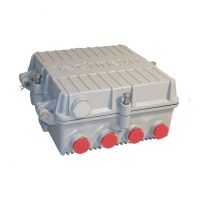
Labels and identifies components of the DBE-1200S RF amplifier unit.
Explains the methods for mounting the DBE-1200S amplifier housing.
Covers grounding and coaxial cable connections for the amplifier.
Details the procedure for sealing and closing the amplifier lid.
Explains the power supply options and fuse configuration.
Outlines the steps for powering up the DBE-1200S amplifier.
Describes how to connect a spectrum analyzer for downstream activation.
Guides the electronic setup and configuration using BLL/BLA software.
Instructions on setting amplifier type, diplexer type, and frequency.
How to set downstream equalizer and attenuator values.
Final checks and adjustments for RF output ports and pre-stage equalizer.
Adjusting pilot frequencies levels using pre-stage attenuator values.
Instructions for saving the configuration settings.
Steps for upstream activation involving two technicians.
Using a spectrum analyzer to adjust upstream tilt and levels.
Adjusting attenuation for correct upstream levels to the headend.
Setting up the sweep generator for upstream alignment.
Recording software values and saving amplifier settings electronically.
Step-by-step guide for replacing the Power Supply Unit (PSU).
Instructions for replacing downstream, upstream, and digital control modules.
Covers general installation aspects of the optical node.
Details the downstream fiber connection and optical power level checks.
Describes connecting the upstream laser and setting Optical Modulation Index (OMI).
Explains Technetix CWDM modules for single fiber applications.
Overview of software settings for upstream and downstream modules.
 General
| Frequency Range | 47-1218 MHz |
|---|---|
| Gain | 20 dB |
| Operating Temperature | -40°C to +60°C |
| Noise Figure | 6 dB |
| Weight | 0.3 kg |

 To Next Page