3204/2019 - EN/V9 Technetix Group Limited
Product user manual
DBE-1200S
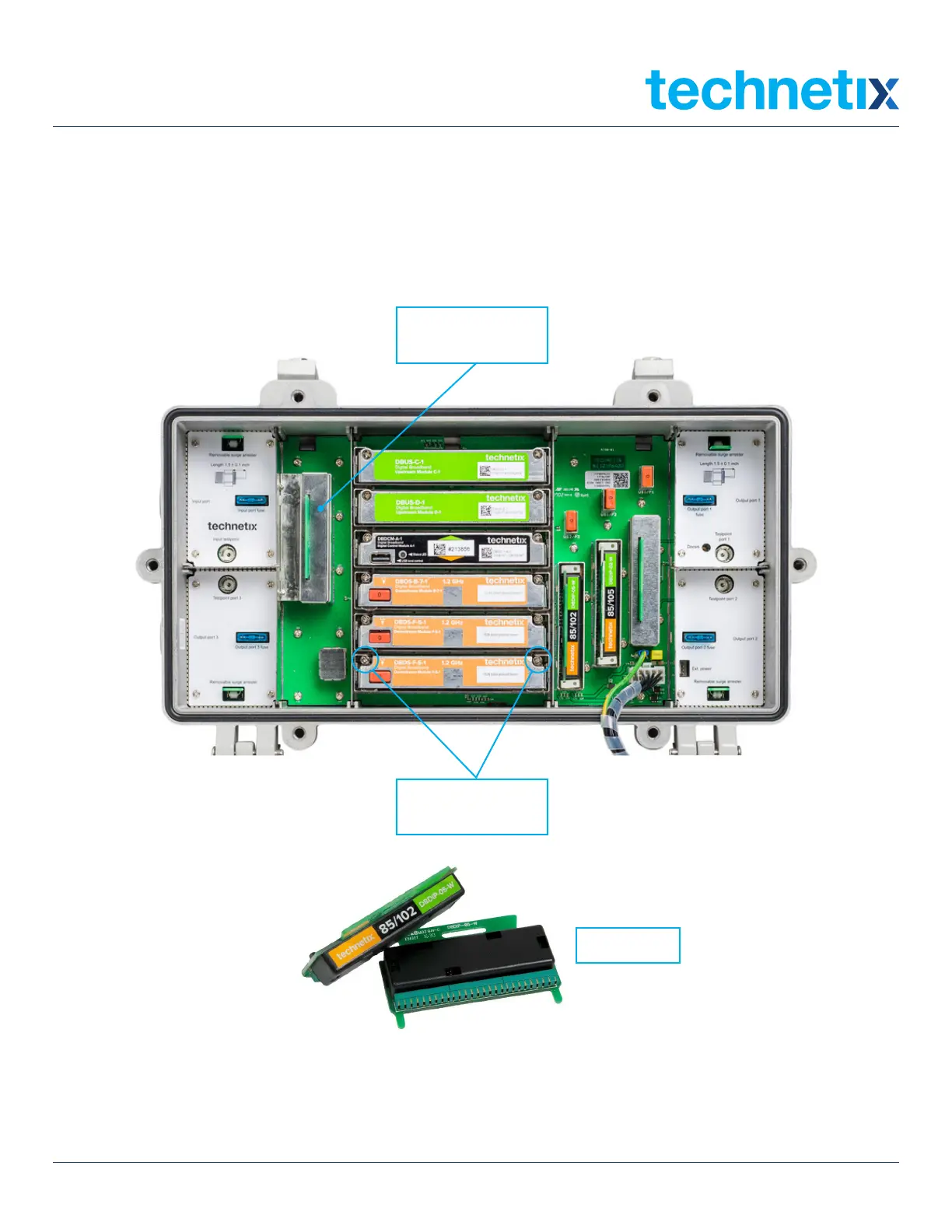
two screws per
amplifier module
Input diplexer with
RF shield
Diplexers
5.6 Upgrading an RF amplifier into an optical node
You can quickly and easily upgrade an RF amplifier to an optical node by going through a few simple steps:
1. Remove the metal RF shield from the input diplexer and pull the input diplexer straight out with either linesman’s pliers
or Technetix diplexer removal tool. Reinstall the RF shield.
2. Remove the two upstream amplifiers, and the three downstream amplifiers by loosening the two captive hold-down screws
and then pulling the amplifiers out vertically.
3. Insert two optical transmitters in the upstream amplifier slots and up to 3 optical receivers in the downstream amplifier
slots, and secure them with the screws.


 To Next Page