10
1
GETTING
ST
ARTED
DMS-CTC-20131021-0004 v1.0
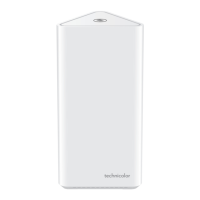
1.2.2 Top panel
WPS button (item A)
The WPS ( ) button allows you to add new wireless clients to your local network in a swift and easy way, without the need to
enter any of your wireless settings (network name, wireless network key, encryption type).
For more information about WPS, see “2.4.1 How to connect your wireless client via WPS” on page 20.
Page button (item B)
If you press the DECT pairing/paging button:
Briefly, the Gateway pages all connected CAT-iq 2.0 phones.
For about 15 seconds, the Gateway switches to registration mode.
For more information, see “Connecting a CAT-iq 2.0 phone to your Gateway” on page 27.
A
B


 To Next Page