42
5
SHARING CONTENT
DMS-CTC-20131021-0004 v1.0
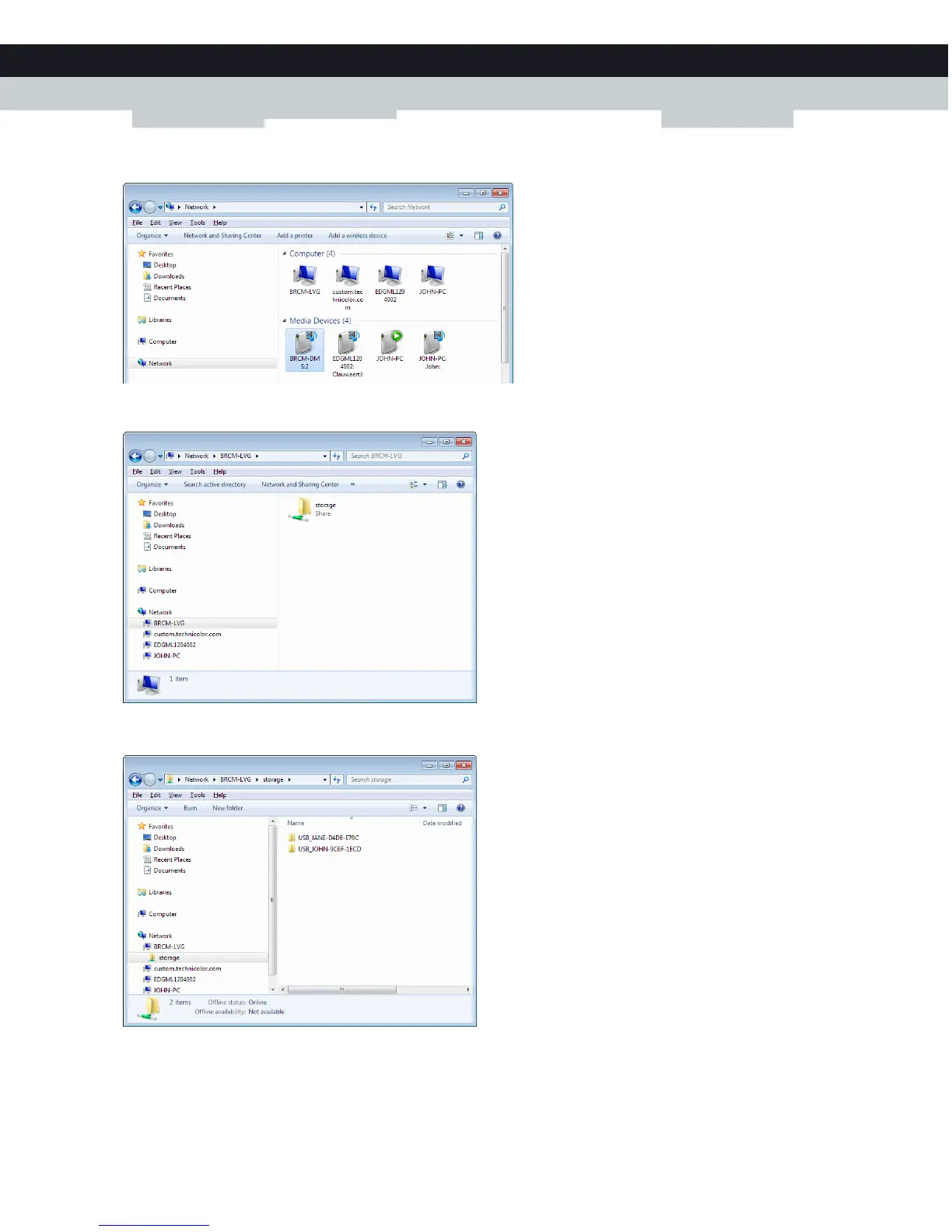
4 Explorer displays a list of detected devices.
Double-click BRCM-LVG (this is the Gateway’s file server).
5 The following window appears:
Double-click the storage folder.
6 Your connected USB devices are now displayed as a folders.
Double-click one of the folders to access the content files stored on the USB device.


 To Next Page