EasyManua.ls Logo

Technics RS-CH7 - Page 5

Technics RS-CH7
25 pages
Print Icon
To Next Page IconTo Next Page
To Previous Page IconTo Previous Page
Loading...
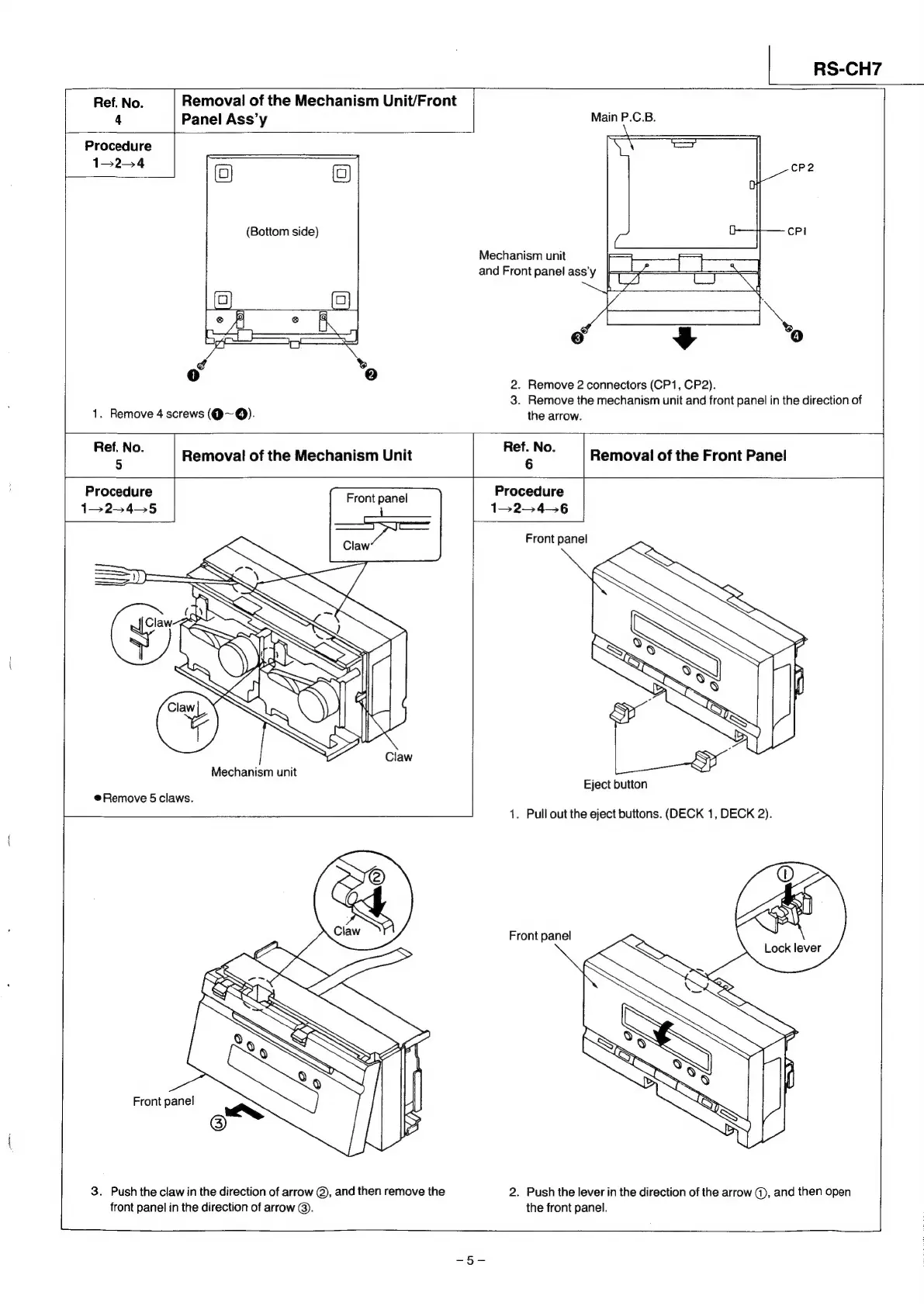
Ref.
No.
Removal
of
the
Mechanism
Unit/Front
4
Panel
Ass’y
Main
P.C.B.
Procedure
1324
(Bottom
side)
2.
Remove
2
connectors
(CP1,
CP2).
3.
Remove
the
mechanism
unit
and
front
panel
in
the
direction
of
1.
Remove
4
screws
(@~@Q).
the
arrow.
Ref.
No.
Ref.
No.
6
Removal
of
the
Front
Panel
Removal
of
the
Mechanism
Unit
Front
panel
Procedure
5
Procedure
13
24—5
1524-6
Front
panel
Mechanism
unit
Eject
button
@Remove
5
claws.
1.
Pull
out
the
eject
buttons.
(DECK
1,
DECK
2).
Front
panel
Front
panel
3.
Push
the
claw
in
the
direction
of
arrow
@,
and
then
remove
the
2.
Push
the
lever
in
the
direction
of
the
arrow
@,
and
then
open
front
panel
in
the
direction
of
arrow
©.
the
front
panel.

Related product manuals