EasyManua.ls Logo

Technics RS-M228X - Page 6

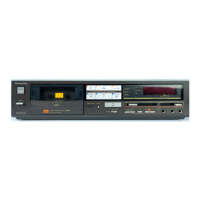
Technics RS-M228X
40 pages
Print Icon
To Next Page IconTo Next Page
To Previous Page IconTo Previous Page
Loading...
RS-M228X
ITEM
MEASUREMENT
&
ADJUSTMENT
@
Erase
current
1.
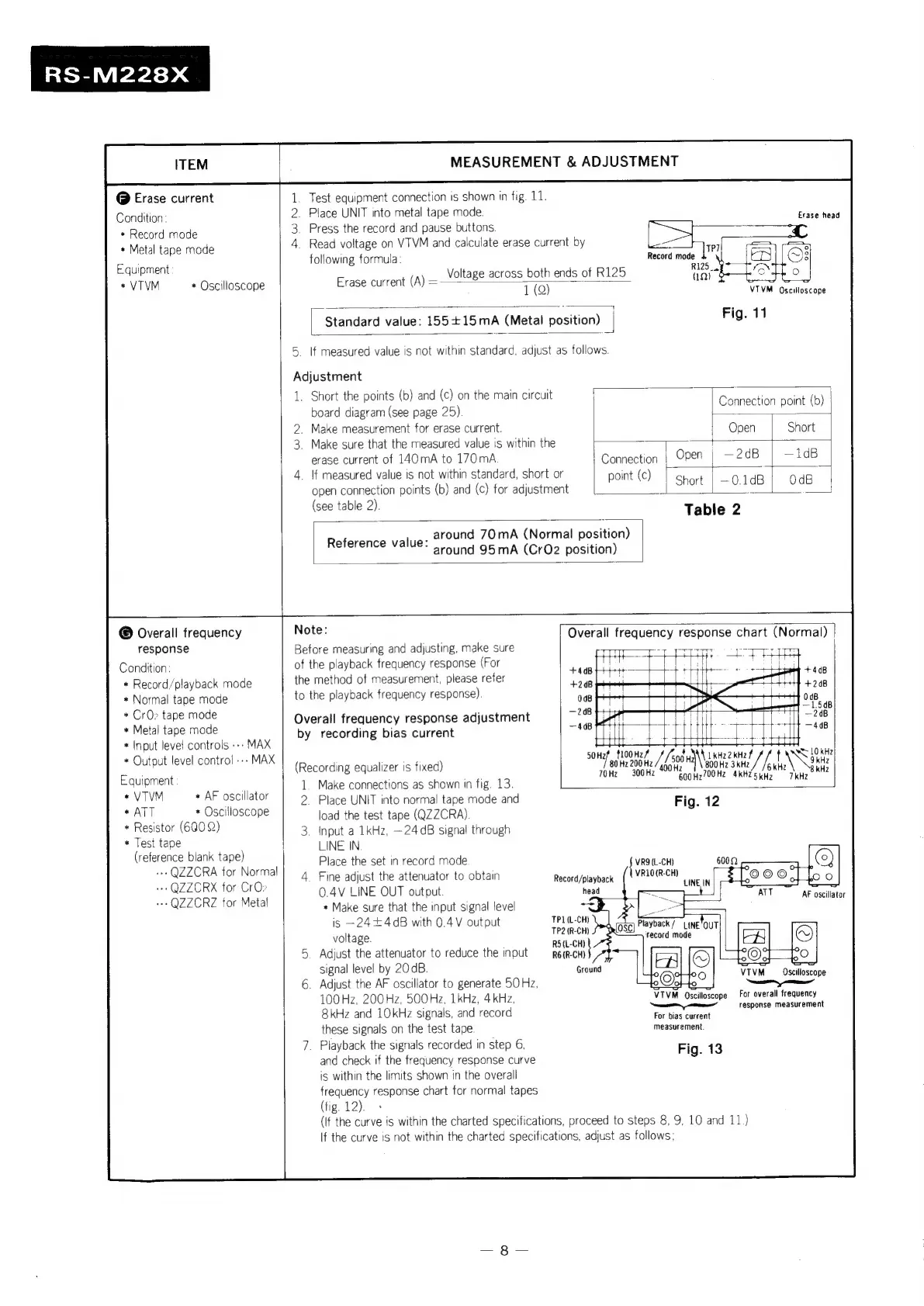
Test
equipment
connection
is
shown
in
fig.
11.
Condition:
2.
Place
UNIT
into
metal
tape
mode.
Evaga‘head
*
Record
mode
3.
Press
the
record
and
pause
buttons.
+
Metal
tape
mode
4.
Read
voltage
on
VTVM
and
calculate
erase
current
by
ane
Eau
t
following
formula:
Record
mode
aaos
aaIPnEN
Voltage
across
both
ends
of
R125
rare
soya
a
*VTVM
*
Oscilloscope
Erase
current
(A)
=
oo
we
1
(Q)
VTIVM
Oscilloscope
Standard
value:
155+15mA
(Metal
position)
|
Fig.
11
5.
If
measured
value
is
not
within
standard,
adjust
as
follows.
Adjustment
1.
Short
the
points
(b)
and
(c)
on
the
main
circuit
{
board
diagram
(see
page
25)
2.
Make
measurement
for
erase
current.
3.
Make
sure
that
the
measured
value
is
within
the
|
:
'
erase
current
of
140mA
to
170mA
oe
|
Open
j
—2dB
|
—1dB
4.
If
measured
value
is
not
within
standard,
short
or
point
(c
;
open
connection
points
(b)
and
(c)
for
adjustment
|
Se
0.108
O08
(see
table
2).
Table
2
_
around
70mA
(Normal
position)
Reference
‘valle:
around
95mA
(CrQ2
position)
=
1
Connection
point
(b)
|
Open
Short
©
Overall
frequency
Note:
|
Overall
frequency
response
chart
(Normal)
response
Before
measuring
and
adjusting,
make
sure
:
7
Condition:
of
the
playback
frequency
response
(For
*
Record
/playback
mode
the
method
of
measurement,
please
refer
ee
*
Normal
tape
mode
to
the
playback
frequency
response)
a
*
CrO>
tape
mode
Overall
frequency
response
adjustment
ee
*
Metal
tape
mode
by
recording
bias
current
408
*
Input
level
controls
---
MAX
s
no
ee
*
Cute
level
control
---
MAX
ieeusdingsequanagnle
wed)
nh
al
eae
ee
Equipments
1.
Make
connections
as
shown
in
fig.
13.
i
QDH2700He
4KHE
5
KHz
|
*v1VM
+
AF
oscillator
2.
Place
UNIT
into
normal
tape
mode
and
Fig.
12
mail
*
Oscilloscope
load
the
test
tape
(QZZCRA).
.
*
Resistor
(6002)
3.
input
a
1kHz,
~24
dB
signal
through
*
Test
tape
LINE
IN
(reference
blank
tape)
Place
the
set
in
record
mode
VR9(L-CH)
-
QZZCRA
for
Norm!
4.
Fine
adjust
the
attenuator
to
obtain
Rama
dinveack
{vanDeRc
Pa
*
QZZCRX
for
CrOs
0.4V
LINE
OUT
output
head
=
TART
"AP
oseilstor
*
QZZCRZ
for
Metal
*
Make
sure
that
the
input
signal
level
33
is
—24+4d8
with
0.4V
output
TPL{L-CH)
Piayback7
voltage.
aca
secede
FA
@)
5
Adjust
the
attenuator
to
reduce
the
input
mem
NY
°6)
ro
FLA
a
ering
VIVM_Oseiloscope
6.
Adjust
the
AF
oscillator
to
generate
50
Hz,
oo}
to
100
Hz,
200Hz,
500
Hz,
1kHz,
4kHz,
VTVM
Oscilloscope
For
overall
frequency
;
;
————
response
measuremen
8kHz
and
10kHz
signals,
and
record
Far
bag
cuvent
these
signals
on
the
test
tape.
measurement.
7.
Playback
the
signals
recorded
in
step
6,
Fig.
13
and
check
if
the
frequency
response
curve
is
within
the
limits
shown
in
the
overall
frequency
response
chart
for
normal
tapes
(tig.
12).
(If
the
curve
is
within
the
charted
specifications,
proceed
to
steps
8, 9,
10
and
11,)
If
the
curve
is
not
within
the
charted
specifications,
adjust
as
follows;

Related product manuals