EasyManua.ls Logo

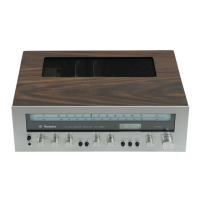
Technics SA-203 - Disassembly Instructions; Cabinet Removal Procedure; Front Panel Removal; Dial Scale Detachment

Technics SA-203
18 pages
Print Icon
To Next Page IconTo Next Page
To Previous Page IconTo Previous Page
Loading...
Mi
DISASSEMBLY
INSTRUCTIONS
1.
@
ao
BW
DN
How
to
remove
the
cabinet
Remove
the
5
setscrews
(Fig.
1:
@~
@)
of
the
cabinet.
.
Remove
the
cabinet.
How
to
remove
the
front
panel
.
Remove
the
cabinet.
(Refer
to
the
section
“How
to
remove
the
cabinet.”
}
.
Remove
the
4
setscrews
(Fig.
1:
@,
@
and
Fig.
2:
@,
©)
of
the
front
panel.
.
Remove
the
1
setscrew
(Fig.
1:
@)
of
the
transparent
plate
bracket,
then
remove
the
front
panel.
How
to
remove
the
dial
scale
.
Remove
the
cabinet.
(Refer
to
the
section
‘‘How
to
remove
the
cabinet.’’)
.
Remove
the
front
panel.
(Refer
to
the
section
‘“How
to
remove
the
front
panel.’’)
.
Pull
up
the
two
claws
at
the
bottom
of
the
transparent
plate
in
the
direction
of
the
arrow
8]
(Fig.
3).
.
Remove
the
dial
indicator
lamp
and
the
2
dial
scale
holder
of
the
front
chassis.
(see
Fig.
4)
.
Remove
the
dial
scale.
How
to
remove
the
peak-power
indicators
printed
circuit
board
.
Remove
the
cabinet.
(Refer
to
the
section
‘How
to
remove
the
cabinet.)
.
Remove
the
front
panel.
(Refer
to
the
section
“How
to
remove
the
front
panel.’’)
.
Remove
the
power
display/range
knob
(Fig.
3).
.
Remove
the
2
setscrews
(Fig.3:
@,
@)
of
the
front
chassis.
.
Remove
the
2
lugs
(Fig.
4:
@,
@)
to
detach
the
peak-power
indicators
printed
circuit
board.
Front_
Cabinet
.
2]
a)
panel
[Fig.
1]
Front
panel
[Fig.
2]

Related product manuals