EasyManua.ls Logo

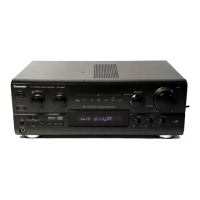
Technics SA-DA10 - Service Manual

Technics SA-DA10
149 pages
Print Icon
To Next Page IconTo Next Page
Loading...
file:///C|/Documents%20and%20Settings/Administrateur/Mes%20documents/service/SA-DA10/p01.htm
Service Manual
TOP NEXT
Order No. MD0006112C1
A2
AV Control Stereo Receiver
SA-DA10
Color
(K) ... Black Type
(N) ... Gold Type
PP ... U.S.A. and Canada
FM Tuner Section
Frequency range 87.9-107.9 MHz
Sensitivity 11.2 dBf (2•V, IHF’58)
50 dB quieting sensitivity
MONO 18.3 dBf (4.5•V, IHF’58)
STEREO 38.3 dBf (45•V, IHF’58)
Total harmonic distortion
MONO 0.2%
STEREO 0.3%
S/N
file:///C|/Documents%20and%20Settings/Administrateur/Mes%20documents/service/SA-DA10/p01.htm (1 of 3) [21/01/2007 13:46:55]

Other manuals for Technics SA-DA10

Questions and Answers

  • W
    whitejulieAug 19, 2025
    What to do if my Technics Stereo Receiver shows 'OVERLOAD' and no sound?
    • K
      kristenkhanAug 20, 2025
      The 'OVERLOAD' message indicates the protection circuitry has been activated. This can occur if the speaker wires are shorted, speakers with a lower impedance than the unit's rating are being used, or the speakers are under strain due to excessive volume, power, or high temperature. To resolve this, switch off the unit, identify and fix the underlying cause, then switch it back on. Ensure you are using speakers with the correct impedance rating.
  • J
    Jennifer ContrerasAug 21, 2025
    Why is there no sound coming from my Technics Stereo Receiver?
    • P
      Peter BarnesAug 21, 2025
      Several factors could cause this. First, check if the speaker indicators are off and turn them on. Ensure the tape monitor function is off by pressing the tape monitor button. Also, verify that the muting function is off by pressing the muting button on the remote control. Check all connections to speakers and external equipment to ensure they are complete and correct. Make sure the correct input source is selected. Finally, if you are playing digital signals, ensure this unit can decode them or switch to ANALOG input.
  • W
    wisejeffreyAug 25, 2025
    Why does the picture from my Technics Stereo Receiver not appear on the TV?
    • B
      Brian FosterAug 25, 2025
      This issue may be due to an incorrect connection. Check and correct the connections. Also, the television’s input mode might be incorrect. Change the input mode to suit the connections between the unit and the television.
  • A
    alicejonesAug 26, 2025
    Why do I hear a low-pitched hum from my Technics Stereo Receiver?
    • S
      Susan PhillipsAug 26, 2025
      A low-pitched hum can occur if the AC mains lead is near the antenna wires; separate the AC mains lead from the wires. It can also be caused by electronic interference from the AC mains lead being fed to the speakers; use an outdoor antenna.
  • M
    Mary FergusonAug 27, 2025
    Why is there no sound from the center, surround, or subwoofer speakers on my Technics Stereo Receiver?
    • B
      Brad NicholsAug 28, 2025
      This could be because the presence setting of the speaker has been incorrectly set to “NONE” or “NO”; set the type and presence setting of each speaker correctly. Also, the DSP sound mode may be incorrectly set to “STEREO”; set to SURROUND mode.
  • H
    Heidi BeckAug 29, 2025
    Why are the 'STEREO' and 'TUNED' indicators flickering on my Technics Stereo Receiver?
    • B
      Brittany LoveAug 29, 2025
      The antenna location and direction may be poor. Change the location and direction of the antenna. Consider using an outdoor antenna or an antenna with more elements.
  • S
    Sabrina BradleySep 1, 2025
    Why do I hear a hiss during stereo broadcasts on my Technics Stereo Receiver?
    • L
      Leslie WalkerSep 1, 2025
      The modulation differs between stereo and monaural broadcasts, which can result in noise during stereo broadcasts. To mitigate this, reduce the treble, change the location and direction of the antenna, use an outdoor antenna, or use an antenna with more elements.
  • L
    Lawrence HarperSep 2, 2025
    What causes a continuous hiss on my Technics Stereo Receiver?
    • R
      Ronald MathewsSep 2, 2025
      This could be due to interference from other appliances. Separate this unit from such appliances.
  • K
    kreevesSep 5, 2025
    Why is the display blank on my Technics Stereo Receiver?
    • M
      Mary AllenSep 5, 2025
      The display may be blank because VGCA is ON. Nothing appears on the display while VGCA is on. To turn the display on, press and hold [VGCA].
  • D
    Dustin TateSep 6, 2025
    Why can't I select SURROUND and SFC on my Technics Stereo Receiver?
    • K
      Kim AbbottSep 6, 2025
      If VGCA is ON, select “VGCA OFF”. If SPEAKERS B is on, turn SPEAKERS B off.

Summary

Service Manual Introduction

Tuner and Amplifier Specifications

FM Tuner Performance

Detailed specifications for the FM tuner section, including sensitivity and distortion.

AM Tuner Performance

Specifications for the AM tuner section, covering frequency range and selectivity.

Amplifier Performance Metrics

Key performance metrics for the audio amplifier stages, including power and distortion.

General Unit Information

Safety Precautions

Repair and Adjustment Procedures

Before Repair and Adjustment

Procedures and warnings prior to commencing repair work.

Protection Circuitry Overview

Explanation of the unit's protection circuitry and its operation.

Operation Checks and Component Replacement

Steps for verifying operation and replacing major internal components.

Unit Components and Controls

Front Panel Controls and Accessories

Layout of front panel controls and list of included accessories.

Technical Diagrams and Parts List

Schematics, PCB layouts, and component parts lists.

Power IC and Regulator Transistor Replacement

Bottom Cover Installation Procedure

Wiring Connection Diagram

Parts Location and Replacement Lists

Cabinet Parts List

List of all parts related to the unit's cabinet and chassis.

Electrical Parts List

Comprehensive list of all electrical components used in the unit.

Packing Materials and Accessories List

Details on packing materials and accessories included with the product.

Technics SA-DA10 Specifications

SA-DA10

Power IconPower
power supplyAC 230–240 V, 50 Hz
power consumption270 W
power consumption in standby mode2 W
Amplifier Section IconAmplifier Section
power output at 240 V2 x 100 W (6 Ω)
continuous power output2 x 80 W (6 Ω)
total harmonic distortion0.09 % (6 Ω)
Weight and Dimensions IconWeight and Dimensions
dimensions430 x 180 x 370 mm
mass12.7 kg

SA-DA8

Power IconPower
power supplyAC 230–240 V, 50 Hz
power consumption270 W
power consumption in standby mode2 W
Amplifier Section IconAmplifier Section
power output at 240 V2 x 100 W (6 Ω)
continuous power output2 x 80 W (6 Ω)
total harmonic distortion0.09 % (6 Ω)
Weight and Dimensions IconWeight and Dimensions
dimensions430 x 158 x 370 mm
mass11.7 kg

Related product manuals