9.2. Measurements and Adjustments
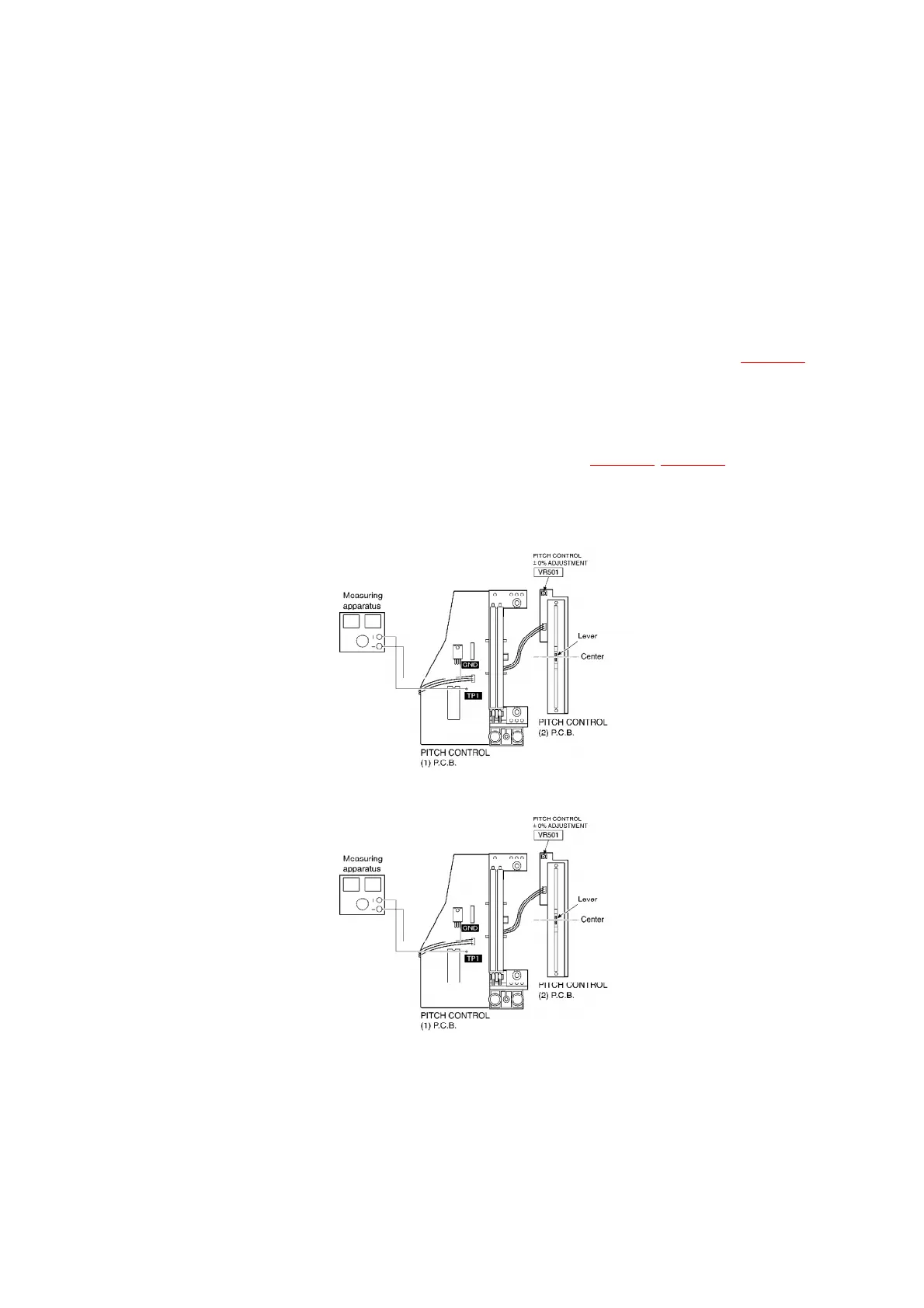
9.2.1. Pitch control ±0% adjustment (PITCH)
1. Connect the frequency counter [(+):TP1, (-):GND] and turn the
power supply ON.
2. Set the pitch control knob (VR303) to “0” (center position). /
(Indicator lights up.)
3. Adjust VR501 so that the output becomes the maximum.(Fig.2)
9.2.2. Brake adjustment (BRAKE)
1. Adjust VR201 so that the rotation at 33-1/3 r/min stops within the
stop range after pressing the stop button.(Fig.1) (Fig.3)
9.3. Alignment points
(Fig.1)
(Fig.2)
(Fig.3)
20



 To Next Page