EasyManua.ls Logo

Technics SL-MC7 - Disc Grouping Play; To Name Groups.16

Technics SL-MC7
24 pages
Print Icon
To Next Page IconTo Next Page
To Previous Page IconTo Previous Page
Loading...
Operations
16
{
Disc
grouping
play
To
name
groups
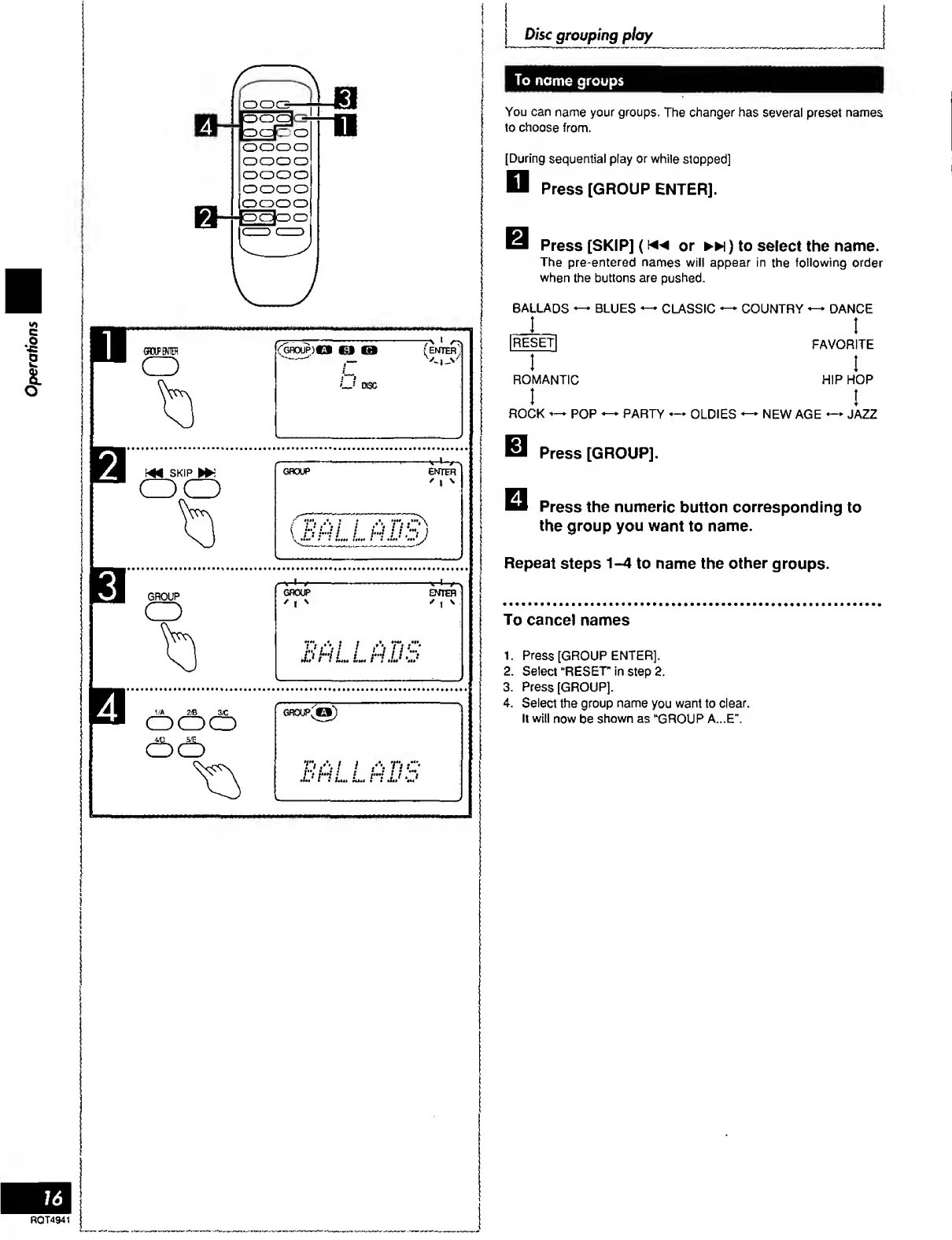
You
can
name
your
groups.
The
changer
has
several
preset
names
to
choose
from.
[During
sequential
play
or
while
stopped]
D
Press
[GROUP
ENTER].
Press
[SKIP]
(or
)
to
select
the
name.
The
pre-entered
names
will
appear
in
the
following
order
when
the
buttons
are
pushed.
BALLADS
BLUES
CLASSIC
COUNTRY
DANCE
I
FAVORITE
I
HIP
HOP
I
PARTY
OLDIES
NEW
AGE
—*
JAZZ
|R^S~^|
I
ROMANTIC
I
ROCK
POP
Press
[GROUP].
Press
the
numeric
button
corresponding
to
the
group
you
want
to
name.
Repeat
steps
1-4
to
name
the
other
groups.
To
cancel
names
1.
Press
[GROUP
ENTER].
2.
Select
“RESET
in
step
2.
3.
Press
[GROUP].
4.
Select
the
group
name
you
want
to
clear.
It
will
now
be
shown
as
“GROUP
A...E’’.
ROT4941

Related product manuals