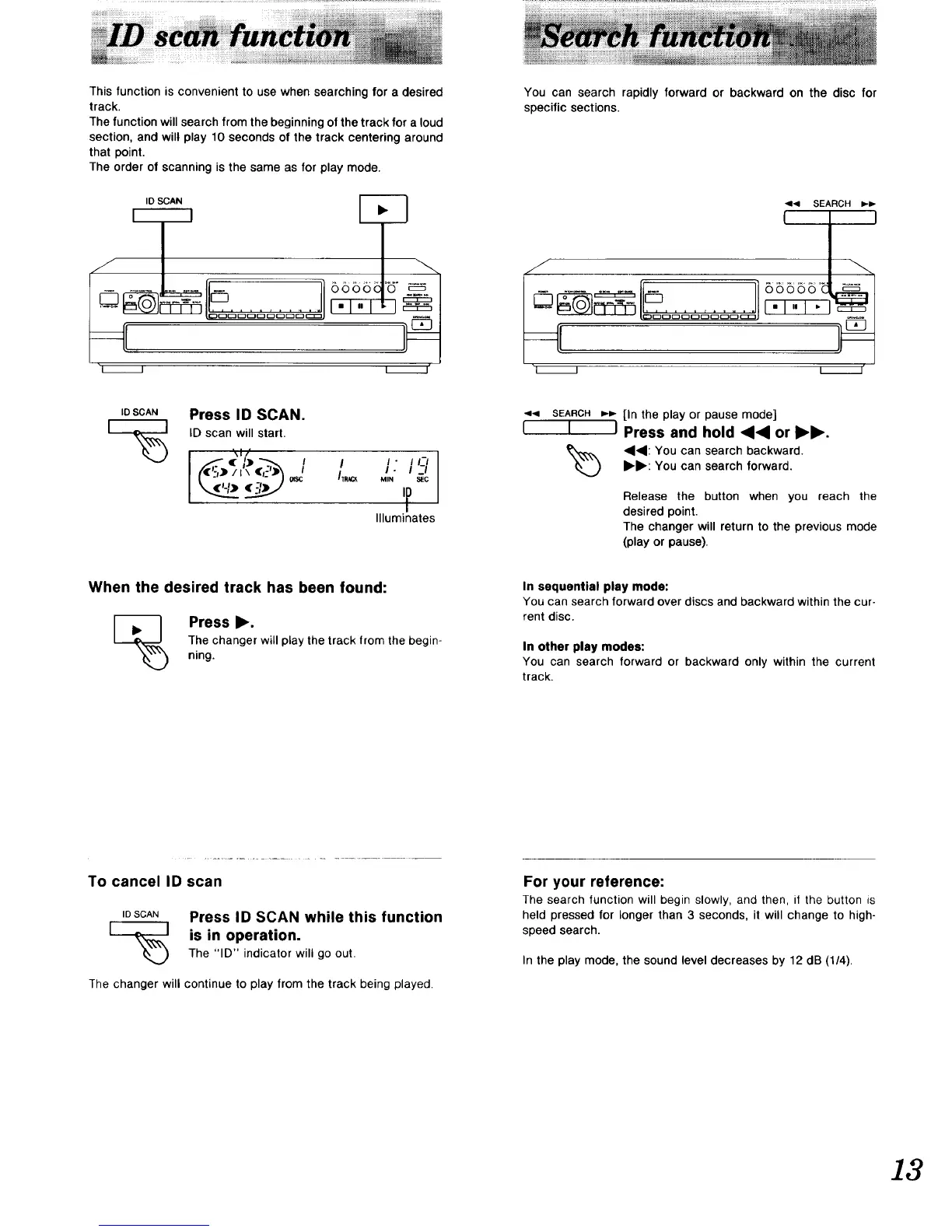
Thisfunctionisconvenienttousewhensearchingforadesired
track.
Thefunctionwillsearchfromthebeginningofthetrackforaloud
section,andwillplay10secondsofthetrackcenteringaround
thatpoint.
Theorderofscanningisthesameasforplaymode.
ID SCAN
I I
i i
--...
You can search rapidly forward or backward on the disc for
specific sections.
f
........
I I
_1<1 SEARCH _.1_
66B56 o_ _-_
I I
_OSCA. Press ID SCAN.
[_ ID scan will start.
i '\1/
I
/TRACK
I - I I-/
1.1-1
MIN SEC
'F
Illuminates
<1_1 SEARCH _-_- [in the play or pause mode]
I I I Press and hold _<1 or I_1_.
_) <141: You can search backward.I_1_: You can search forward.
Release the button when you reach the
desired point.
The changer will return to the previous mode
(play or pause).
When the desired track has been found:
[_ Press I_.
The changer will play the track from the begin-
ning.
In sequential play mode:
You can search forward over discs and backward within the cur-
rent disc.
In other play modes:
You can search forward or backward only within the current
track.
To cancel ID scan
IDSCAN Press ID SCAN while this function
I _,_,,I is in operation.
The "ID" indicator will go out,
The changer will continue to play from the track being played.
For your reference:
The search function will begin slowly, and then, if the button is
held pressed for longer than 3 seconds, it will change to high-
speed search.
In the play mode, the sound level decreases by 12 dB (1/4).
13


 To Next Page