EasyManua.ls Logo

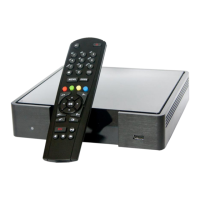
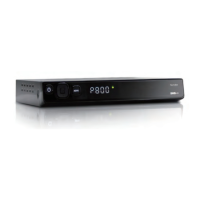
Technika Freeview STBHDIS2010 - User Manual

Technika Freeview STBHDIS2010
32 pages
Print Icon
To Next Page IconTo Next Page
Loading...
Freeview™ HD Set Top Box
Model: STBHDIS2010

Questions and Answers

  • M
    martindavidAug 13, 2025
    Why is my Technika Set-top box not responding to the remote control?
    • W
      wpowersAug 13, 2025
      If your Technika Set-top box isn't responding to the remote, consider these potential causes: ensure the remote is aimed correctly at the box, check for any obstructions on the front panel of the box, verify that the remote control batteries are inserted correctly, or replace the batteries if they are exhausted.
  • K
    Katie LewisAug 17, 2025
    What to do if my Technika Freeview STBHDIS2010 have no picture and sound?
    • D
      donald12Aug 17, 2025
      If your Technika Set-top box has no picture and no sound, check that the box is correctly plugged in, the television is connected to a suitable power source, and the electrical supply is turned on.
  • C
    catherine75Aug 20, 2025
    What to do if my Technika Set-top box has no picture?
    • C
      campbellsaraAug 20, 2025
      If your Technika Set-top box shows no picture, ensure that both the box and TV are powered on. Check that the cables are fitted securely and the aerial is connected. You may also need to press the TV / RADIO button to change the channel type.
  • B
    Brandon HodgesAug 25, 2025
    What to do if my Technika Set-top box has no sound?
    • M
      Mark MccormickAug 25, 2025
      If there is no sound on your Technika Set-top box, first press the MUTE button to check if Mute mode is enabled. If not, switch to another channel to see if the problem persists. You can also press the VOL+ button to increase the volume.
  • L
    lopezcourtneyAug 28, 2025
    Why is there no picture on some channels on my Technika Freeview STBHDIS2010?
    • C
      connie87Aug 28, 2025
      If you're experiencing a 'no picture' issue on some channels with your Technika Set-top box, try re-tuning your box. Also, check that your aerial is correctly installed and ensure the selected channel is broadcasting.
  • C
    Cathy EvansAug 31, 2025
    What to do if Technika Freeview STBHDIS2010 controls are not working?
    • J
      Joseph DavisSep 1, 2025
      If the controls on your Technika Set-top box are not working, disconnect the box from the power supply, wait 10 seconds, and then reconnect it.
  • V
    Vanessa HarrisSep 5, 2025
    Why is there no colour on some channels (black and white) on my Technika Set-top boxes?
    • C
      Clayton BrownSep 5, 2025
      If you're seeing a black and white picture on some channels with your Technika Set-top box, check if the same problem exists on other channels. Also, ensure the correct picture settings are selected.
  • R
    rosariomeganSep 8, 2025
    Why do I see spots on some or all channels on my Technika Freeview STBHDIS2010 Set-top boxes?
    • C
      Claudia ParkerSep 9, 2025
      If you notice spots on some or all channels on your Technika Set-top box, check that the aerial is correctly connected and that the aerial is in good condition.

Summary

Quick Start Guide

Connecting the Set-Top Box

Guide on connecting the set-top box to TV and other devices.

Safety Information

Important Safety Instructions

Crucial warnings and guidelines for safe operation and usage.

Remote Control

Connecting the Box

Operating the Box

Basic Operation and Tuning

Initial setup, tuning, channel selection, volume, and standby.

System Setup and Configuration

Tuning channels, network settings, and system updates.

Troubleshooting Guide

Troubleshooting Common Issues

Troubleshooting common problems like no picture, no sound, or remote control issues.

Technika Freeview STBHDIS2010 Specifications

General IconGeneral
BrandTechnika
ModelFreeview STBHDIS2010
CategorySet-top boxes
LanguageEnglish

Related product manuals