EasyManua.ls Logo

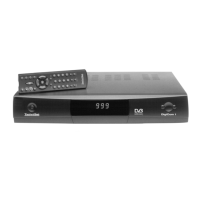
TechniSat DigiCom 1 - User Manual

TechniSat DigiCom 1
34 pages
Print Icon
To Next Page IconTo Next Page
Loading...
Operating Instructions
DigiCom 1
636/99
+++ DIGITAL +++ DIGITAL+++ DIGITAL +++ DIGITAL+++ DIGITAL +++
for the reception of free-to-air DVB channels
This receiver enables you to receive
the free-to-air digital ASTRA and
EUTELSAT channels free of charge.
Bed.-Anl. Titel DigiCom 1 18.06.1999 13:13 Uhr Seite 1

Questions and Answers

  • S
    Stephanie YorkJul 31, 2025
    What to do if my TechniSat TV Receiver has no picture and no sound, but the display is on?
    • G
      Gary DawsonJul 31, 2025
      If your TechniSat TV Receiver has no picture or sound but the display is on, the issue could stem from: * A short circuit in the LNB cable: Turn the unit off, remove the short circuit, and then turn it back on. * Defective or missing cable connections: Check all cable connections to ensure they are properly connected. * A defective LNB: Consider replacing the LNB. * Incorrect outdoor unit settings: Enter the correct outdoor unit settings. * Misaligned outdoor unit: Adjust the outdoor unit for optimal signal reception.
  • T
    Terry GreerAug 6, 2025
    What to do if my TechniSat TV Receiver has picture and sound disturbances?
    • J
      Jason Patterson IIAug 6, 2025
      If you are experiencing picture and sound disturbances on previously clear channels with your TechniSat TV Receiver, consider the following: * Check the outdoor unit for defects or if it has shifted. * Perform a channel search, as the channel may be transmitted on a different transponder. * Note that the channel may no longer be transmitted.
  • C
    collinsjessicaAug 11, 2025
    How to fix a TechniSat DigiCom 1 with sound but no picture?
    • W
      williammartinAug 11, 2025
      If your TechniSat TV Receiver has sound but no picture, you might be tuned into a radio channel. Switch to TV mode to resolve this.
  • N
    Nicole NavarroAug 18, 2025
    Why does my TechniSat TV Receiver have on-screen interference?
    • S
      Shawn KnightAug 18, 2025
      On-screen interference with your TechniSat TV Receiver can be caused by several factors: * Heavy rain or snowfall: Remove snow from the outdoor unit. * Incorrectly adjusted outdoor unit: Adjust the outdoor unit. * Dish size: Use a larger dish if the current one is too small for your location. * Obstacles: Ensure there are no obstacles like trees between the dish and the satellite. Relocate the dish if necessary.
  • F
    fraziermathewAug 23, 2025
    Why my TechniSat DigiCom 1 has no picture, no sound, and a dark display?
    • J
      Joanna MooreAug 25, 2025
      If your TechniSat TV Receiver has no picture, no sound, and the display is dark, the most likely cause is a lack of power supply. Check the main power supply to ensure the unit is receiving power.

Summary

Remote Control

Using the Operating Instructions

Safety Precautions

Essential safety guidelines and warnings for operating the DVB receiver.

Connecting the DVB Receiver with a Satellite System

Connection Types

Details on mains, outdoor unit, TV, and VCR connections.

Serial and Parallel Ports

Information on connecting external devices via serial or parallel interfaces.

Adjusting the UHF Output Channel

Settings Menu Overview

Navigating the main settings and OSD language options.

Basic and Installation Settings

Configuring basic options, installation, LNB, and satellite settings.

Channel Management and Search

Searching, adding, deleting, sorting, and locking channels.

System and Factory Settings

System configuration, PIN change, and resetting to factory defaults.

Operation

Power and Channel Control

Switching the receiver on/off and selecting channels.

Programme and Audio Features

Volume, language selection, TV/Radio modes, and information display.

Advanced Operational Features

Using Teletext, timer for recording, and programme information.

Troubleshooting Notes

Technical Terms

Definitions of key terms used in the manual.

Technical Data

Specifications and performance details of the DVB receiver.

TechniSat DigiCom 1 Specifications

General IconGeneral
BrandTechniSat
ModelDigiCom 1
CategoryTV Receiver
LanguageEnglish

Related product manuals