EasyManua.ls Logo

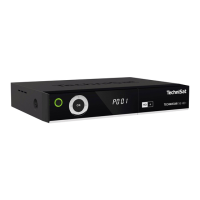
TechniSat TechniStar S2 - User Manual

TechniSat TechniStar S2
3 pages
Print Icon
To Next Page IconTo Next Page
Loading...
Please aim the remote control
toward the decoder and operate slowly.
If the decoder fails to respond properly,
we suggest replacing the existing set
of batteries with new ones.
How to re-tune to the new frequency of JSTV HD
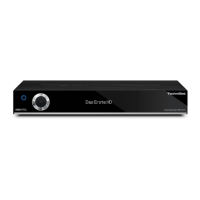
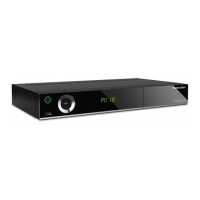
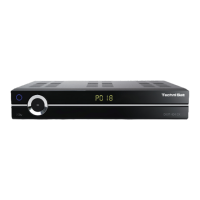
TechniSat TECHNISTAR S2
Our frequency has been updated.
If you have a TechniSat TECHNISTAR S2, please follow the instructions below to add JSTV HD channels to your decoder.
Number Keys
OK
Blue
矢印ボタ
<<Buttons you need>>
Arrow
MENU
Yellow
Green
If your decoder is currently connected to the TV with a SCART cable, connecting with a HDMI cable will allow you to watch JSTV with a higher resolution.
Please note that changing cables means you need to choose a different TV input channel such as HDMI 1.

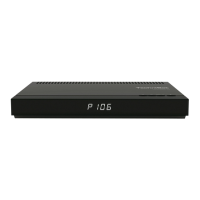
Other manuals for TechniSat TechniStar S2

Questions and Answers

  • T
    Tasha JonesAug 20, 2025
    How to fix TechniSat TV Receiver remote control not working?
    • P
      Peggy MccoyAug 20, 2025
      If your TechniSat TV Receiver remote control isn't working, it might be due to using the wrong remote control code. Try applying the correct code. Alternatively, the batteries may be dead; in this case, replace them with new ones.
  • Y
    youngwilliamAug 22, 2025
    What to do if my TechniSat TV Receiver has no picture, no sound, and the display is off?
    • A
      Abigail MillerAug 22, 2025
      If your TechniSat TV Receiver shows no picture, no sound, and the display is off, the issue is likely a lack of power. Check the power supply and plug to ensure they are properly connected and functioning.
  • A
    Aaron CooperAug 25, 2025
    Why can't my TechniSat TV Receiver receive channels that it previously received?
    • D
      Dr. Kayla CobbAug 25, 2025
      If your TechniSat TV Receiver can no longer receive channels it previously did, the antenna might be defective or not correctly adjusted. Check the antenna. Also, the channel may have been transferred to a different transponder, in which case you should perform a search/scan. It is also possible that the channel is no longer being broadcast.
  • V
    victoriacarlsonAug 26, 2025
    How to troubleshoot no picture via HDMI on TechniSat TV Receiver?
    • J
      Julia WardAug 26, 2025
      If you're getting no picture via HDMI on your TechniSat TV Receiver, the HDMI resolution being used might not be supported by your TV. Try modifying the HDMI resolution for the correct device or connect using a Scart lead.
  • J
    Jonathan ArmstrongAug 27, 2025
    What causes no picture and no sound but the display is on TechniSat TV Receiver?
    • D
      Derrick PhillipsAug 28, 2025
      If your TechniSat TV Receiver has no picture and no sound, but the display is on, it could be due to several reasons: * A short circuit in the LNB connection - switch off the receiver, resolve the short circuit, and switch the receiver back on. * A faulty or missing cable connection – check all cable connections. * A defective LNB – replace the LNB. * An incorrectly installed external unit – modify the setting. * An incorrectly adjusted antenna – adjust the antenna.
  • A
    andreavaldezAug 29, 2025
    Why does my TechniSat TV Receiver have sound but no TV picture?
    • B
      Brianna NelsonAug 29, 2025
      If your TechniSat TV Receiver has sound but no picture, it's possible that radio mode is active and the radio background image is switched off. Check the setting. Alternatively, the Scart plug might not be connected correctly; ensure it is properly connected.
  • W
    wattsrichardAug 31, 2025
    How do I fix no sound via HDMI but picture is OK on TechniSat TV Receiver?
    • S
      Sherri DodsonAug 31, 2025
      If you have a picture but no sound via HDMI on your TechniSat TV Receiver, the wrong HDMI sound format may be selected. Check the HDMI sound format in the settings.
  • V
    Vickie GarciaSep 2, 2025
    Why does my TechniSat TV Receiver show square blocks, freeze frame, or 'no signal'?
    • A
      Alexandra TranSep 2, 2025
      The intermittent appearance of square blocks, freeze frames, no sound, or a 'no signal' message on your TechniSat TV Receiver can be caused by: * Heavy rain or snow - remove snow from the dish antenna. * An incorrectly adjusted antenna - adjust the antenna. * A dish that is too small for your location - use a larger antenna. * An obstacle between the dish and satellite (e.g., a tree) - mount the dish with a clear line of sight.
  • L
    lisa86Sep 4, 2025
    What to do if TechniSat TV Receiver has no sound or wrong audio?
    • J
      john02Sep 4, 2025
      If your TechniSat TV Receiver has no sound or is playing the wrong audio, it could be because Dolby Digital is active or the wrong audio language is selected. Check the setting in the menu or check Dolby Digital / language selection.
  • H
    Heather SanchezSep 6, 2025
    How to fix picture not fully visible or distorted on TechniSat TV Receiver?
    • V
      Victoria CochranSep 6, 2025
      If the picture on your TechniSat TV Receiver is not fully visible or appears distorted, the picture format may not be correctly set. Check the picture format. Also, the wrong picture display/zoom might be selected; check the picture display/zoom in the menu or check zoom setting.

Summary

Re-tuning JSTV HD Channels

Remote Control Buttons Overview

Identifies essential remote control buttons for the channel re-tuning process, including number keys and navigation arrows.

Channel Editing Procedure

Step-by-step guide to editing TV channels, focusing on navigating menus and selecting channels using the remote control.

TechniSat TechniStar S2 Specifications

General IconGeneral
Audio output channels- channels
Power output per channel (20-20KHz@8 Ohm)- W
PC in (D-Sub)No
USB ports quantity3
S-Video inputs quantity0
Ethernet LAN (RJ-45) ports1
Connectivity technologyWired
Speakers connectivity type-
Audio formats supportedMP2, MP3
Image formats supportedJPG
Video formats supportedTS, VOB
Ethernet LANYes
Product colorBlack
Audio decodersDolby Digital Plus
Input frequency range950 - 2150 MHz
Video compression formatsMPEG2
Apple docking compatibilityNot supported
On Screen Display (OSD) languagesDEU, DUT, ENG, ESP, FRE, GRE, HUN, ITA, POL, POR, RUS, SWE, TUR
AC input frequency50 Hz
Power consumption (standby)0.5 W
Operating temperature (T-T)5 - 35 °C
Operating relative humidity (H-H)10 - 75 %
Package weight1600 g
Weight and Dimensions IconWeight and Dimensions
Depth135 mm
Width280 mm
Height37 mm
Weight600 g

Related product manuals