EasyManua.ls Logo

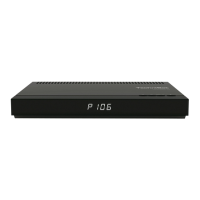
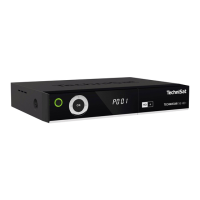
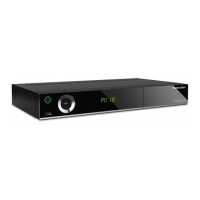
TechniSat TECHNISTAR K4 ISIO - User Manual

TechniSat TECHNISTAR K4 ISIO
46 pages
Print Icon
To Next Page IconTo Next Page
Loading...
Brief Instructions
TECHNISTAR K4 ISIO
Digital cable receiver with Internet access to receive DVB-C
and IPTV channels

Questions and Answers

  • D
    Devon MartinSep 12, 2025
    How to fix TechniSat TECHNISTAR K4 ISIO remote control not working?
    • C
      christopher49Sep 12, 2025
      If your TechniSat Receiver remote control isn't working, it might be due to the wrong remote control code being used. Try setting the correct remote control code. Also, check the batteries and replace them if they are spent.
  • S
    Sophia OrtegaAug 25, 2025
    Why is there sound but no picture on my TechniSat TECHNISTAR K4 ISIO Receiver?
    • J
      Jessica WrightAug 25, 2025
      If you have sound but no picture on your TechniSat Receiver, it could be due to a couple of reasons: * Radio mode might be active, and the radio background image is switched off. Check your settings. * The Scart plug may not be connected correctly. Ensure the Scart plug is properly connected.
  • C
    Christina YorkAug 25, 2025
    How to fix no picture via HDMI on TechniSat Receiver?
    • C
      crystal29Aug 26, 2025
      If you're getting no picture via HDMI on your TechniSat Receiver, the HDMI resolution used might not be supported by your TV. Modify the HDMI resolution for the correct device or connect via a Scart lead.
  • M
    Michelle CarlsonSep 23, 2025
    What to do if TechniSat TECHNISTAR K4 ISIO Receiver cannot be operated?
    • S
      Shawn DownsSep 23, 2025
      If your TechniSat Receiver cannot be operated, nor switched on or off: * A defective data stream may have blocked the receiver. Hold down the On/Standby button on the receiver or the remote control for approximately 5 seconds. * Disconnect the mains plug for about 5 seconds, then reconnect the receiver. * Perform a flash reset (caution: all personal settings will be lost). Remove the DC plug, press and hold the Standby and the up arrow keys while re-inserting the mains adapter. Keep the buttons pressed for about 5 seconds, then release. "FLAS" should appear on the display.
  • S
    stephanieschultzSep 13, 2025
    Why my TechniSat TECHNISTAR K4 ISIO Receiver cannot connect to the network?
    • K
      Kyle SotoSep 14, 2025
      If your PC cannot connect to the receiver, or the receiver cannot connect to the network, it could be due to: * Wrong network settings. Check your network settings. * Incorrectly connected network cable. Ensure the network cable is properly connected.
  • D
    debra34Sep 22, 2025
    How to increase text size on TechniSat TECHNISTAR K4 ISIO info box?
    • F
      fjohnsonSep 22, 2025
      If the text in the Info box or SFIplus detailed information is hard to read on your TechniSat Receiver, the character size may be set to "small". Adjust the character size in the settings.
  • C
    Chase HarrisSep 6, 2025
    How to make text easier to read on TechniSat TV Receiver info box?
    • J
      Jeffrey CruzSep 6, 2025
      If the text in the info box or SFIplus detailed information is hard to read at a distance on your TechniSat TV Receiver, it may be because the character size is set to "small". Adjust the character size in the settings.
  • R
    Ruben ShepardSep 7, 2025
    Why is my USB device not recognized by TechniSat TV Receiver?
    • C
      Christine BrownSep 7, 2025
      If your TechniSat TV Receiver does not recognize the USB device, it might be formatted for the wrong file system. Format the USB device for the FAT32 file format.
  • B
    Brad WashingtonSep 23, 2025
    What to do if cannot delete DVR recordings on TechniSat TECHNISTAR K4 ISIO Receiver?
    • J
      Jennifer LevySep 23, 2025
      If you cannot delete DVR recordings on your TechniSat Receiver, the file system on the storage medium may be damaged. Check the storage medium.
  • S
    Stefanie DavisAug 30, 2025
    What to do if TechniSat TV Receiver has no picture, no sound, display not on?
    • W
      wilsonrachaelAug 31, 2025
      If your TechniSat TV Receiver has no picture and no sound, and the display is not on, the issue might be due to no mains voltage. Check the mains adapter and plug to ensure they are properly connected and functioning.

Summary

Product Information and Remote Control

Remote Control Functions

Instructions for changing batteries and setting remote control codes.

Connecting the DVB Receiver

Initial Installation Process

Country Selection

Selecting the country to determine time zone and service list sorting.

Internet Connection and Data Protection

Configuring Internet connection and reviewing the data protection declaration.

Reception Signal Selection

Selecting active reception signals like Cable (DVB-C) and IPTV (DVB-IP).

Network Configuration Check

Checking and modifying current network configuration settings for Internet and local media access.

Channel Search Setup

Selecting to search for all channels or only unencrypted channels.

Software Update Check

Checking for and performing available software updates for the receiver.

Basic Operation Overview

Understanding On-Screen Display (OSD)

Explanation of the OSD interface, function highlighting, and button indications.

Switching Device On and Off

Instructions for turning the receiver on and off, and switching to standby mode.

Accessing Main Menu and Functions

Guide to accessing the main menu and navigating through various functions and settings.

Operating the Unit

Selecting Channels

Methods for selecting channels using up/down keys or the numeric keypad.

Using the Channel Navigator

Using the navigator to view and select channels from the channel list.

Electronic Program Guide (SFI)

Accessing and viewing the Electronic Program Guide (SFI) for channel information.

Accessing the Electronic Program Guide

How to access the Electronic Program Guide using the SFI button.

Understanding the SFI Overview

Understanding the layout and information presented in the SFI overview.

Timer Recording Functions

Overview of timer functions for recording programs.

Internet Usage

Accessing the Internet

Accessing the Internet for browsing, interactive services, and the ISIO Live portal.

Using the Internet List

Using the Internet list to access pre-programmed websites.

Direct URL Entry

Manually entering website addresses (URLs) to access desired websites.

DVR Mode and Recording

DVR Recording Overview

Recording programs directly to a USB storage device.

Immediate Recording

Recording the current program instantly using the Record button.

Timeshift Recording

Recording and playing back simultaneously for timeshifted viewing.

Timer Recording Programming

Programming timers for future recordings, manually or via SFI.

Accessing DVR Playback

Accessing and playing back recorded content via the DVR Navigator.

Troubleshooting Guide

Remote Control Issues

Resolving problems with the remote control not working or batteries spent.

Picture and Sound Issues

Resolving problems with no picture, no sound, distorted picture, or incorrect audio.

HDMI Connectivity Problems

Troubleshooting issues related to HDMI connection, resolution, and sound.

Network and DVR Recording Issues

Troubleshooting network connection problems and DVR recording failures.

Receiver Operation and Reset

Troubleshooting issues with operating the receiver and performing a flash reset.

TechniSat TECHNISTAR K4 ISIO Specifications

General IconGeneral
Product colorBlack
Supported video modes576i, 576p, 720p, 1080i, 1080p
Audio formats supportedAC3
Video formats supportedAVC, MPEG1, MPEG2, MPEG4
HDMIYes
USB version2.0
USB port typeUSB Type-A
USB ports quantity2
USB 2.0 ports quantityUSB 2.0 ports have a data transmission speed of 480 Mbps, and are backwards compatible with USB 1.1 ports. You can connect all kinds of peripheral devices to them.
USB 3.2 Gen 1 (3.1 Gen 1) Type-A ports quantity0
Tuner typeDigital
Demodulation16-QAM, 32-QAM, 64-QAM
Audio decodersDolby Digital
Interactive TV-
Frequency range47 - 862 MHz
Number of tuners4 tuner(s)
Channels quantity4999 channels
On Screen Display (OSD) languagesCZE, DEU, DUT, ENG, ESP, FRE, HUN, ITA, LIT, POL, POR, RUS, SWE, TUR
Signal sourceCable, Ethernet (RJ-45), Satellite
Video resolutions1920 x 1080 pixels
Digital signal format systemDVB-C
Display digits4 digits
Storage temperature (T-T)-20 - 60 °C
Operating temperature (T-T)5 - 35 °C
Operating relative humidity (H-H)10 - 75 %
AC input voltage230 V
AC input frequency50 Hz
Power consumption (standby)3.4 W
Power consumption (typical)8.4 W
ReceptionHD-TV, SD-TV, radio
Symbol rate1.5 - 7.2 Mbaud
Wi-FiNo
Ethernet LAN data rates10, 100 Mbit/s
Package depth212 mm
Package width396 mm
Package height56 mm
Package weight1170 g
Weight and Dimensions IconWeight and Dimensions
Depth135 mm
Width280 mm
Height38 mm
Weight500 g

Related product manuals