EasyManua.ls Logo

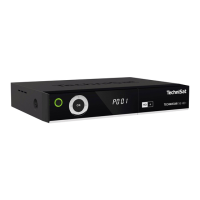
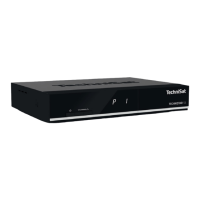
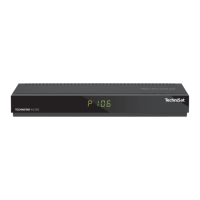
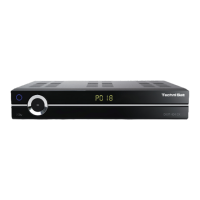
TechniSat TechniStar S2 - User Manual

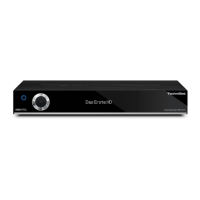
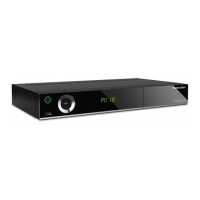
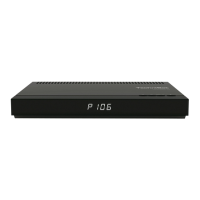
TechniSat TechniStar S2
3 pages
Print Icon
To Next Page IconTo Next Page
Loading...
Please aim the remote control
toward the decoder and operate slowly.
If the decoder fails to respond properly,
we suggest replacing the existing set
of batteries with new ones.
How to re-tune to the new frequency of JSTV HD
TechniSat TECHNISTAR S2
Our frequency has been updated.
If you have a TechniSat TECHNISTAR S2, please follow the instructions below to add JSTV HD channels to your decoder.
Number Keys
OK
Blue
矢印ボタ
<<Buttons you need>>
Arrow
MENU
Yellow
Green
If your decoder is currently connected to the TV with a SCART cable, connecting with a HDMI cable will allow you to watch JSTV with a higher resolution.
Please note that changing cables means you need to choose a different TV input channel such as HDMI 1.

Other manuals for TechniSat TechniStar S2

Questions and Answers

  • N
    nicolegomezSep 8, 2025
    What to do if TechniSat TV Receiver cannot be operated, switched on, or switched off?
    • N
      Nicolas BrockSep 8, 2025
      If your TechniSat TV Receiver cannot be operated, switched on, or switched off, it could be due to a defective data stream, causing the receiver to be blocked. Try holding down the On/Stand-by button on the receiver or remote control for approximately 5 seconds. You can also try disconnecting the mains plug for about 5 seconds, then reconnecting the receiver. As a last resort, perform a Flash Reset.
  • V
    villarrealsusanSep 10, 2025
    Why are various channels not shown in the TechniSat TV Receiver channel list?
    • K
      Kathy PhillipsSep 10, 2025
      If various channels are not showing in your TechniSat TV Receiver channel list, it may be because the wrong channel list is selected. Try selecting another channel list.
  • O
    othorntonSep 12, 2025
    How to display time in standby mode on TechniSat TV Receiver?
    • R
      Robin WhiteSep 12, 2025
      If the time is not displayed on your TechniSat TV Receiver while in standby mode, it could be because the time has not been acquired. Play a local TV channel for approximately 30 seconds. Alternatively, the standby clock may be switched off; switch it on in the settings.
  • N
    Nicholas AlvaradoSep 13, 2025
    Why do programmes like DSF and Tele 5 have interference on TechniSat TV Receiver?
    • V
      Veronica CooperSep 13, 2025
      If you are experiencing interference on programs such as DSF and Tele 5 at certain times on your TechniSat TV Receiver, it may be due to interference from cordless DECT telephones. Try increasing the distance between the base station and the receiver.
  • R
    Rachel ParkSep 15, 2025
    Why is my USB device not recognized by TechniSat TV Receiver?
    • T
      Tracy BrownSep 15, 2025
      If your USB device is not recognized by your TechniSat TV Receiver, it may be formatted for the wrong file system. Format the USB device for FAT32 file format.
  • E
    Emma SmithSep 18, 2025
    Why antenna cannot be rotated on TechniSat TV Receiver?
    • B
      bryancarrilloSep 18, 2025
      If the antenna cannot be rotated on your TechniSat TV Receiver, the motor may not be compatible with DiSEqC 1.2. Use a suitable motor.

Summary

Re-tuning JSTV HD Channels

Remote Control Buttons Overview

Identifies essential remote control buttons for the channel re-tuning process, including number keys and navigation arrows.

Channel Editing Procedure

Step-by-step guide to editing TV channels, focusing on navigating menus and selecting channels using the remote control.

TechniSat TechniStar S2 Specifications

General IconGeneral
Audio output channels- channels
Power output per channel (20-20KHz@8 Ohm)- W
PC in (D-Sub)No
USB ports quantity3
S-Video inputs quantity0
Ethernet LAN (RJ-45) ports1
Connectivity technologyWired
Speakers connectivity type-
Audio formats supportedMP2, MP3
Image formats supportedJPG
Video formats supportedTS, VOB
Ethernet LANYes
Product colorBlack
Audio decodersDolby Digital Plus
Input frequency range950 - 2150 MHz
Video compression formatsMPEG2
Apple docking compatibilityNot supported
On Screen Display (OSD) languagesDEU, DUT, ENG, ESP, FRE, GRE, HUN, ITA, POL, POR, RUS, SWE, TUR
AC input frequency50 Hz
Power consumption (standby)0.5 W
Operating temperature (T-T)5 - 35 °C
Operating relative humidity (H-H)10 - 75 %
Package weight1600 g
Weight and Dimensions IconWeight and Dimensions
Depth135 mm
Width280 mm
Height37 mm
Weight600 g

Related product manuals