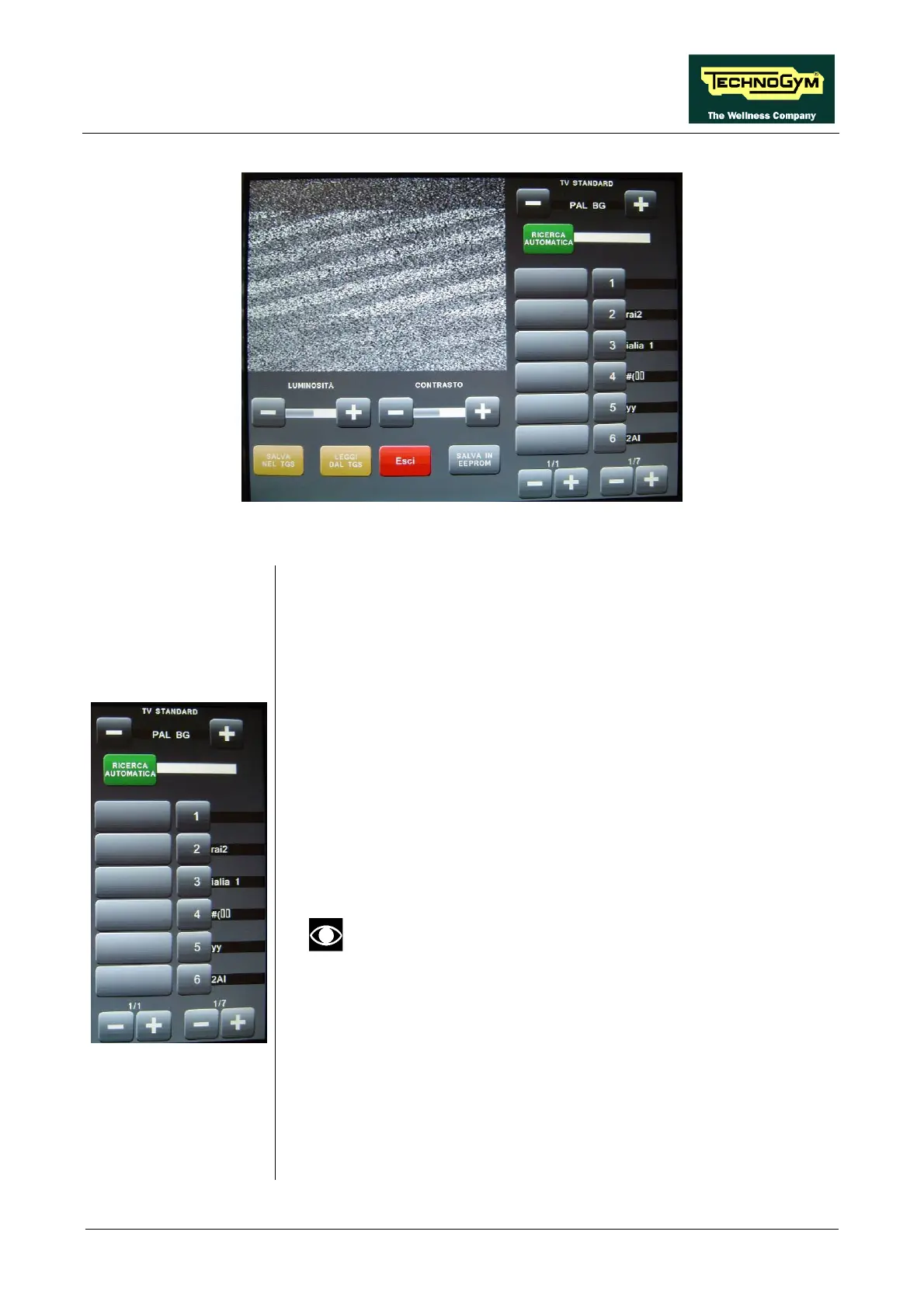
ACTIVE WTV: Machine configuration
To tune and memorise a channel, proceed as follow:
1.
all the available options, using the + and – keys in
2.
irst
3. search to finish, or interrupt it by pressing the
4.
ible to scroll the pages of the 39
5.
the number that you want to associate it with, in
the second column.
Select the correct television standard for the country of installation,
choosing between
the proper menu.
Press the AUTOMATIC SEARCH button to start automatic
scanning of the video bands. During this stage, the channels found
will be collected in a temporary listing and visualized in the f
column on the left side of the one with the channel numbers.
Wait for the automatic
STOP SEARCH key.
Using the + and – buttons below the frequency column, it is possible
to scroll the frequency pages and using the + and – buttons below the
channel numbers column, it is poss
channels which can be memorised.
Once you have found a channel to memorise, select it in the first
column, then press
er, the old channel will be overwritten with the new
6. to associate a name to the
7. d will disappear and the name
9. VE IN EEPROM” key to permanently save the
10. Exit with the “HOME” key.
If a channel has already been memorised under that
numb
one.
An alphanumeric keypad is displayed,
memorised channel (12 characters max).
Press the ENTER (↵) key: the keypa
will be displayed next to the numbere.
8. Repeat the above steps for each desired channel.
Press the “SA
configuration.
Page 15



 To Next Page