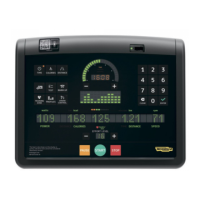
ACTIVE WTV: Machine configuration
STANDBY
TV ON <default>
TV OFF
Press HOME to confirm and save, FORWARD or BACK to scroll the pages.
1.1.12. LANGUAGE
The machine can be configured to allow selection of the language at each session. To change the
selection, select the desired option among the ones in the list, directly touching on the Touch
Screen.
LANGUAGE
FIXED <default>
OPTIONAL
Press HOME to confirm and save, FORWARD or BACK to scroll the pages.
1.1.13. LUBRICATED (ONLY ON STEP)
This parameter tracks the lubrication status of the pedal chains. The default value is “YES”.
Whenever a certain number of floors have been climbed, the machine switches to “awaiting
lubrication” mode, signalled on the display by the message “LUBRICATE THE CHAINS, THEN
PRESS A KEY”, and the parameter value changes to “NO”.
When the parameter change to “NO”, select “YES” and carry on the “Lubrication chain” procedure
detailed on the “Service & maintenance manual”.
To change the selection, select the desired option among the ones in the list, directly touching on
the Touch Screen.
UP-DOWN
ENABLED <default>
DISABLED
Press HOME to confirm and save, FORWARD or BACK to scroll the pages.
1.1.14. DEFAULT CONFIG
It is possible to reset the user menu parameters to their default values. To select the function, press
on “DEFAULT CONFIG” key.
Press HOME to confirm and save, FORWARD or BACK to scroll the pages.
1.1.15. FORMAT P&P
This function formats a TGS key for Plug&Play mode operation. To select the function, press
“FORMAT P&P” key.
Press HOME to confirm and save, FORWARD or BACK to scroll the pages.
Page 5



 To Next Page