ACTIVE WTV: Machine configuration
Page 24
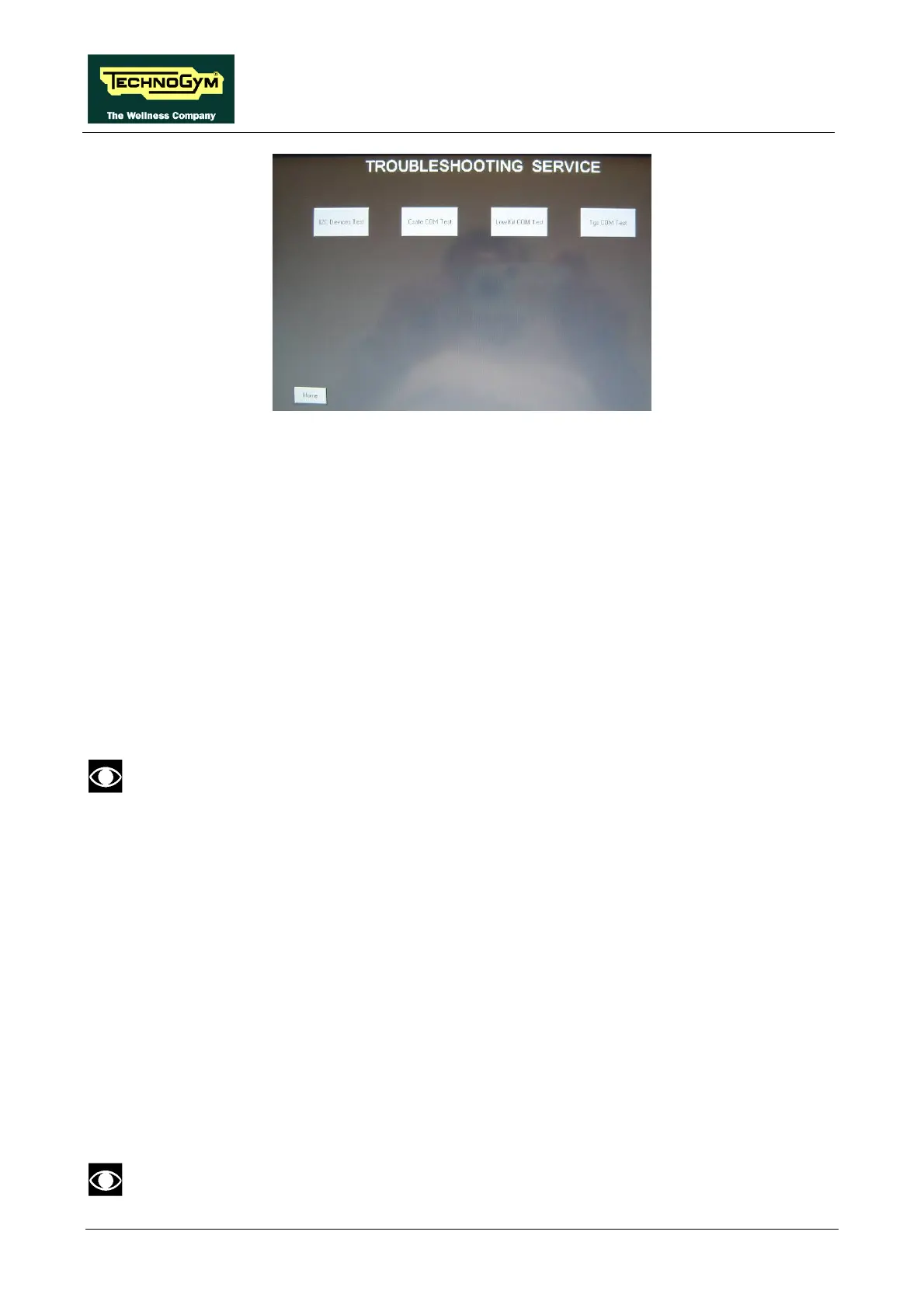
1.7.1. I2C DEVICE TEST
The I2C Device test checks the communication following the 32K and 256K memories. The test
can have two outcomes:
• “Test Successful”: Signifies that data packets were successfully transmitted and received
toward the display board.
• “EEPROM Error”: Signifies that the display board has communication problems with the memories.
1.7.2. CSAFE COM TEST
The test checks the communication on CSafe ports. The test can have two outcomes:
• “Test Successful”: This means that the test was completed successfully, i.e. that serial
communications on the selected port are correct.
• “Error COM1”: This means that the outcome of the test was negative.
The “CSafe COM test” done on a machine which CSafe port is not plugged with the
monitor plug described at chapter 4 of the Service & Maintenance manual.
1.7.3. LOW KIT COM TEST
The test checks the communication with the Low kit. The test can have two outcomes:
• “Test Successful”: This means that the test was completed successfully, i.e. that serial
communications on the selected port are correct.
• “Error COM2”: This means that the outcome of the test was negative.
1.7.4. TGS COM TEST
The test checks the communication with the TGS reader. The test can have two outcomes:
• “Test Successful”: This means that the test was completed successfully, i.e. that serial
communications on the selected port are correct.
• “Error COM3”: This means that the outcome of the test was negative.
The “TGS COM test” done on machine not provided with the key reader gives a fail outcome.



 To Next Page