13
SKILLROW
AVG MAX
bpm
GOAL
MOVE
kcal
VO2
GOAL
REST
min
DRAG
GOAL
TEST
TEST
m
REPS
AVG
MAX
watt
AVG
MAX
spm
/500m
AVG
MAX
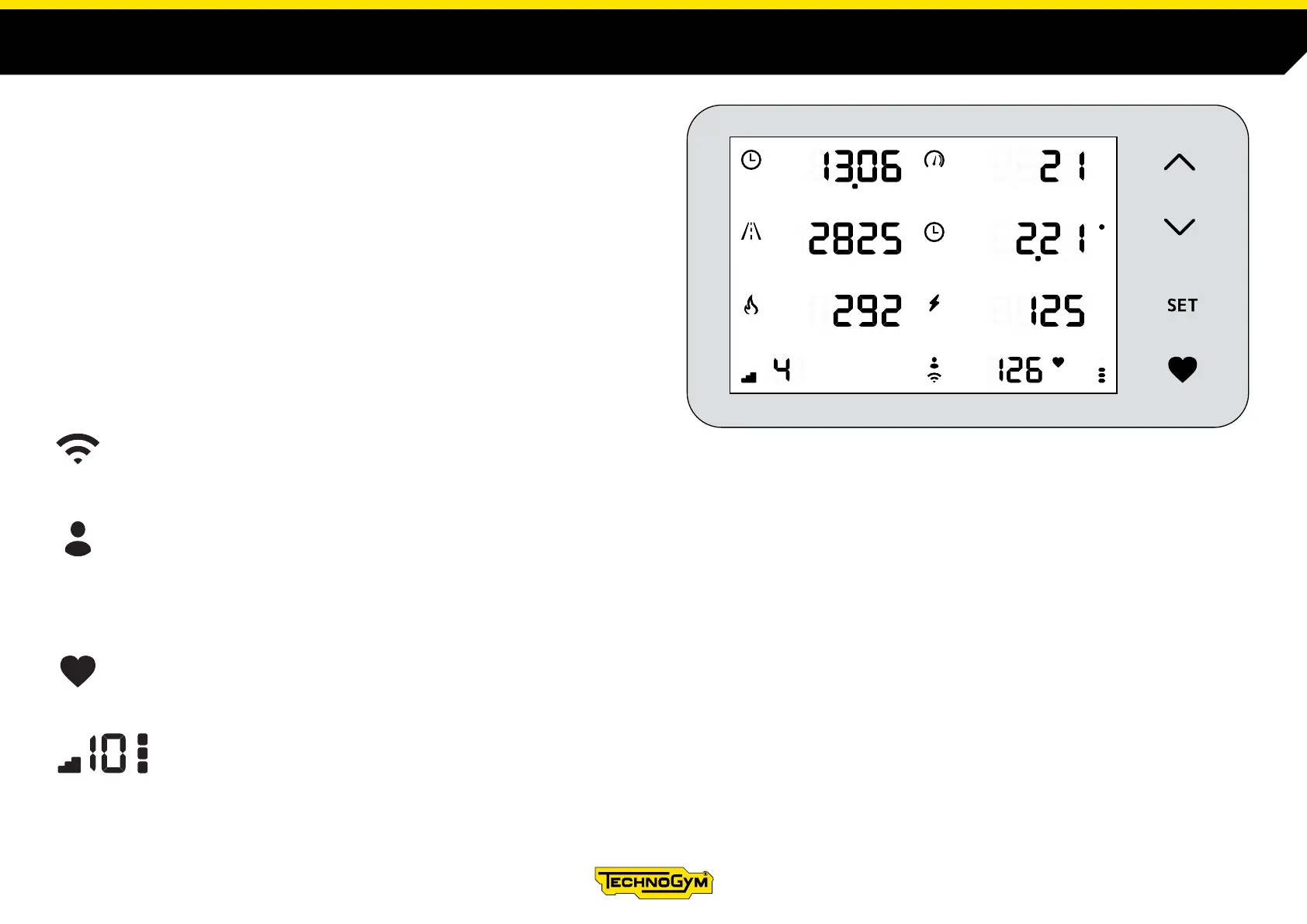
DESCRIPTION OF THE DISPLAY
Walk for a few seconds to turn on the display. If the movement of the rotating
belt continues for more than 10 seconds, an exercise will begin.
To switch o the display, stop walking: the rotating belt must remain stopped
for more than 10 seconds.
This symbol indicates that the Wi-Fi connection is active.
If the connection is active, a log-in can be performed.
This symbol indicates that the log-in failed.
It is possible to log-in if the Wi-Fi connection is active.
The log-in can be performed using the TGS key or the mywellness app using NFC, QR-Code, Bluetooth smart.
If the log-in fails, at the end of the exercise the results are saved in the personal board.
The heart symbol indicates that the chest band was paired with the heart rate monitor.
The numerical value next to the heart indicates the beats per minute (bpm).
This symbol indicates the current workout mode, ROWING or POWER.
The numerical value indicates the resistance eort levels (ROWING), from 1 to 10.
The marks to the right of the numerical value indicate the magnetic resistance (POWER), from 1 to 3.












 To Next Page