
 Need help?
Do you have a question about the Techroutes TSR 2900-10 and is the answer not in the manual?
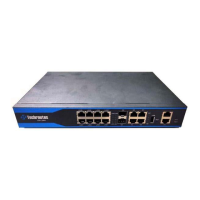
Describes the physical layout, ports, and indicators of the TSR2900-10 for standard configurations.
Details the technical specifications, performance, and operational parameters of the TSR2900-10.
Details the compliance of the TSR2900-10 with RoHS hazardous substance regulations.
Provides essential warnings and precautions for safe operation and handling of the TSR2900-10.
Offers comprehensive safety principles and notices for installation and maintenance activities.
Specifies the necessary environmental conditions for optimal router performance and system longevity.
Specifies the necessary environmental conditions for optimal router performance and system longevity.
Details preventive measures for selecting and configuring appropriate installation locations.
Provides guidelines for proper cabinet configuration, focusing on ventilation and device placement.
Outlines the critical power supply requirements, including grounding and voltage reliability.
Lists the tools and devices required for the correct and safe installation of the TSR2900-10.
Presents a flowchart detailing the sequential steps for installing the TSR2900-10 router.
Details the two modes for installing the router unit: on a desk or within a cabinet.
Instructions for placing the TSR2900-10 router directly onto a stable desk surface.
Guidance on securely mounting the TSR2900-10 router within a server or equipment cabinet.
Covers the procedures for connecting various ports on the TSR2900-10 router.
Details the process for connecting the console port for initial configuration and management.
Explains how to connect the Gigabit Ethernet ports to other network devices using UTP cables.
Describes how to connect Gigabit Ethernet SFP ports to devices using optical fiber cables.
Instructions for connecting external devices to the TSR2900-10 via its USB port.
Provides instructions and tools for safely opening the router's casing for maintenance.
Details the steps for properly closing and securing the router's casing after maintenance procedures.
Explains the methodology for isolating faults within the system for effective troubleshooting.
Guides on diagnosing and resolving faults related to the power supply and cooling systems.
Provides steps to diagnose and fix issues concerning ports, cables, and network connections.
Describes the meaning of each indicator light on the router for status monitoring and diagnostics.
 General
| Brand | Techroutes |
|---|---|
| Model | TSR 2900-10 |
| Category | Network Router |
| Language | English |

 To Next Page