34
Setup communications hardware on ChallengerPlus Panel
Ethernet
To use UltraSync via Ethernet, configure the Challenger panel communications
hardware as follows:
Physically connect the Challenger panel to the network via Ethernet cable.
The network must be connected to the Internet.
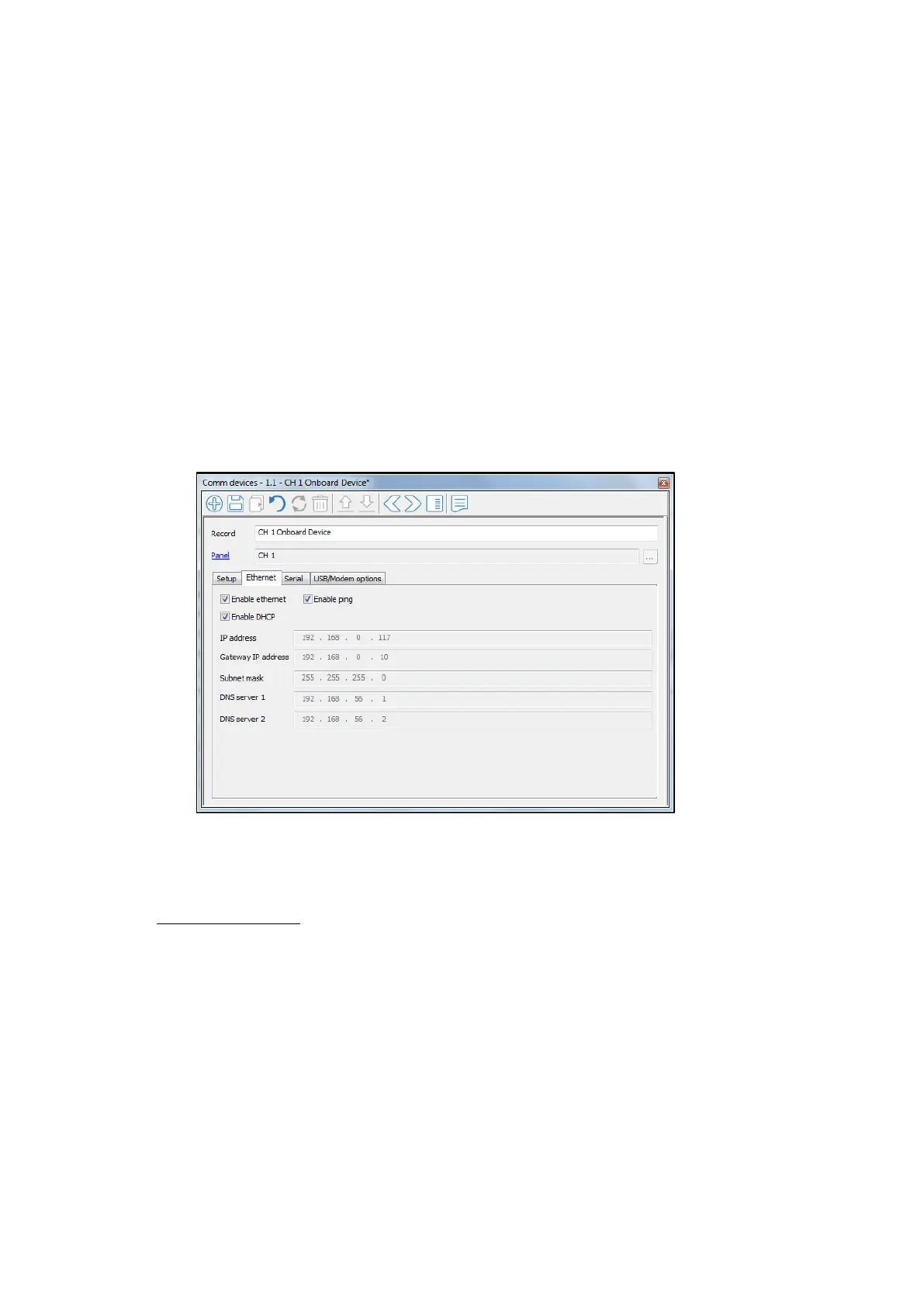
Go to Panel programming -> Communications -> Comm devices
On the Comms devices form, configure Ethernet on the Onboard
communications device using the Ethernet tab.
On Ethernet Tab, tick the “Enable Ethernet”, “Enable ping” and the
“Enable DHCP” checkboxes.
If DHCP is not available, these parameters may be configured manually
by unticking “Enable DHCP”.
To see what IP address, Gateway address, Subnet mask and DNS
addresses are automatically assigned, you can use CTPlus or the keypad.
Method1: CTPlus
o Connect to CTPlus via USB
o Go to Operation -> Status and Control
o Right Click on the ChallengerPlus Panel
o Go to Diagnostics-> Diagnostics
o Select “Comms device” for Diagnostics type



 To Next Page