Programmer`s manual
EZE30
Annex A Page 12 BE 948 a www.tecsis.de
SN Auto-transmit the "long" weight value - continually returns the current net weight value. Issuing the SN command,
which has no parameters, will continually return the net weight value in the format N+01.100 , until interrupted by any other
command.
SW Auto-transmit the net weight value - continually returns the current net weight, the gross and status values. Issuing the
SW command, which has no parameters, will continually return the net weight, the gross weight, the status and the
checksum values, all combined into one single string in the format: W+00100+01100010F until interrupted by any other
command. The decode of the string is exactly as per the "long" weight command GW, listed in section 3.3, "OUTPUT
COMMANDS". Note that decimal point information is not transmitted.
3.5 REMOTE I/O COMMANDS – IN, IO, OM
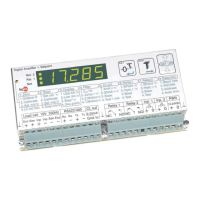
The EZE30 includes 3 independent logic input channels and 3 solid-state relay outputs. The inputs can be read directly by
the host application, allowing for such uses as machine status indication or can be used as remote control inputs for the
zero and tare pushbuttons.
The relay outputs can be used with the set-points or can be remote controlled by the host.
The following group of commands provides control of the logic I/O.
IN Read the status of the three input channels - returns the status in the form of a bitmapped four-digit value where 0
corresponds
parameters, returns the input status in the form IN:0001, where Input 1 status is given by the Least Significant Digit (in this
example 1) and so on.
OM Output mask - disable the set-point function of the relay outputs when used as host controlled logic outputs. A logic 1
will disable the corresponding set-point function. Issuing the command without any parameters returns the current OM value
in the form OM:0010. Value after reset / power on: 0000.


 To Next Page