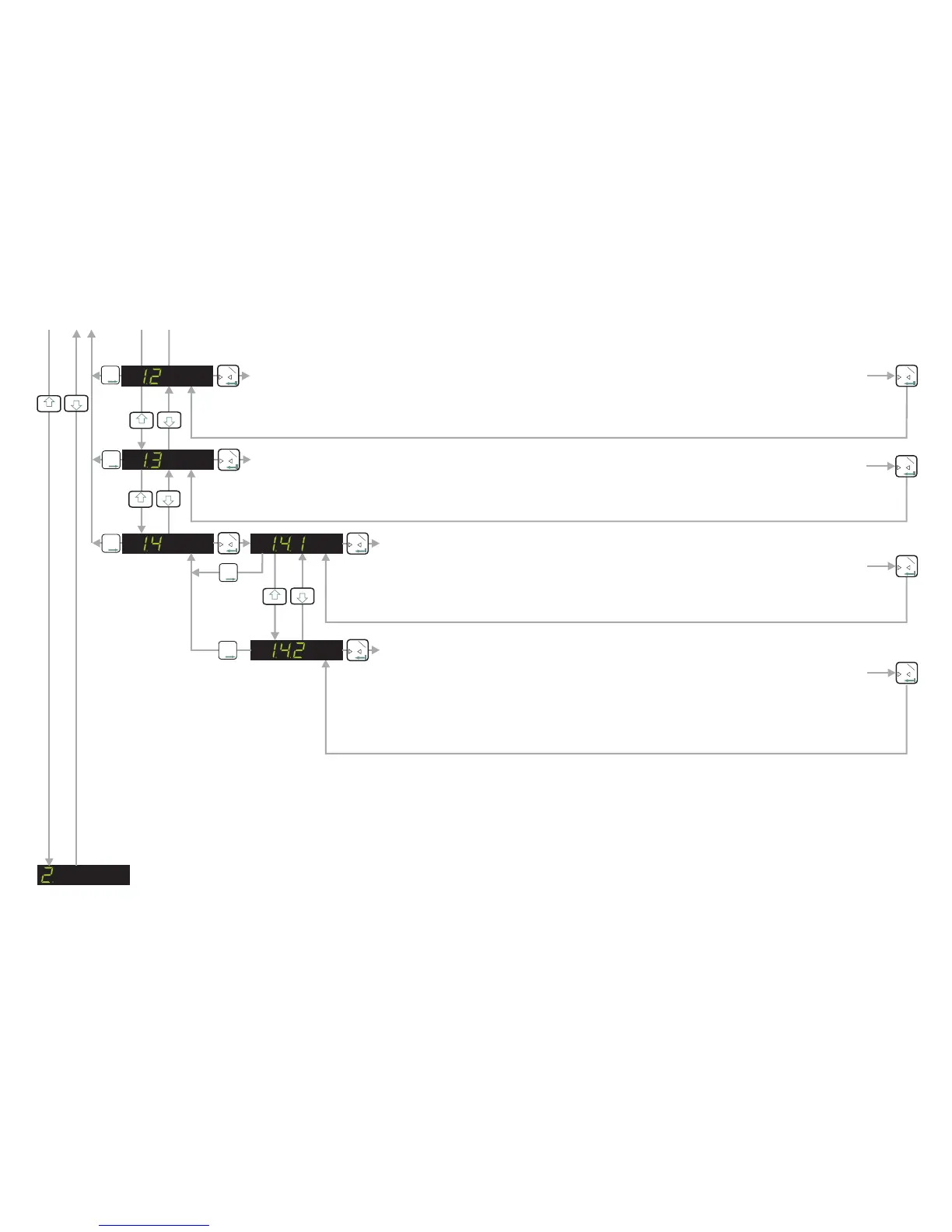
SET UP AND CALIBRATE SPAN FUNCTION / DISPLAY INPUT SIGNAL IN mV/V - See Next Page
ENABLE EX MODE (WIDER TOLERANCE BAND ON SENSE INPUT)
Use this menu point to enable (E - on) a wider tolerance on the sense input. This will
allow the EZE30 to be used with electrical safety barriers (hazardous area
applications) which reduce the sense voltage. If the sense voltage is too low ‘Err 5’
(load cell fault) will be displayed. There are 2 possible settings E - off (factory default)
standard sense input tolerance or E - on wider sense input tolerance enabled.
0
T
1
0
T
1
ENABLE ZERO BUTTON / CALIBRATE ZERO POINT (Continued)
CALIBRATE THE ZERO POINT FROM THE LOAD CELL mV/V READING
Use this menu point to enter a mV/V value at which you want the weighing system to read zero. Use the
UP/DOWN & MOVE RIGHT keys to set the mV/V reading. Pressing the Enter key will store this value. The
weighing system will now read zero at this mV/V reading.
0
T
1
T
T
T
2
0
T
1
3
4
3
4
3
4
3
4
CALIBRATE OR ADJUST THE ZERO POINT.(CONVENTIONAL WEIGHING SYSTEM)
Use this menu point to store a new calibration zero. The display will show the actual input signal in mV/V
from the load cells. Ensure that the weighing system is at zero or has no load on it. Pressing the Enter key
will store the new zero.
0
T
1
T
T
T
2
0
T
1
0
T
1
T
T
T
2
ENABLE STORING OF TARE VALUE (NON-VOLATILE)
Use this menu point to enable (t - on) the storing of the tare value in memory. This
will prevent the loss of the tare value in the event of a power failure. There are 2
possible settings t - off (factory default) tare storing not enabled or t - on tare storing
enabled.
0
T
1
0
T
1
T
T
T
2
T
T
T
2
Page 9


 To Next Page