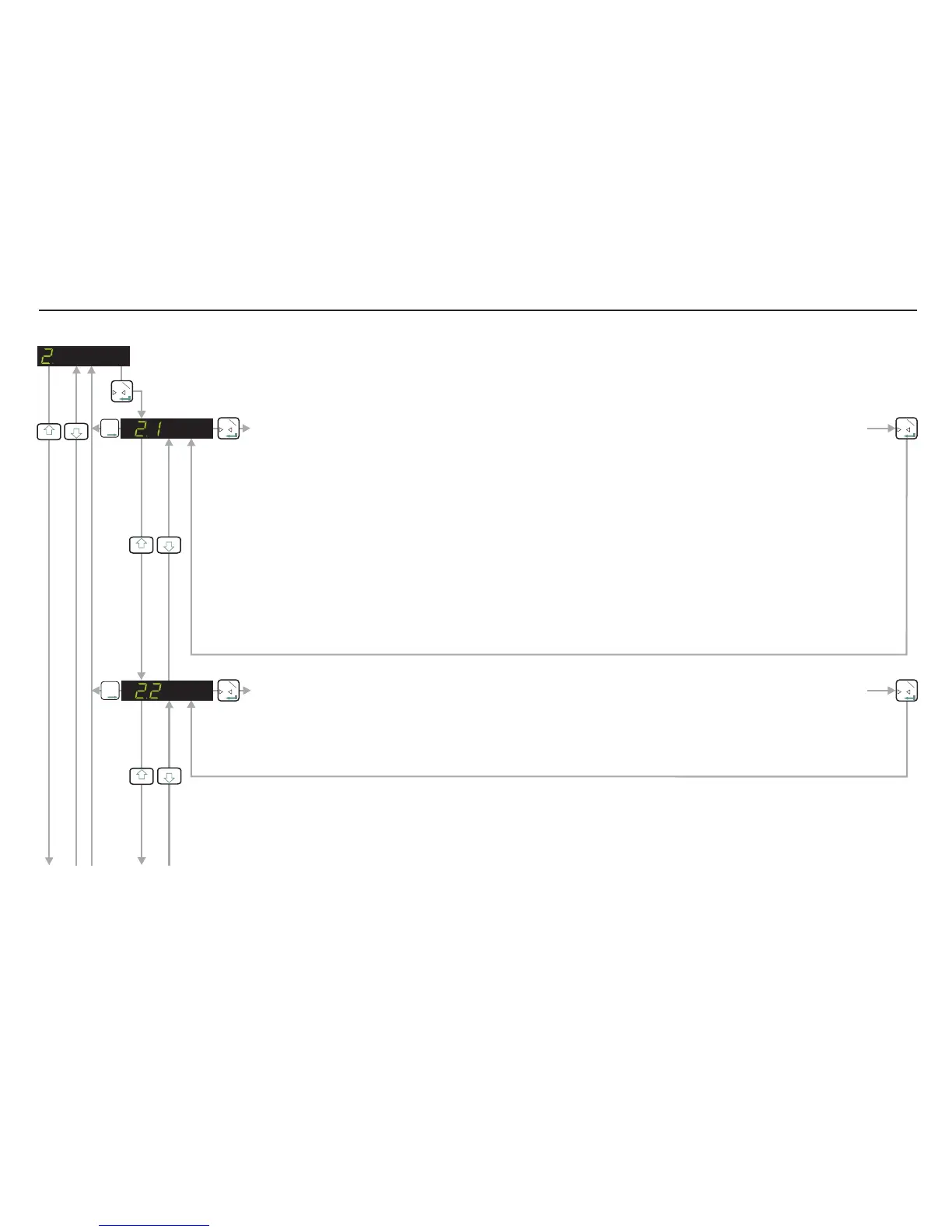
SET UP AND CALIBRATE SPAN / DISPLAY INPUT SIGNAL IN mV/V
0
T
1
3
4
0
T
1
T
T
T
2
3
4
0
T
1
DEFINE THE SPAN CALIBRATION VALUE.
This menu point defines the span calibration value. If you intend to calibrate the span conventionally using
weights, you need to enter the value of the span test weight you intend to apply here. Use the UP/DOWN &
MOVE RIGHT keys to enter the span test weight. For example if you intend to calibrate with 3000 kg of
weight (stepping in 1 kg steps with no decimal places) then enter 3000 here. If however, you intend to
calibrate with 3000 kg and you want to step in 0.1 kg steps you must enter 30000 here. The decimal point
can be added later in menu 3.3.
If you intend to calibrate the span using the mV/V readings from the load cell certificates, you should enter
the total load cell capacity here. Use the UP/DOWN & MOVE RIGHT keys to enter the total load cell
capacity. For example if you have a weighing system consisting of 3 off 2000 kg load cells and you want to
display in 1 kg steps with no decimal places, you should enter 6000 (3 x 2000) here. If however you want to
display 6000 kg in 0.1 kg steps you should enter 60000 here. The decimal point can be added later in menu
3.3.
T
T
T
2
CALIBRATE THE SPAN. (CONVENTIONAL WEIGHING SYSTEM)
Use this menu point to calibrate the span using weights. Apply the span test weight [the test weight value is
defined in menu 2.1] to the weighing system. The display will show the actual signal from the weighing
system . Press the Enter key to store the new span value.in mV/V
0
T
1
0
T
1
3
4
If you wish to change any values in these sections, you have to first press the recessed enable switch (top left corner of unit)
SET UP AND CALIBRATE SPAN /DISPLAY INPUT SIGNAL IN mV/V (Continues on next page)
Page 10


 To Next Page