Settings
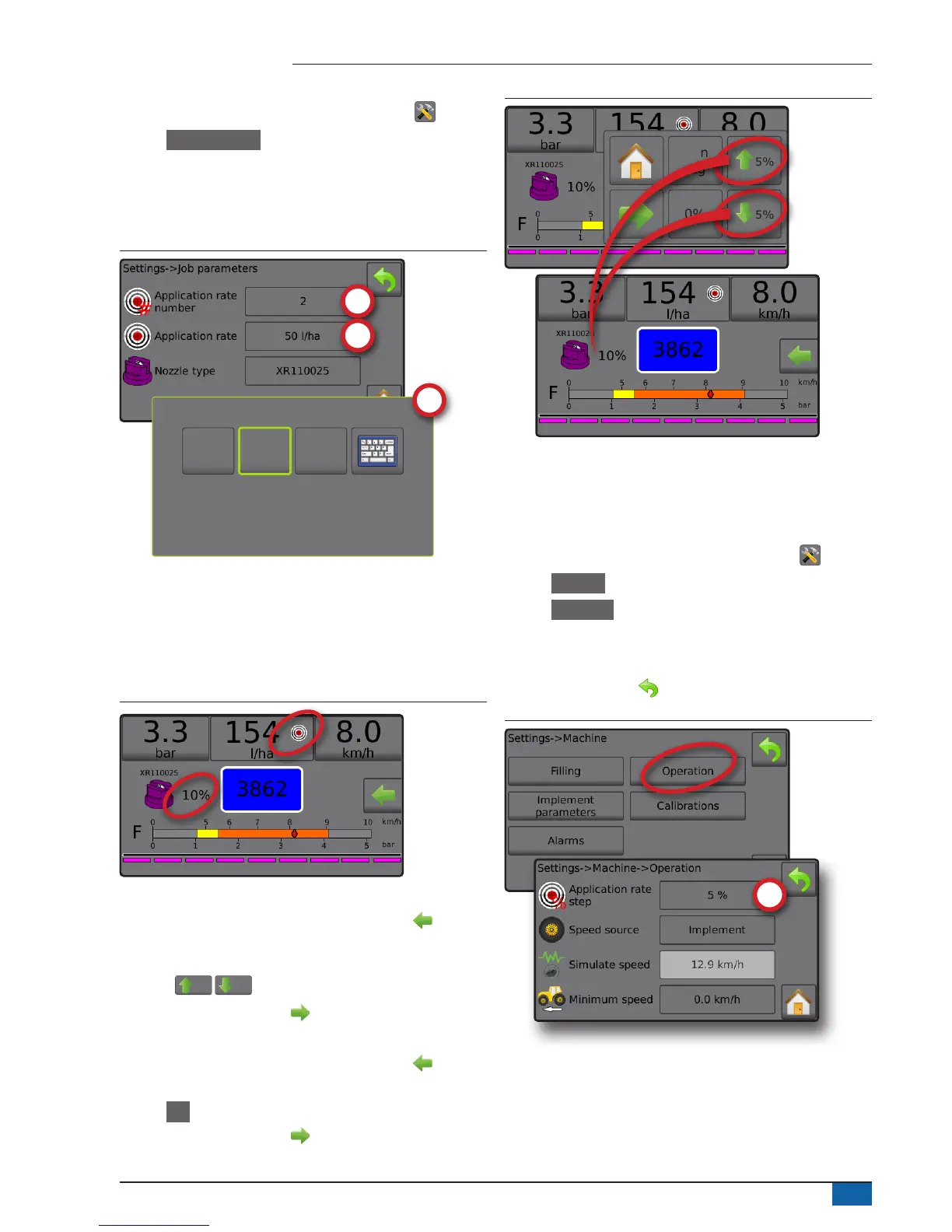
1. From the Home screen, press the SETTINGS button .
2. Press Job parameters .
3. Select Application rate number 1 .
4. Select an application rate to be associated with number 1.
5. Repeat steps 3 and 4 for Application rate numbers 2 and 3.
Figure 41: Establish preset target application rate 2
225
l/ha
50
l/ha
100
l/ha
Target rate percentage increase/decrease
Target rate boost/step percent increase/decrease buttons increase/
decrease the application target rate per the established percentage
set in the Settings->Machine->Operation setup screen under
Application rate step.
Figure 42: Target rate boost/step percent
Increase/decrease percentage
1. From the Operation screen, press the OPTIONS tab to display
the Operation menu.
2. Press the Boost/step percent increase/decrease
buttons
5%
/
5%
to adjust application rates.
3. Press the Close menu button .
Return to preset target rate
1. From the Operation screen, press the OPTIONS tab to display
the Operation menu.
2. Press 0% to return to the preset target rate.
3. Press the Close menu button .
Figure 43: Application rate step
0%
Man
reg
5%
5%
Change application rate step
Application rate step is the percent of increase/decrease boost of the
active application rate at which the product is applied. Range is 1 to
20%.
1. From the Home screen, press the SETTINGS button .
2. Press Machine .
3. Press Operation .
4. Press Application rate step value .
5. Select an application rate step.
6. Press RETURN arrow to return to the Machine screen.
Figure 44: Operation



 To Next Page