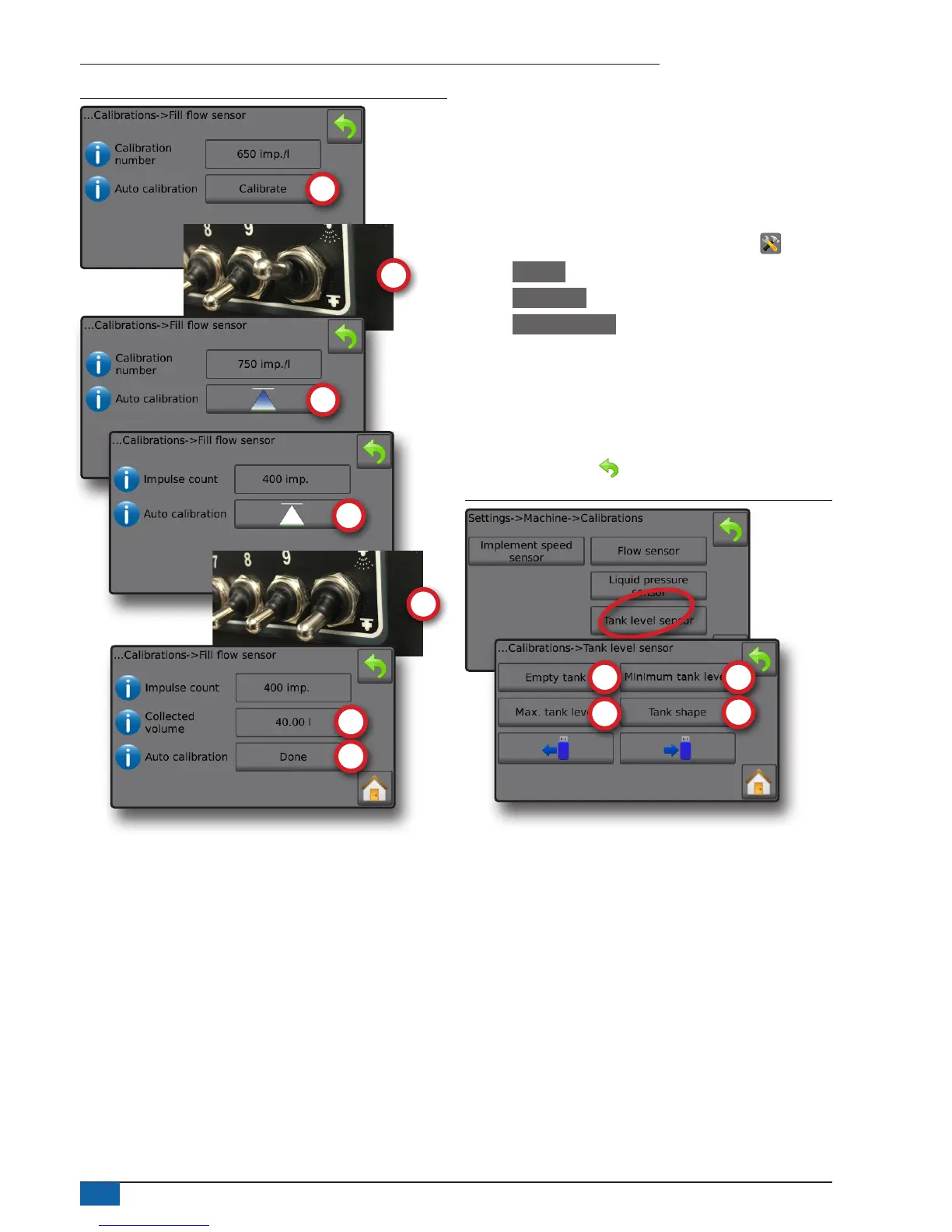
Figure 28: Fill flow sensor automatic calibration
Tank level sensor
Tank level sensor establishes the empty, minimum and maximum
levels for the tank and calibrates the tank shape. Tank level sensor
calibration settings can be exported to a USB drive and recalled for
future use.
NOTE: Manual calibration is not available for any Tank level sensor
calibrations.
1. From the Home screen, press the SETTINGS button .
2. Press Machine .
3. Press Calibrations .
4. Press Tank level sensor .
5. Calibrate each option in the following order:
Empty tank
Minimum tank level
Maximum tank level
Tank shape
6. Press RETURN arrow to return to the Calibrations screen.
Figure 29: Tank level sensor



 To Next Page