3 SET UP THE MACHINE
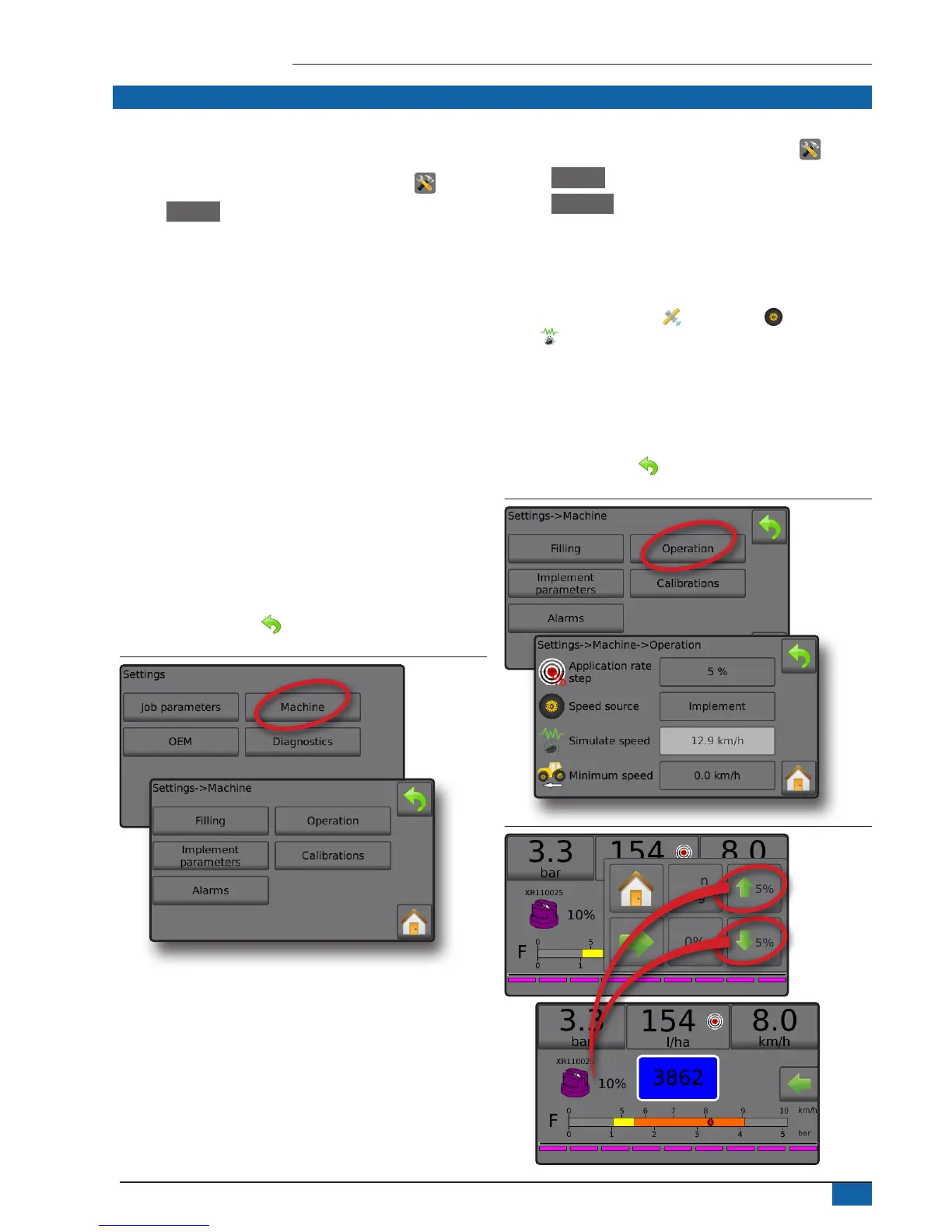
Machine congures machine settings. Options include Filling,
Operation, Implement parameters, Calibrations and Alarms.
1. From the Home screen, press the SETTINGS button .
2. Press Machine .
3. Select from:
►Filling – establishes the amount of actual and desired material
in the tank and the density of that material
►Operation – establishes application rate step, speed source,
simulated speed and minimum speed
►Implement parameters
◄ Section conguration – sets the number of nozzles on
the boom which determines the spraying width during
application
◄ Nozzle preset setup – establishes options for up to ve (5)
nozzles including series, capacity, low/high pressure limits,
reference ow and reference pressure
◄ Regulation parameters – adjusts valve calibration and
nozzle spacing and selects a regulation mode
►Calibrations – establishes either manual/automatic settings
of the Implement speed sensor, Flow sensor, Liquid pressure
sensor, Fill flow sensor and Tank level sensor
►Alarms – establishes alarms on/off and sets their trigger levels
4. Press RETURN arrow to return to the main Settings screen.
Figure 9: Machine
Operation
1. From the Home screen, press the SETTINGS button .
2. Press Machine .
3. Press Operation .
4. Press setting value to adjust settings as needed:
◄Application rate step – the percent of increase/decrease boost
of the active application rate at which the product is applied
◄Speed source – selects whether to base the machine speed
on input from the CAN , an Implement or a Simulated
source
◄Simulated speed – establishes a speed for using the
Simulated speed source
◄Minimum speed – establishes the minimum forward speed at
which the system should automatically switch the main valve
off
5. Press RETURN arrow to return to the Machine screen.
Figure 10: Operation
Figure 11: Application rate step on Operation screen
0%
Man
reg
5%
5%



 To Next Page