NOZZLE SELECTION
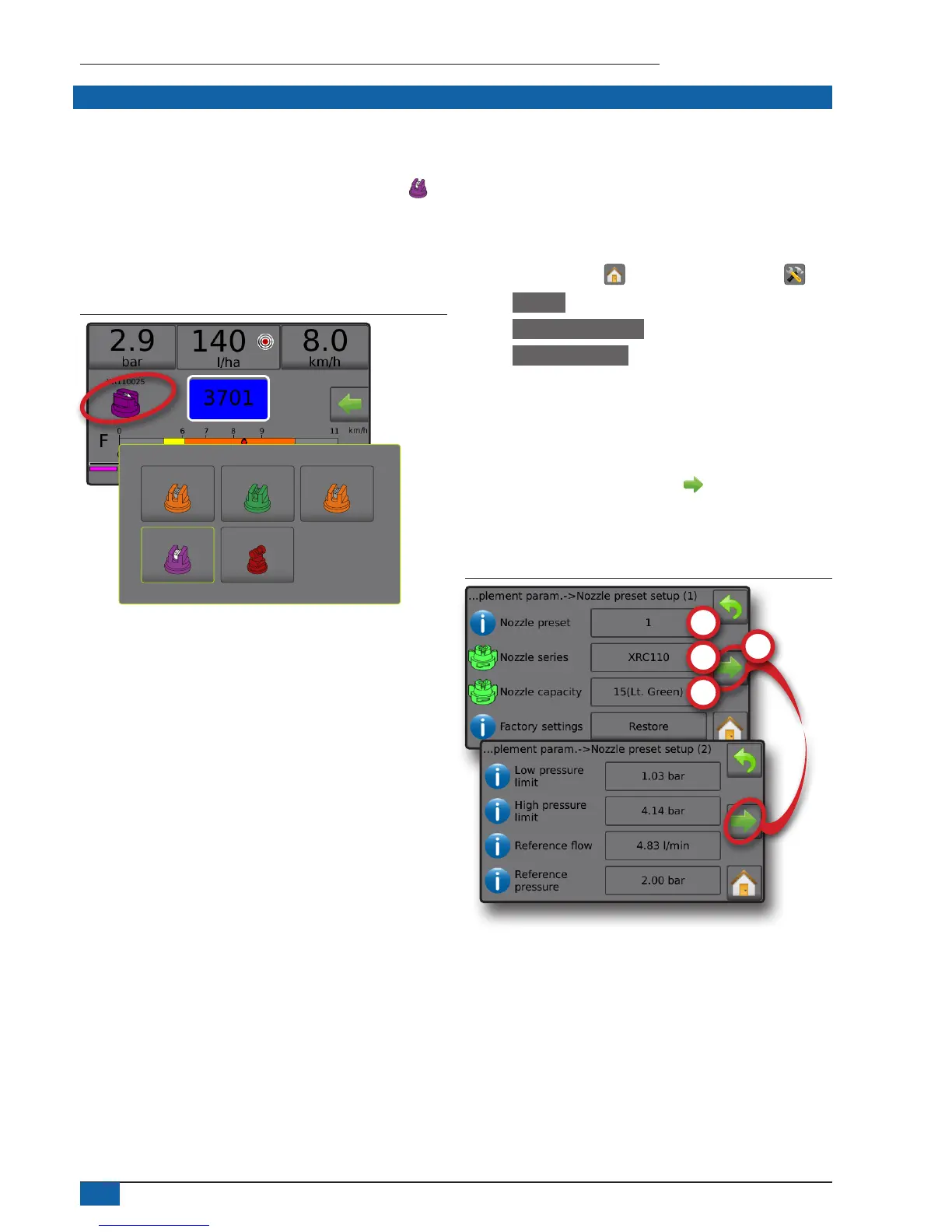
Nozzles must be preset to be available for current nozzle selection. Presets allow saving of up to ve (5) nozzles for quick recall.
Selecting the current nozzle
1. From the Operation screen, press the CURRENT NOZZLE to
display the Preset nozzle menu.
2. Select a nozzle type from among ve (5) nozzle presets.
NOTE: Current nozzle can also be selectable on the
Settings-
>
Job parameters screen.
Figure 45: Nozzle type on Operation screen
XR110025
XR11001
TT11004
XR110015 XR8001
Presetting nozzles
Nozzle preset setup establishes up to ve (5) sets of nozzle options
setting the nozzle type, capacity, low/high pressure limit, reference
ow and reference pressure. For more information see Settings->
Machine->Implement parameters->Nozzle preset setup.
1. From the Home screen , press the SETTINGS button .
2. Press Machine .
3. Press Implement parameters .
4. Press Nozzle preset setup .
5. Select Nozzle preset number 1 .
6. Select Nozzle series .
7. Select Nozzle capacity .
8. Repeat steps 5, 6 and 7 for Nozzle preset numbers 2 to 5.
9. OPTIONAL: Press NEXT PAGE arrow to adjust the
settings for Low pressure limit, High pressure limit, Reference ow
and Reference pressure. Each of these settings are specic to the
current nozzle preset number.
Figure 46: Establish nozzle presets



 To Next Page