Side Table Adjustment
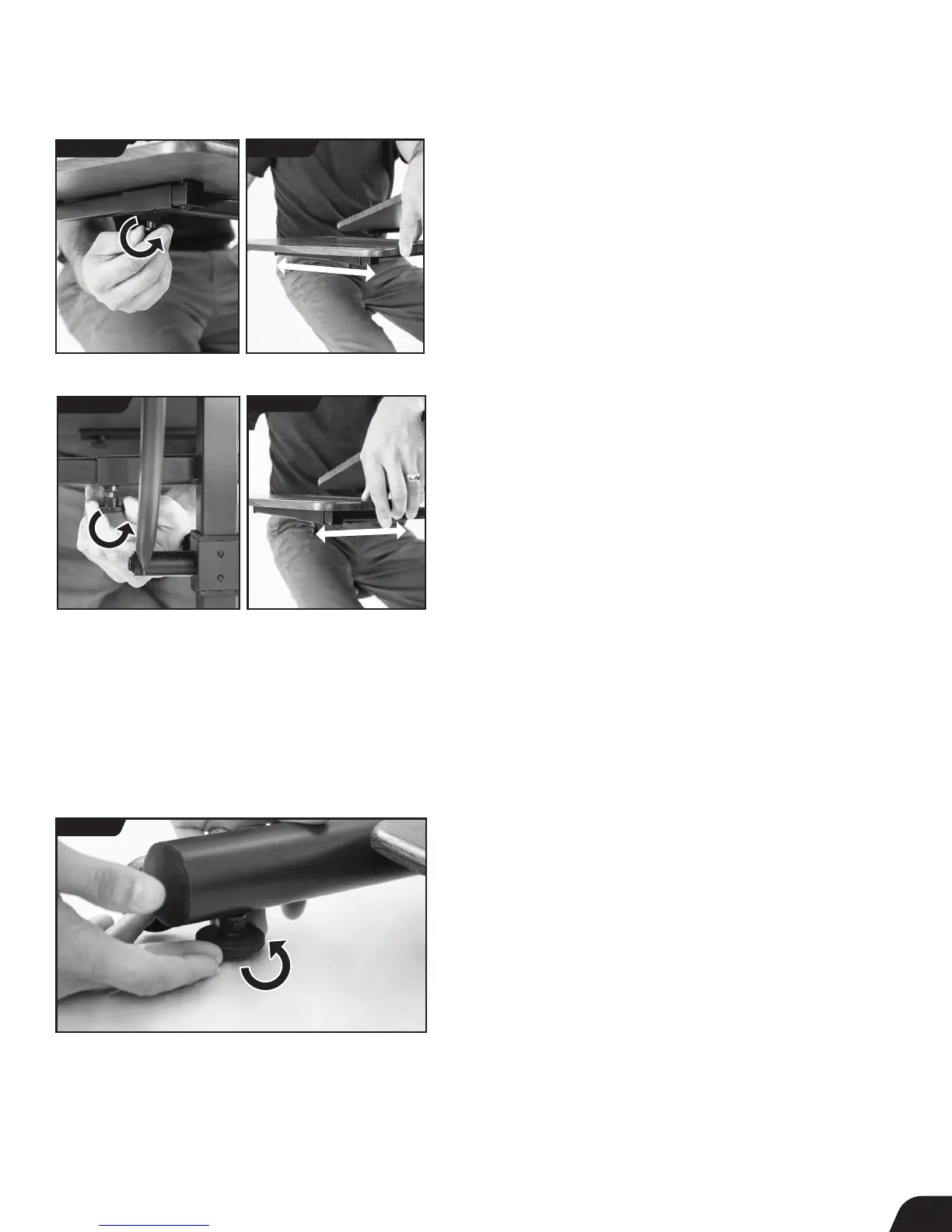
The Side Table can be adjusted in two directions, closer or further from
the user (vertically) and closer or further from the Desktop (horizontally).
It can also be assembled on either side of the Desktop (see pg. 7).
Vertical Adjustment
• Loosen the Side Table Vertical Adjustment Knob. Move the Side
Table closer or further from the user by sliding along the vertical track
to your desired setting (Figures 19a & 19b).
• Retighten the Knob.
Horizontal Adjustment
• Loosen the Side Table Horizontal Adjustment Knob. Move the Side
Table closer or further from the Desktop by sliding along the
horizontal track to your desired setting (Figures 20a & 20b).
• Retighten the Knob.
11
FIGURE 21
Stability Feet Adjustment
Shortening or Lengthening
• The four (4) stability feet can be lengthened or shortened to
accommodate uneven surfaces and stabilize the Desk.
• Turn counter-clockwise to lengthen and clockwise to shorten the
stability feet according to desired setting (Figure 21).
• Test the stability of the Desk before placing objects on the Desktop.
FIGURE 19a FIGURE 19b
FIGURE 20a
FIGURE 20b



 To Next Page