13
Tips for Use
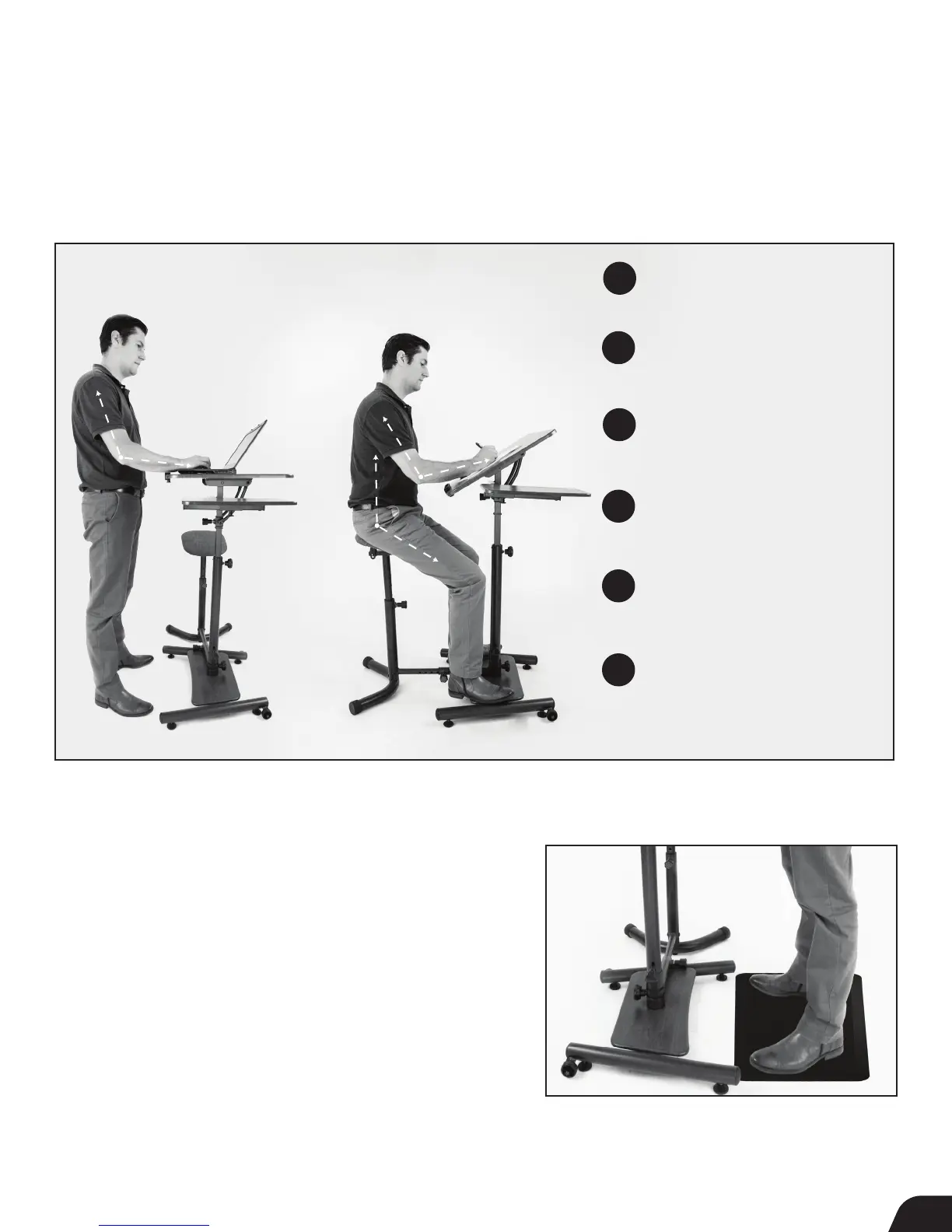
Head, neck, and shoulders are relaxed
and in a neutral position.
Allow your elbows to rest at a 90-120
°
angle. Adjust Desktop height
if necessary.
Wrists are flat and supported.
Consider investing in a wrist support
to place right below your keyboard.
When seated, the hip and knees should
at a 90-120
° angle (hips should be level
with or higher than your knees).
Feet should rest flat on the floor or
slightly elevated on the Desktop Base
when seated. Do not lock your knees
when standing.
Give your whole body a break by
moving around each hour or
alternating between the sitting and
standing position. This will help reduce
body stiffness or fatigue.
90°-120°
90°-120°
Teeter Anti-Fatigue Mat
Made of thick vinyl foam, the Teeter Anti-Fatigue Mat is ideal for
reducing discomfort and pressure on your feet, knees and back while
standing, and is sized to fit under the Sit-Stand Desk while not in use.
Sold separately. Available at teeter.com.
1
2
3
4
5
6
Maintain Proper Posture in the
Standing & Sitting Position
90°-120°
The Teeter Sit-Stand desk can be angled for drawing, drafting and writing or positioned horizontally to accommodate a laptop or tablet.
Store your writing utensil in the small compartment located on the front of the Desktop, while the Side Table is an ideal surface to use a
mouse or to store drawing or drafting utensils.



 To Next Page