5 of 24 © 2007 D 541 - 08/07
Display Menus
View Menu (1 of 1)
Item Field Range
Access
Description
-58 to 212°F
(-50.0 to 100.0°C)
SEC
LTD
USER
INST
ADV
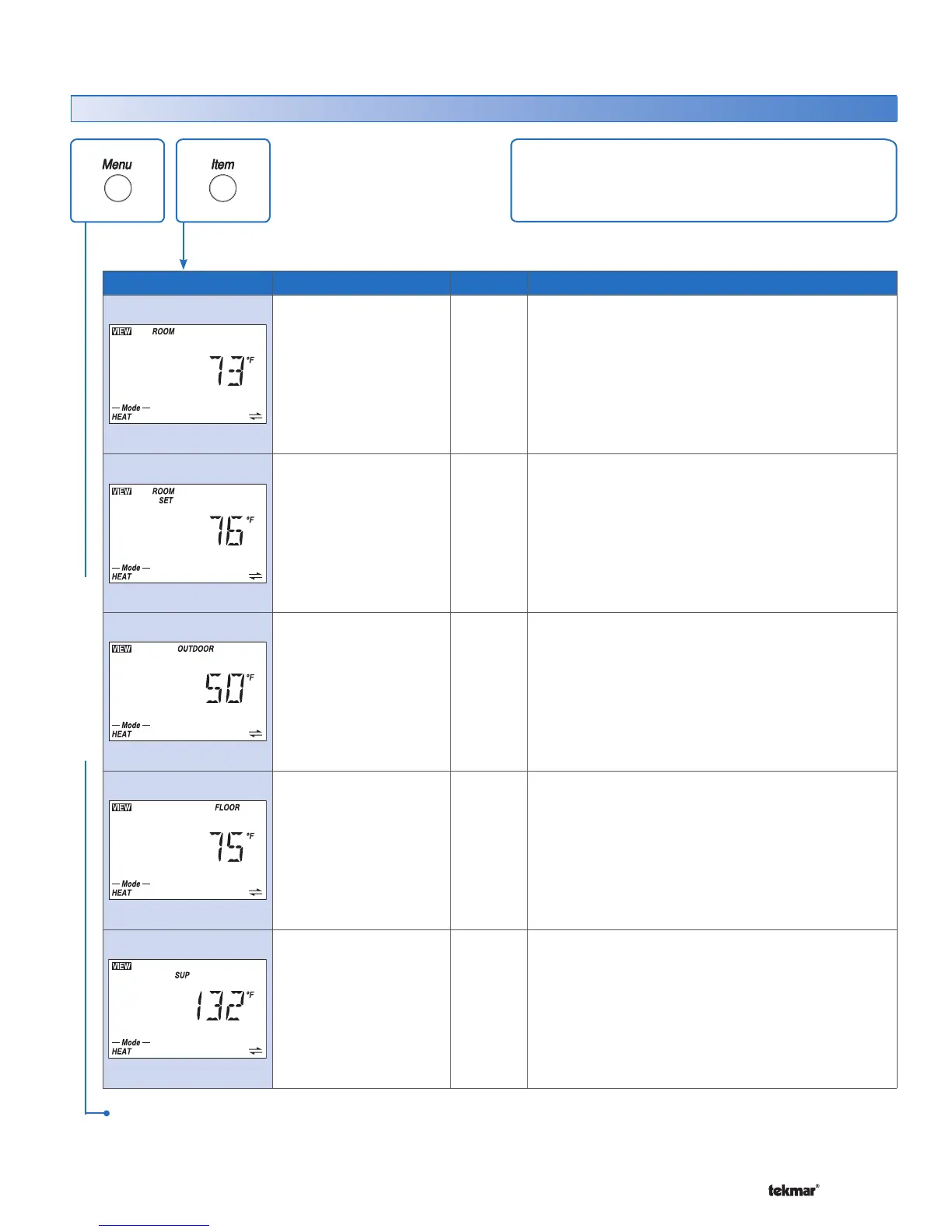
ROOM SECTION A
Current air temperature in the room.
Note: This item is only available when the Room
Sensor is set to On or the Auxiliary Sensor is set to
Room.
– – –, 40 to 95°F
(– – –, 4.5 to 35.0°C)
USER
INST
ADV
ROOM SET SECTION A
Selected room temperature.
Note: This item is only available when the Room
Sensor is set to On or the Auxiliary Sensor is set to
Room.
– – – (if no recent
message),
-58 to 212°F
(-50.0 to 100.0°C)
SEC
LTD
USER
INST
ADV
OUTDOOR SECTION A
Current temperature at the outdoor sensor.
Note: This item is only available when an outdoor
sensor is connected to the tN4 network.
-58 to 212°F
(-50.0 to 100.0°C)
SEC
LTD
USER
INST
ADV
FLOOR
SECTION A
Current floor temperature.
Note: This item is only available when the Auxiliary
Sensor is set to Floor.
-22 to 266°F
(-30.0 to 130.0°C)
INST
ADV
SUPPLY TEMPERATURE OF TN4 BUS
SECTION F
Actual water temperature of the tN4 bus for the first
stage of heat.
Note: This item is only available when the thermostat
is connected to an Outdoor Reset Module and the
DIP switch is set to tN4 System Control.
The View menu items display the current operating
temperatures and status information of the system.
VIEW MENU
After the last item, the control returns to the first item in the menu.



 To Next Page