7 of 24 © 2007 D 541 - 08/07
Item Field Range Access Description
OFF, ON
Default = ON
INST
ADV
ROOM SENSOR SECTION A
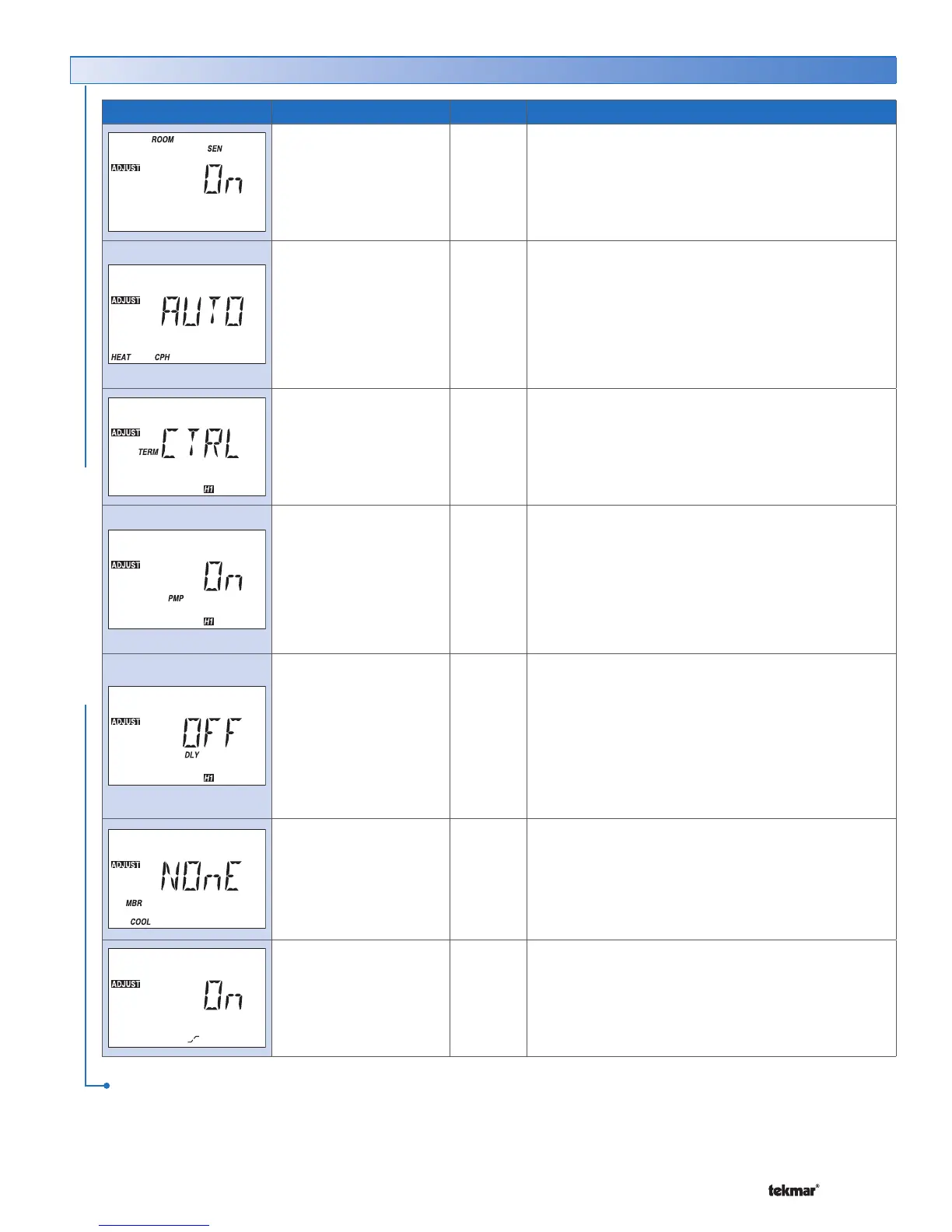
Selects whether the built-in room sensor is functional.
SYNC, AUTO
2 to 12
Default = AUTO
ADV
HEAT CYCLES PER HOUR SECTION D
Select the number of heating cycles per hour. SYNC
results in 5 CPH. All tN4 thermostats that are connected
and have the SYNC setting selected synchronize their
cycle to the same starting time.
Note: This item is only available when the tN4 System
Control DIP switch is set to None.
CTRL, HRF1, HRF2,
COIL, CONV, RAD,
BASE, OTHR
Default =CTRL
INST
ADV
HEAT 1 TERMINAL SECTION E
Select the type of heating terminal.
Note: If CTRL is selected, the terminal unit selected
on the tN4 System Control is used.
OFF, ON
Default = ON
INST
ADV
HEAT 1 PUMP SECTION F
Select whether the system, primary, or mixing pump
on a tN4 System Control must operate while the heat
is operating.
Note: This item is only available when the H1 Terminal
item is set to CTRL, HRF1, HRF2, Fan Coil, Convector,
Radiator, or Baseboard.
OFF, ON
Default = OFF
INST
ADV
HEAT 1 DELAY SECTION F
Select whether the system, primary, or mixing pump
on a tN4 System Control is delayed to allow a thermal
motor zone valve to open. Select On for thermal motor,
select Off for zone pump or motorized zone valve.
Note: This item is only available when the H1 Terminal
item is set to CTRL, HRF1, HRF2, Fan Coil, Convector,
Radiator, or Baseboard.
NONE, 1 to 16
Default = NONE
ADV
COOL MEMBER SECTION G
Select the cool group of which this thermostat is a
member. Select None if this thermostat is not a cool
group member.
Note: This item is only available when the thermostat
is connected to a tN4 network.
ON, OFF
Default = ON
INST
ADV
OPTIMUM START / STOP SECTION I
Select whether to use Optimum Start / Stop for
heating.
Note: This item is only available when a heating
schedule is selected.
Adjust Menu (2 of 2)
ADJUST MENU
After the last item, the control returns to the first item in the menu.



 To Next Page