EasyManua.ls Logo

Tektronix FG 5010 - Hold; ID ( Identify)

Tektronix FG 5010
306 pages
To Next Page IconTo Next Page
To Previous Page IconTo Previous Page
Loading...
1
C
n
C
c
c
n
n
ņ
c
C
:
ņ
П
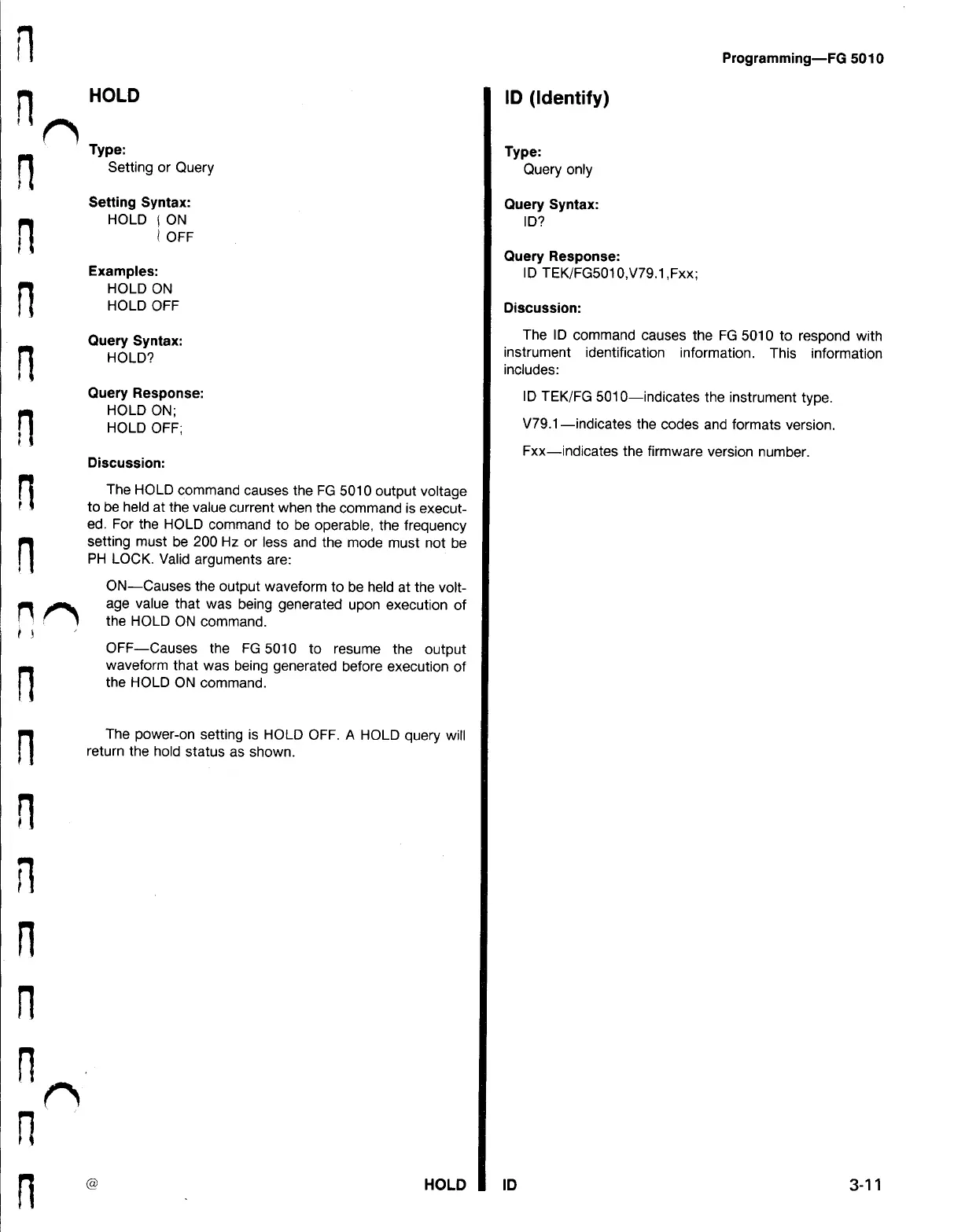
HOLD
Type
:
Setting
or
Query
Setting
Syntax
:
HOLD
ON
(
OFF
Examples
:
HOLD
ON
HOLD
OFF
Query
Syntax
:
HOLD
?
Query
Response
:
HOLD
ON
;
HOLD
OFF
;
Discussion
:
The
HOLD
command
causes
the
FG
5010
output
voltage
to
be
held
at
the
value
current
when
the
command
is
execut
ed
.
For
the
HOLD
command
to
be
operable
,
the
frequency
setting
must
be
200
Hz
or
less
and
the
mode
must
not
be
PH
LOCK
.
Valid
arguments
are
:
(
8
)
ON
Causes
the
output
waveform
to
be
held
at
the
volt
age
value
that
was
being
generated
upon
execution
of
the
HOLD
ON
command
.
OFF
Causes
the
FG
5010
to
resume
the
output
waveform
that
was
being
generated
before
execution
of
the
HOLD
ON
command
.
The
power
-
on
setting
is
HOLD
OFF
.
A
HOLD
query
will
return
the
hold
status
as
shown
.
HOLD
ID
(
Identify
)
Type
:
Query
only
Query
Syntax
:
ID
?
Query
Response
:
ID
ID
TEK
/
FG5010
,
V79.1
,
Fxx
;
Programming
-
FG
5010
Discussion
:
The
ID
command
causes
the
FG
5010
to
respond
with
instrument
identification
information
.
This
information
includes
:
ID
TEK
/
FG
5010
-
indicates
the
instrument
type
.
V79.1
indicates
the
codes
and
formats
version
.
Fxx
-
indicates
the
firmware
version
number
.
3-11

Table of Contents

Related product manuals