Operating Basics
TDS1000/2000-Series Digital Oscilloscope User Manual
33
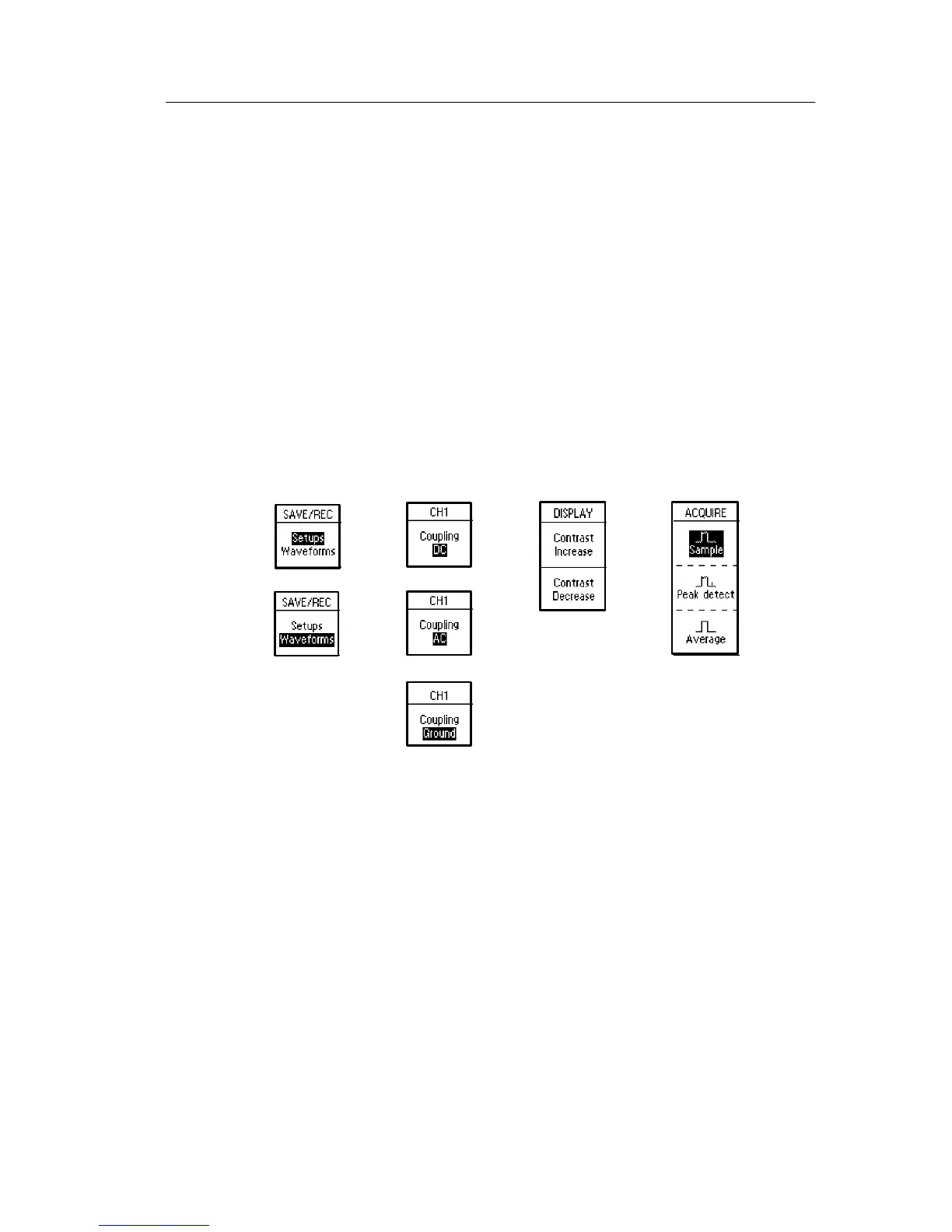
H Action: The oscilloscope displays the type of action that will
immediately occur when you push an Action option button. For
example, when you push the DISPLAY Menu button and the n
push the Contrast Increase option button, the oscilloscope
changes the contrast immediately.
H Radio: The oscilloscope uses a different button for each option.
The currently-selected option is highlighted. For example, the
oscilloscope displays various acquisition mode options when you
push the ACQUIRE Menu button. To select a n option, push the
corresponding button.
Page Selection Action RadioCircular List
or
or
or


 To Next Page
 Loading...