6.
SAT
MEASURING RANGE
6.6 Updating the satellite channel list
The device comes from the factory with a preset channel list of the satellite position
Astra 19.2 degrees East. You can add other satellite positions to this channel list.
>
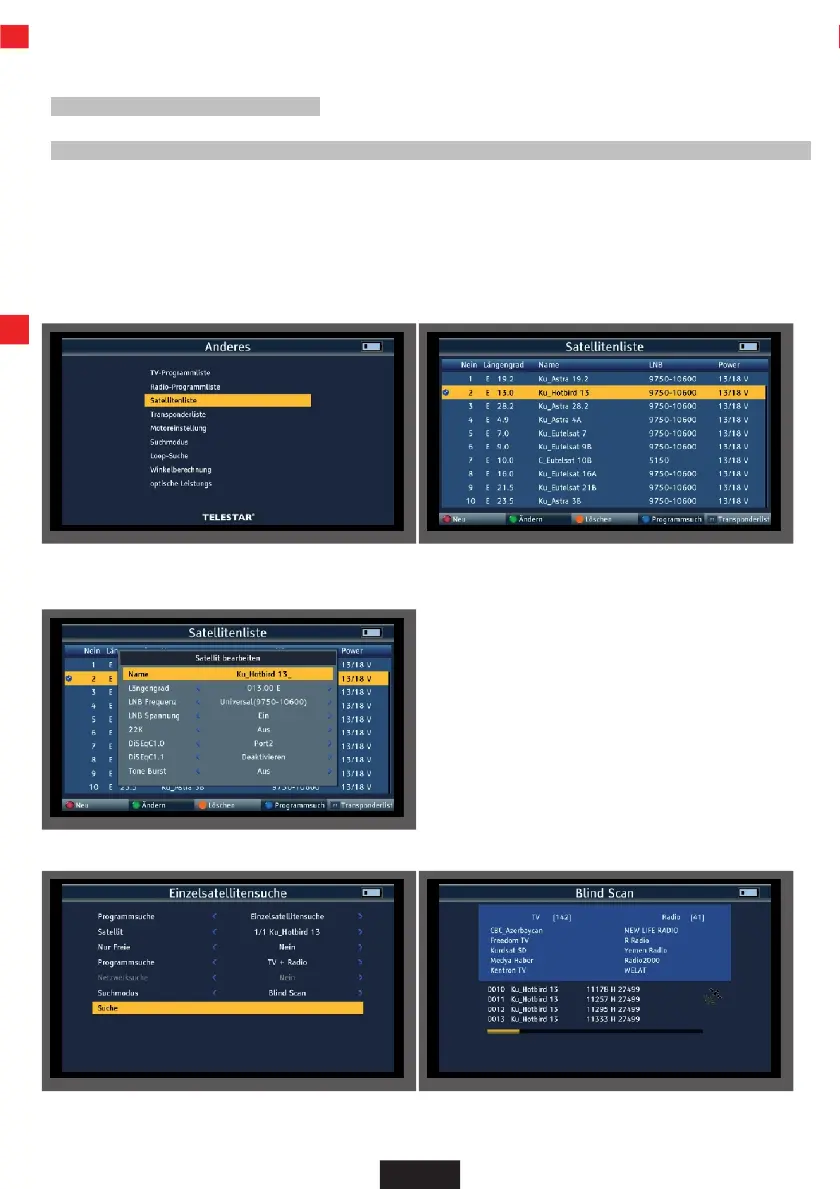
Select "Other" in the main menu and confirm with OK.
>
Select "Satellite list" and confirm with OK.
>
Select the satellite position from the list on which a channel search is to be carried out.
>
Press the OK button.
>
If required, press the green button (Change) to check the reception settings of the satellite system or to
change them if necessary. Press MENU to exit this item.
>
Press the blue button (program search). Select "Search" and confirm with OK.
The device saves all programs found in the main program list.
EN


 To Next Page